About Glass Pricing Tabs
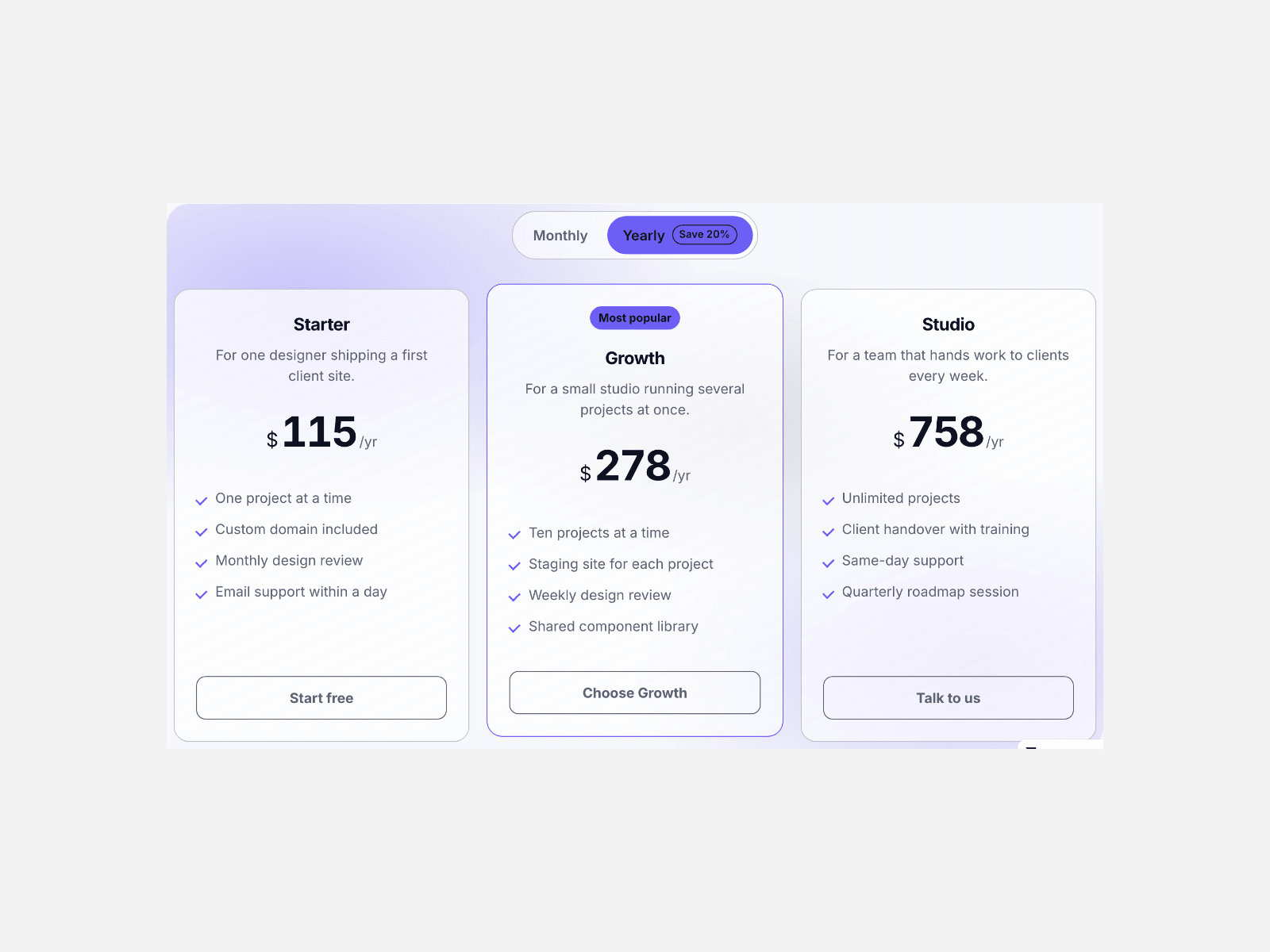
Glass Pricing Tabs puts your plans behind a billing switch: press Monthly or Yearly and every figure counts up to its new number, with a save badge on the term that earns it.
Each plan sits on a frosted card with a blurred backdrop, a hairline edge and a highlight sheen, and the plan you feature keeps an accent border and a label you write.
The tabs answer the arrow keys and read as a real tab list, the section lands complete on the Framer canvas at the first frame, and reduced motion gets the new figures at once.
Key features
- **Two or three billing tabs.** Label each term, add a suffix like /mo, and a save badge where it belongs.
- **Prices that count up.** A tab press rolls every figure to its new number in pure CSS.
- **Frosted plan cards.** A blurred backdrop, a hairline edge and a highlight sheen, blur set in pixels.
- **One plan out front.** Mark a plan featured for an accent border and a label you write.
- **Everything on the card.** Name, description, a price per tab, up to six features and a button with its own link.
- **Keyboard tabs.** Arrow keys, Home and End move between terms, announced as a real tab list.
- **Columns you set.** Auto, two, three or four across, and a single column on a phone.
- **Styled by you.** Five colours, radius, gap, text size, max width, alignment and every label.
What you control
• Tabs as an array: label, price suffix and a save badge for the longer term
• Plans as an array: name, description, a price per tab, features one per line, button label, link and a featured flag
• Columns, card gap, radius, max width, alignment, text size and glass blur
• Five colours, count-up length, the save badge, the featured label and the accessibility labels
One pricing section per page, up to four plans and three billing tabs, with a backdrop glow you can switch off when the section sits on your own gradient.