About Fe Mega Nav
About
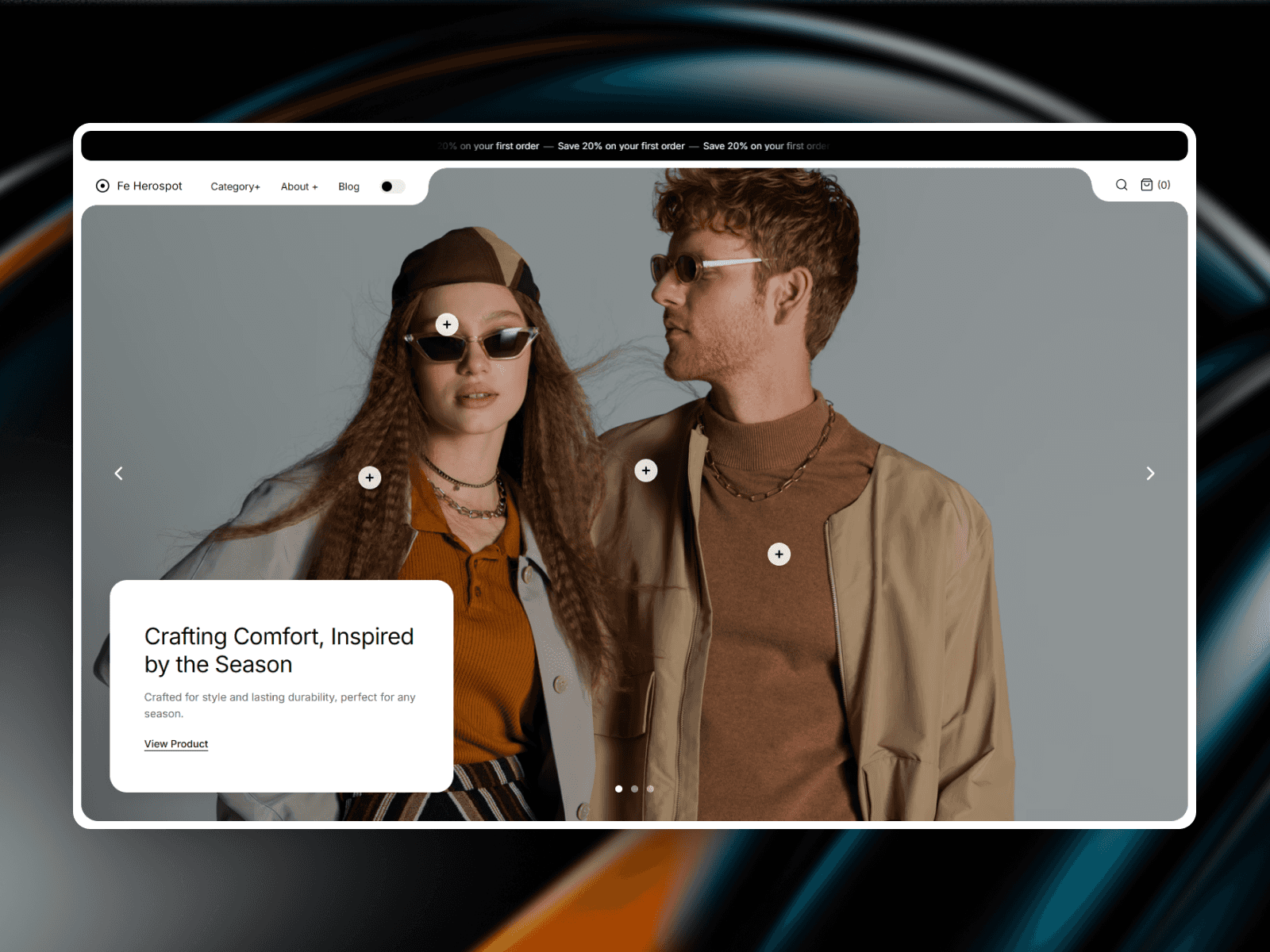
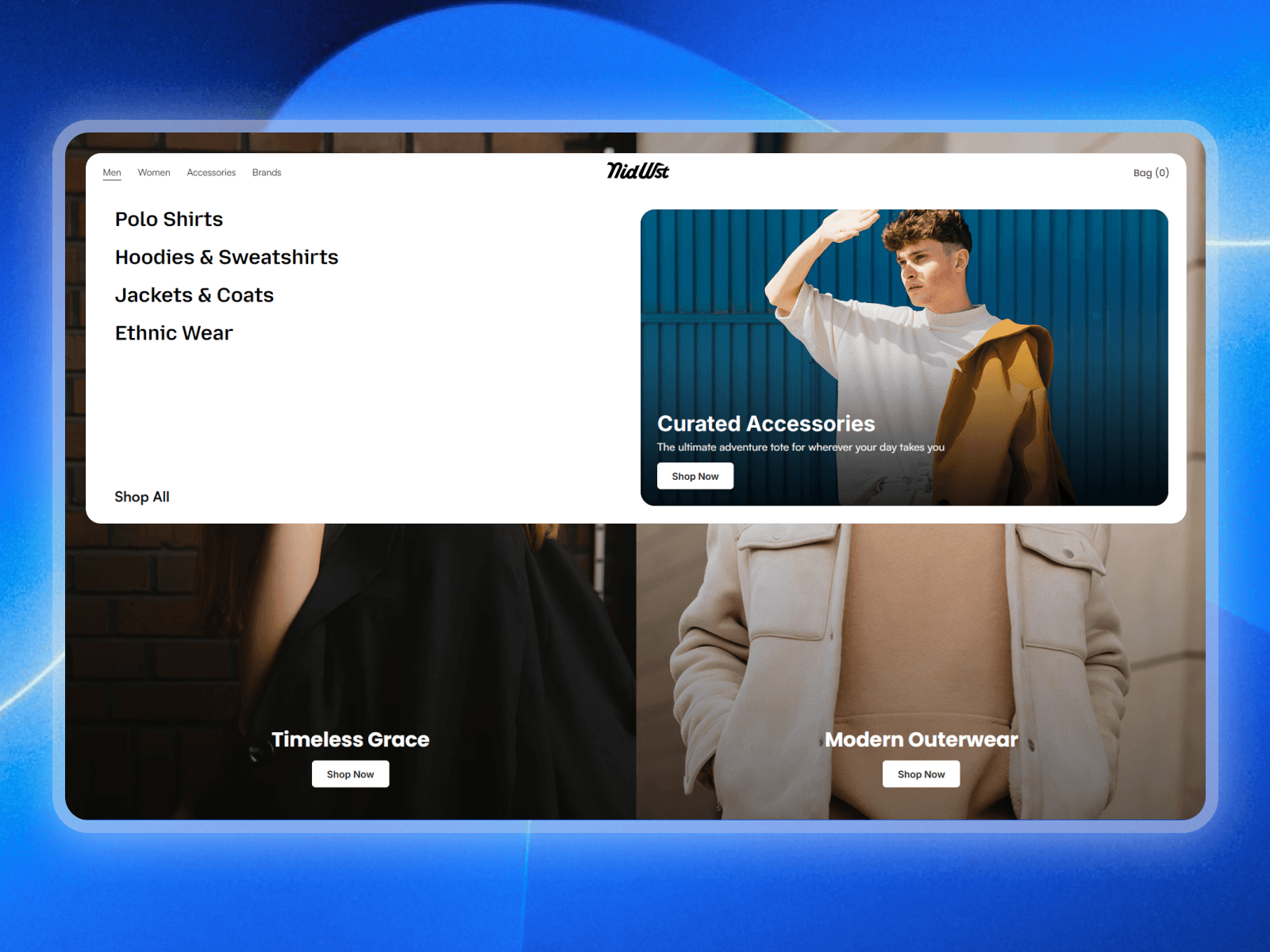
Fe Mega Nav is a split hero with a mega menu built into it. Header and hero ship as one piece, so they always line up.
Two full-bleed image panels sit under the nav bar, each with its own headline and button. Drop it on a storefront, lookbook, or brand homepage and the top of your page is done. No nested frames, no interactions to wire up.
What it does
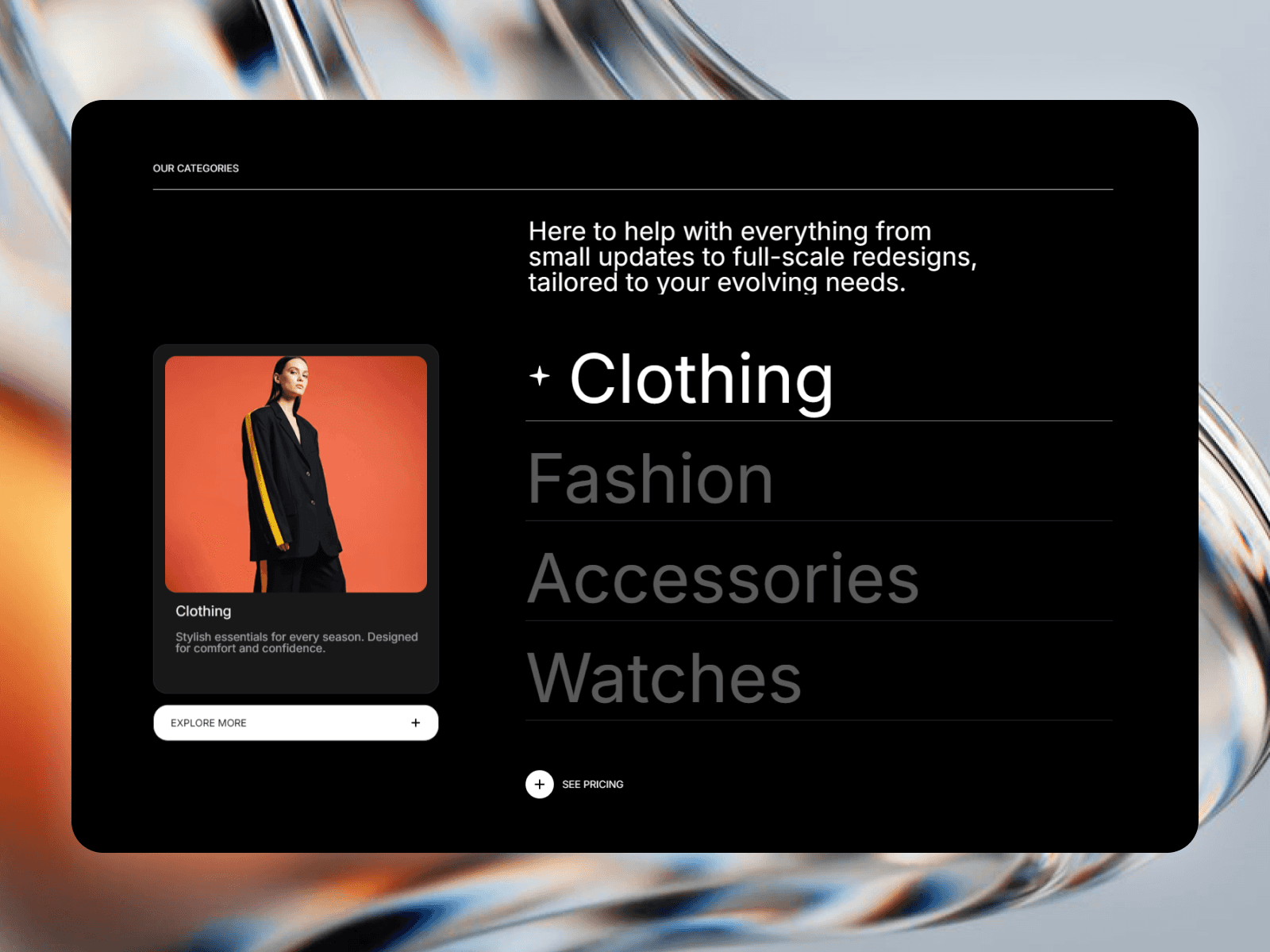
Hover a nav item and the menu opens full width, with its own category list and a Shop all link. On the right sits a feature card whose image crossfades as you move between categories. Behind it, the hero dims and blurs so nothing competes with the open menu.
It measures its own container, not the browser window, so it keeps working inside nested Framer breakpoints. Two panels on desktop, one on tablet, hamburger on phone.
What you can customize
All of it, from the properties panel. No code needed.
Split hero: image, title, button, panel size and hero height per panel
Mega menu: separate categories and content per nav item, plus blur and dim
Feature card: image, title, subtitle, button, crossfade handled for you
Branding: logo as text or image, plus a cart or bag label
Colour and type: every colour, nav font size, button size, corner radius
Setup
Insert the component
Set Width to Fill, then Height to your hero height
Swap images and text in the properties panel
Step 2 is the one people skip. The component sizes to its container, so anything but Fill and the panels won't span the page.
Great for
Fashion and apparel, streetwear and lifestyle, luxury and jewellery, beauty and skincare, lookbooks, editorial e-commerce, boutiques, home decor, agency sites and premium Framer templates.
Share your build
Built something with it? Send it over, we like seeing where these land.
Need help?
Get in touch, we usually reply within one business day. More Framer ecommerce work at https://fecommerce.co/