About MokuToc
MokuToc reads the headings that are already on your page.
It finds every H2 and H3, assigns anchors, and marks the current section as the reader scrolls. There is no list to maintain when the copy changes.
Finds your article on its own
Drop it on the page and it works: MokuToc takes the part of the page with the most headings. To limit it to one layer, type that name under Setup.
Requirements
A code component for long-form pages. Your section titles need a text style tagged Heading 2 or Heading 3.
Desktop: a rail, not a sidebar
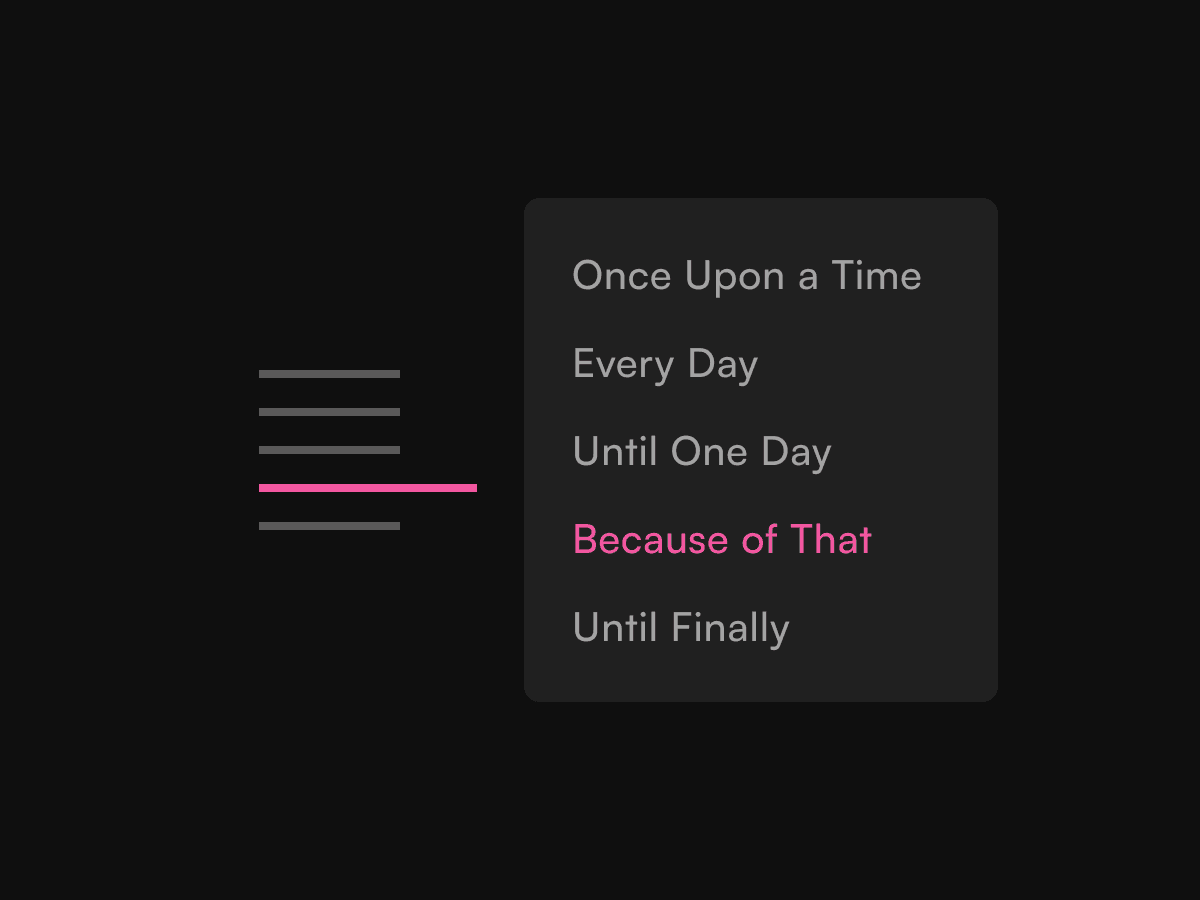
Thin dashes at the edge of your content. Hover or focus opens one popover with every heading title, the active heading in your accent colour.
Mobile: a bar that gets out of the way
Below your breakpoint the rail becomes a sticky bar naming the current section. Scroll down and it slides to the top of the screen, scroll up and it drops under your header.
Tuned from the properties panel
Rail geometry, popover size, header height, scroll margin, edge gap, mobile breakpoint and padding, plus 10 colours across light and dark sets. It picks the set by sampling the background it sits on, so it follows a theme toggle.
Keyboard and screen reader
Dashes are tabbable, focus opens the popover, Enter jumps, Escape closes. The mobile bar is a real button, panel entries carry aria-current, and reduced motion is respected.
Nothing showing?
If a page has no H2 or H3 headings, MokuToc says so beside the rail, on the canvas and in preview only. Readers never see it.
Good to know
MokuToc reads H2 and H3, with an H2-only option. H1 and H4 are ignored. The Framer canvas shows a static three-dash placeholder; open Preview or publish to see the live rail.
Refunds
Full refund within 14 days. If something does not work as described, that window does not apply: email me and I will fix it or refund you. Your statutory consumer rights are unaffected.