Resolve customer questions directly on your Framer site with Weav.com.
Weav is an AI customer support platform that answers questions and escalates conversations when a human should take over. This plugin connects your Weav workspace to Framer so you can install your chat widget, match it to your brand, and even the open chatbot from any canvas layer.
Connect your Weav workspace, choose an agent, and install the chatbot on your Framer site with one click.
You can customize the chatbot’s appearance from Framer and turn buttons, links, or other canvas layers into chat triggers, helping visitors start conversations in context.
Most chatbot plugins stop at adding a widget. Weav is built to handle real customer conversations.
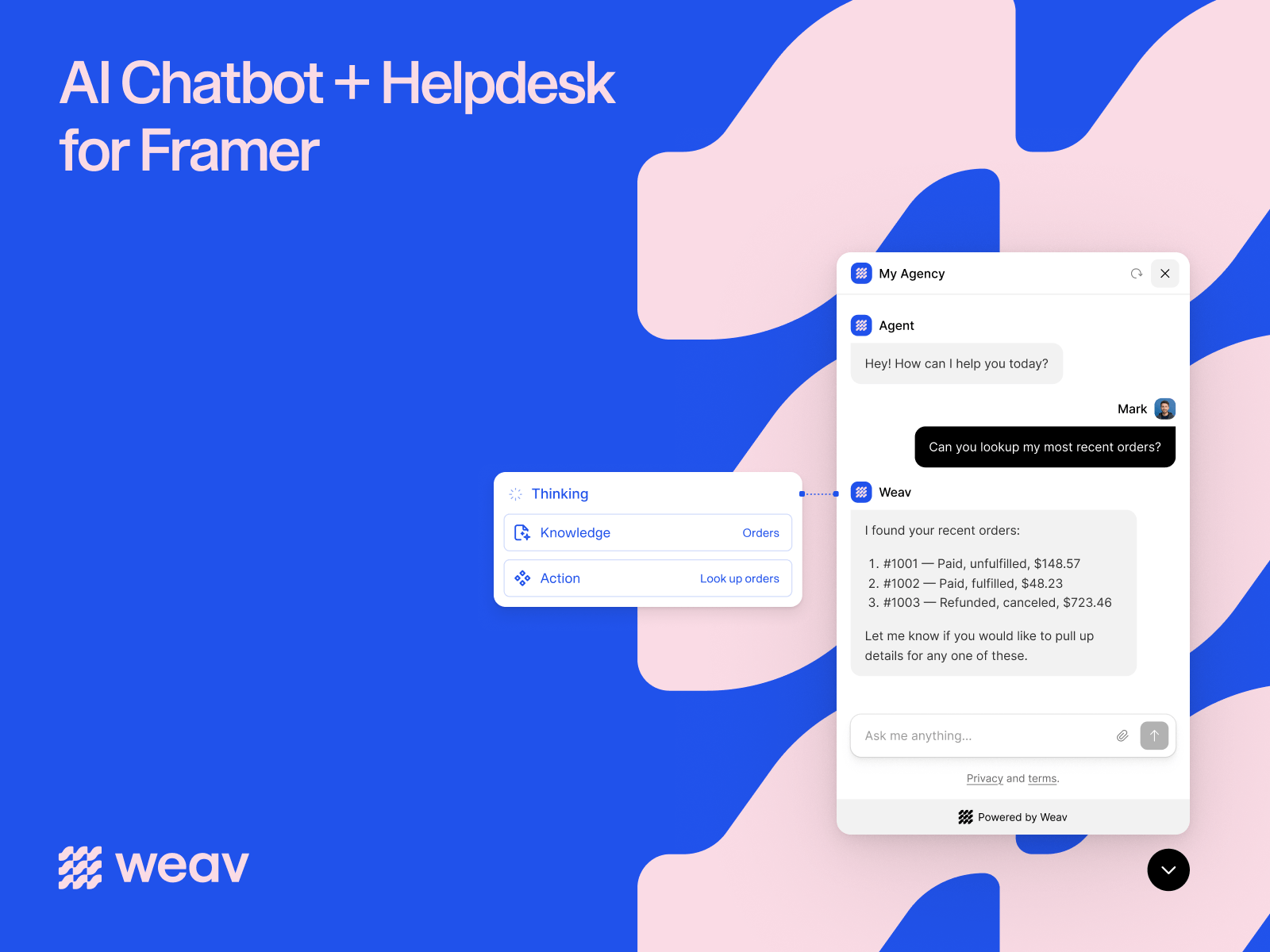
Your AI agent is trained on your website, documentation, and FAQs. It answers questions in your brand’s voice and provides support 24/7.
When a conversation needs a person, it moves into a shared inbox with the full history attached, so your team can take over without starting over. Customer emails can also be managed from the same Weav inbox.
One-click installation - Connect Weav, select your agent, and install the widget without manually copying scripts.
AI trained on your business - Give your agent access to your website, documentation, FAQs and more.
Human escalation - Route complex conversations to your team with the full conversation history.
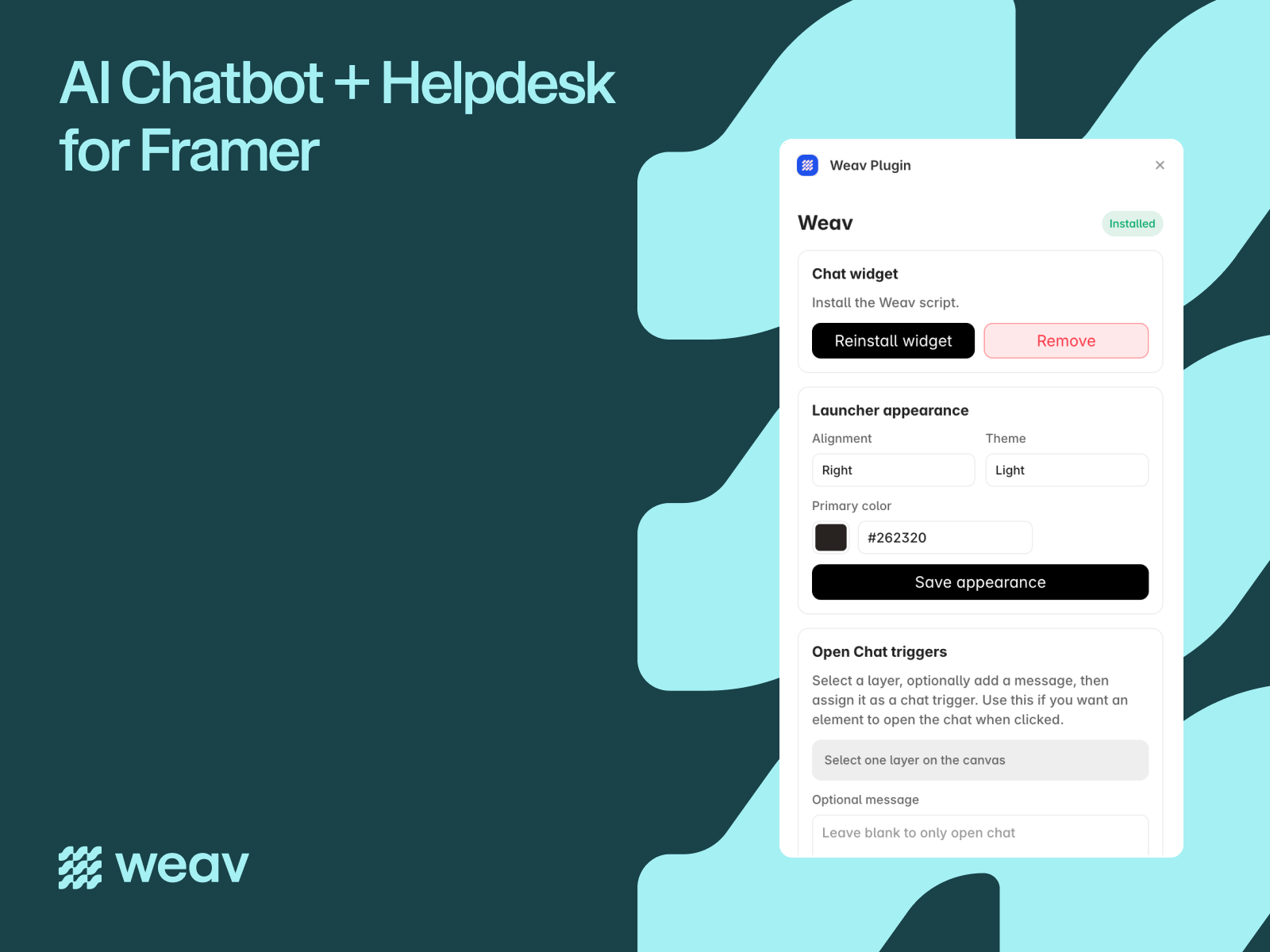
On-brand chatbot - Set the alignment, theme, and primary color from the plugin.
Open Chat triggers - Turn any canvas layer into a chat trigger. You can prefill a message so visitors open chat with the right context already sent.
Install the Weav plugin.
Connect or create your Weav workspace.
Choose an agent and install the widget.
Match the chatbot to your site.
Add optional Open Chat triggers.
Publish your site.
Get started free at weav.com.
Support: hello@weav.com

Resolve customer questions directly on your Framer site with Weav.com.
Weav is an AI customer support platform that answers questions and escalates conversations when a human should take over. This plugin connects your Weav workspace to Framer so you can install your chat widget, match it to your brand, and even the open chatbot from any canvas layer.
Connect your Weav workspace, choose an agent, and install the chatbot on your Framer site with one click.
You can customize the chatbot’s appearance from Framer and turn buttons, links, or other canvas layers into chat triggers, helping visitors start conversations in context.
Most chatbot plugins stop at adding a widget. Weav is built to handle real customer conversations.
Your AI agent is trained on your website, documentation, and FAQs. It answers questions in your brand’s voice and provides support 24/7.
When a conversation needs a person, it moves into a shared inbox with the full history attached, so your team can take over without starting over. Customer emails can also be managed from the same Weav inbox.
One-click installation - Connect Weav, select your agent, and install the widget without manually copying scripts.
AI trained on your business - Give your agent access to your website, documentation, FAQs and more.
Human escalation - Route complex conversations to your team with the full conversation history.
On-brand chatbot - Set the alignment, theme, and primary color from the plugin.
Open Chat triggers - Turn any canvas layer into a chat trigger. You can prefill a message so visitors open chat with the right context already sent.
Install the Weav plugin.
Connect or create your Weav workspace.
Choose an agent and install the widget.
Match the chatbot to your site.
Add optional Open Chat triggers.
Publish your site.
Get started free at weav.com.
Support: hello@weav.com