About 22 Plinko Links
What it does
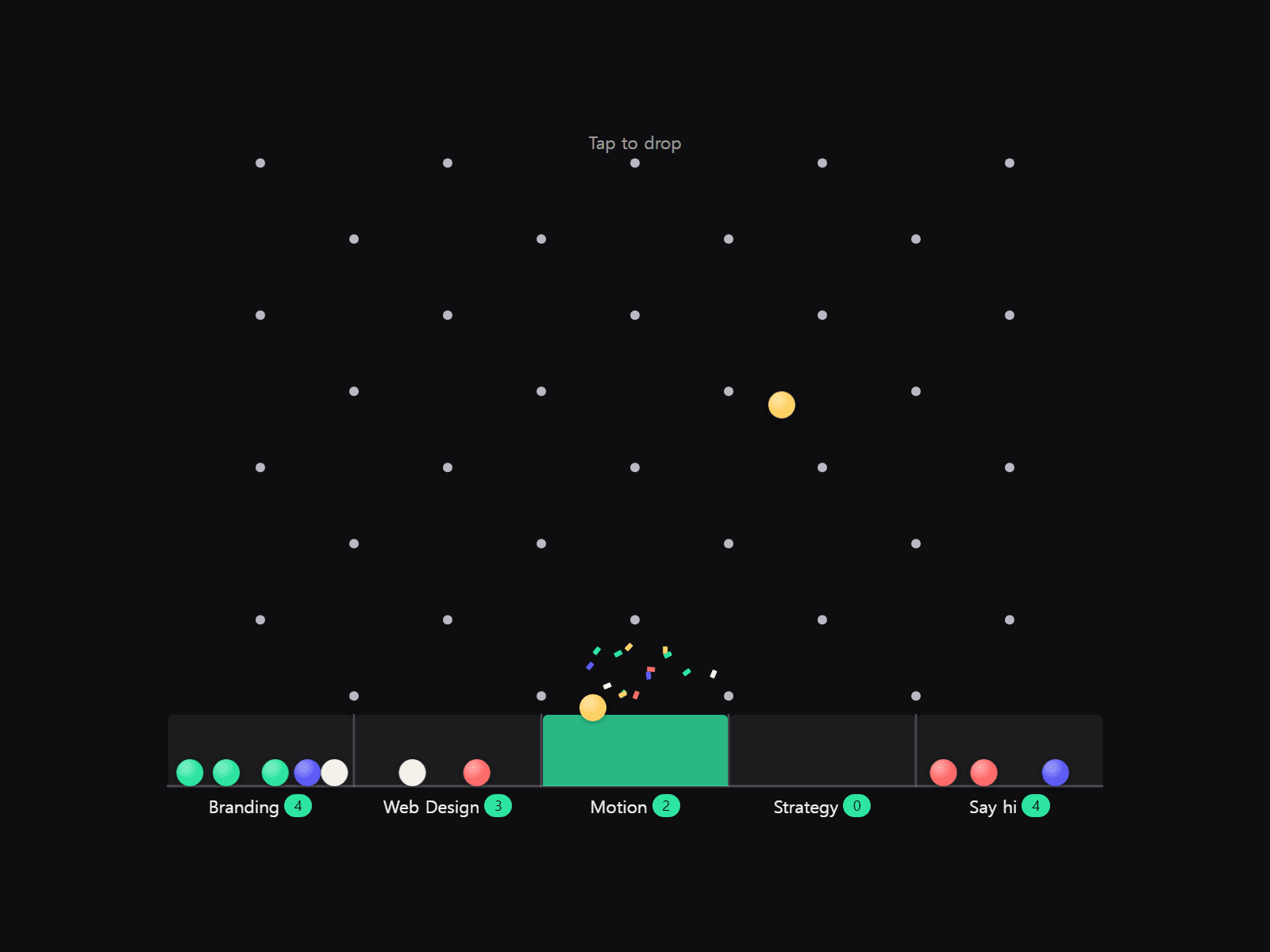
A Plinko board for your site. Visitors tap anywhere to drop a ball; it rattles down the pegs and lands in one of your labeled bins. Pegs flash when hit, the bin glows, confetti pops, and an optional counter keeps score. Each bin can be a link — let the ball pick a service page, or keep it as a hero toy.
Balls can be grabbed and thrown. Starter balls drop when the board scrolls into view, and Auto Drop keeps it alive while visible. No physics library, one file, and the loop stops once everything has settled.
Customizable properties
• Bins — label, optional link and color (up to 12)
• Peg Rows, Peg style (Dot / Ring / Diamond), size, color, hit color
• Ball — size, color list or your own image
• Start Balls, Max Balls (oldest is reused), Auto Drop + interval
• Grab & Throw, On Land: Highlight or Open Link, same/new tab
• Confetti, Count badge, synthesized Sound, Hint
• Gravity, Bounce, Bin Depth, Lines / Bin / Bin Lit colors, Text, Background, Font
Why this component
• A Plinko board visitors actually play with.
• Bins are real links: a tap-dropped ball can open the page it lands in; starter and auto balls never navigate.
• Everything reacts: peg flash, bin glow, confetti, counter, optional tick/ding.
• Canvas, static export and reduce-motion show settled balls, never an empty frame. Pauses off-screen.
Need help?
hello@brandingupstudio.com — we usually reply within 72 hours. Custom edits from $75/hr. More components: https://brandingupstudio.com
Customizable via property controls — no coding needed. Unlink is not provided so we can keep shipping updates; click Update when one appears.
Setup tip: Width Fill, fixed height 480–640 px. Balls shrink when bins get narrow.