About 404 HoopShot page
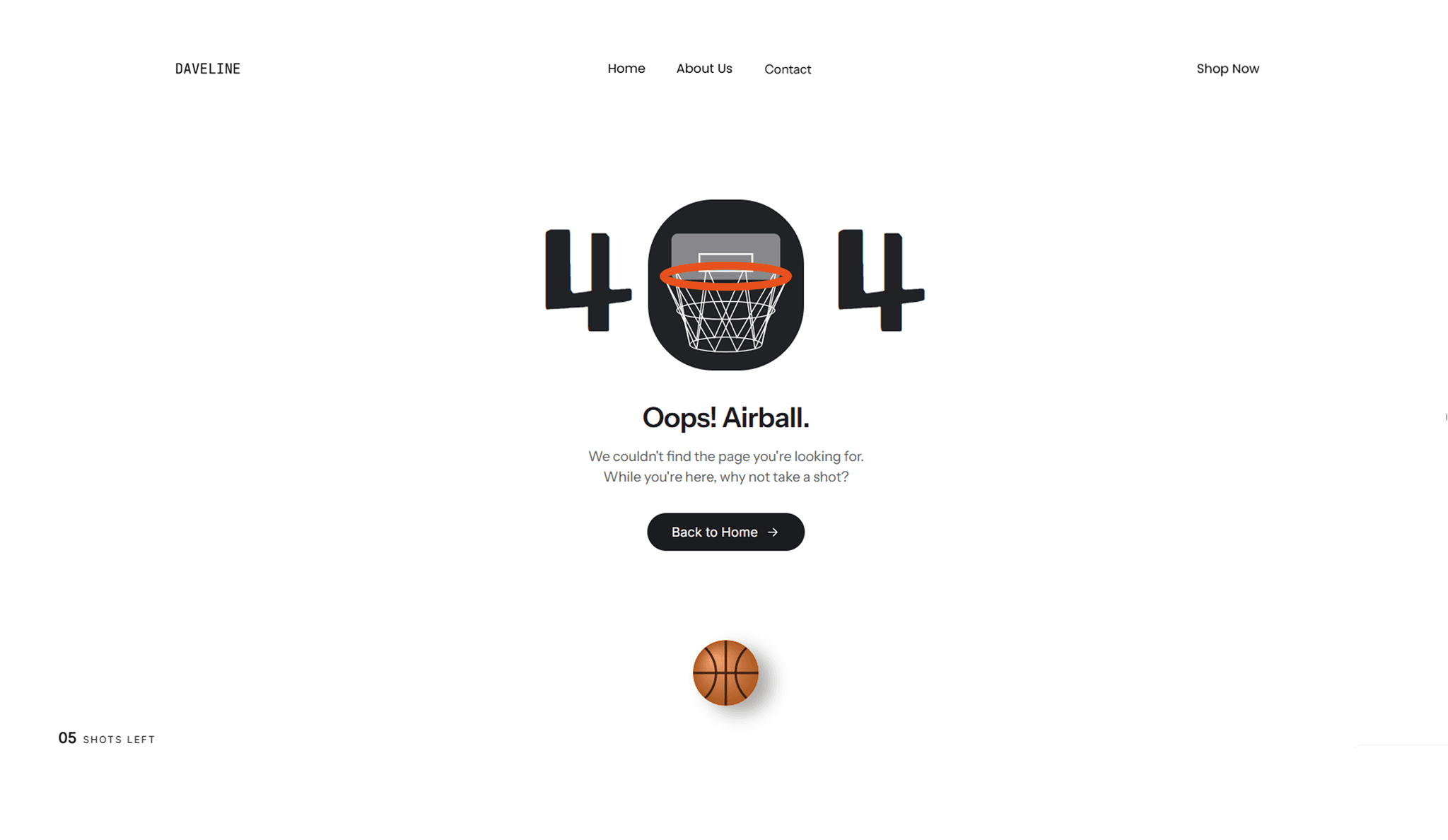
HoopShot 404 turns your dead-end page into a basketball game. The hoop sits inside the zero of the 404. Visitors drag the ball back, line up the dotted aim line, and let go. Make enough baskets and they get confetti and a win screen. Miss too many and they get your 404 message, a Try again button, and a Back to Home button.
It’s made for e-commerce brands that want a broken link or a discontinued product page to feel like part of the brand instead of a dead end. It also suits sports, sneaker, streetwear and fitness brands, or any site with a playful side.
It works with mouse, touch and keyboard (arrow keys to aim, Enter to shoot). Screen readers get shot updates, it respects reduced motion, and it stops animating when it’s off screen.
How to use it: Drop it on your 404 page, set the Home link, then change the text and colours to match your brand.
What you can edit in the component panel:
Game: total shots (1 to 10), shots to win, difficulty (Easy, Normal, Hard aim assist), ball position (rotates left/centre/right or always centre), side distance, replay button, and how many retries a visitor gets.
Text: play title and text, 404 title and text, win title and text, shots and made labels, home label and link, replay label.
Walkthrough: an optional guide label with frosted glass (tint and blur), plus custom messages for a basket, a miss, already won, win out of reach, and the last shot. You can use {made}, {total}, {left}, {needed} and {threshold} in them.
Look: background image or wall colour, colours for the 404 numerals, text, body text, buttons (including hover, press and focus states), rim, ball, net, backboard and aim dots. You can also edit ball size, ball shadow (colour and offset), corner radius and top padding.
Buttons and icons: icon on/off, style (Line, Bold, Filled), choice of icons, and icon position.
Type: separate fonts for the 404 numerals, heading, body, instruction, buttons and counter, plus a responsive text toggle.
Extras: win confetti on/off.