About Text 2 Speech
Free text-to-speech for any Framer site.
No API keys, no subscriptions, no limits.
Give every article on your site a voice, for free. Listen to Article turns your blog posts and CMS pages into audio with one drag-and-drop component, using the text-to-speech engine already built into your visitors’ browsers. No subscriptions, no character limits, no API keys, and no audio files to generate or host. Just drop it on your CMS template. It’s multilingual out of the box, fully customizable to match your brand.
FEATURES:
100% free, forever. Uses the browser’s built-in voices, so there are no per-character fees, monthly plans, or usage caps.
Works with your CMS. Place it once on your article template, and it reads every post automatically.
Multilingual. Detects each page’s language and picks a matching voice. Labels translate automatically in English, Spanish, French, and Portuguese, and voices work in any language the browser supports.
Read first and Read last. Add your brand first or connect your CMS title to be read at the start, and add a closing line like “End of article.”
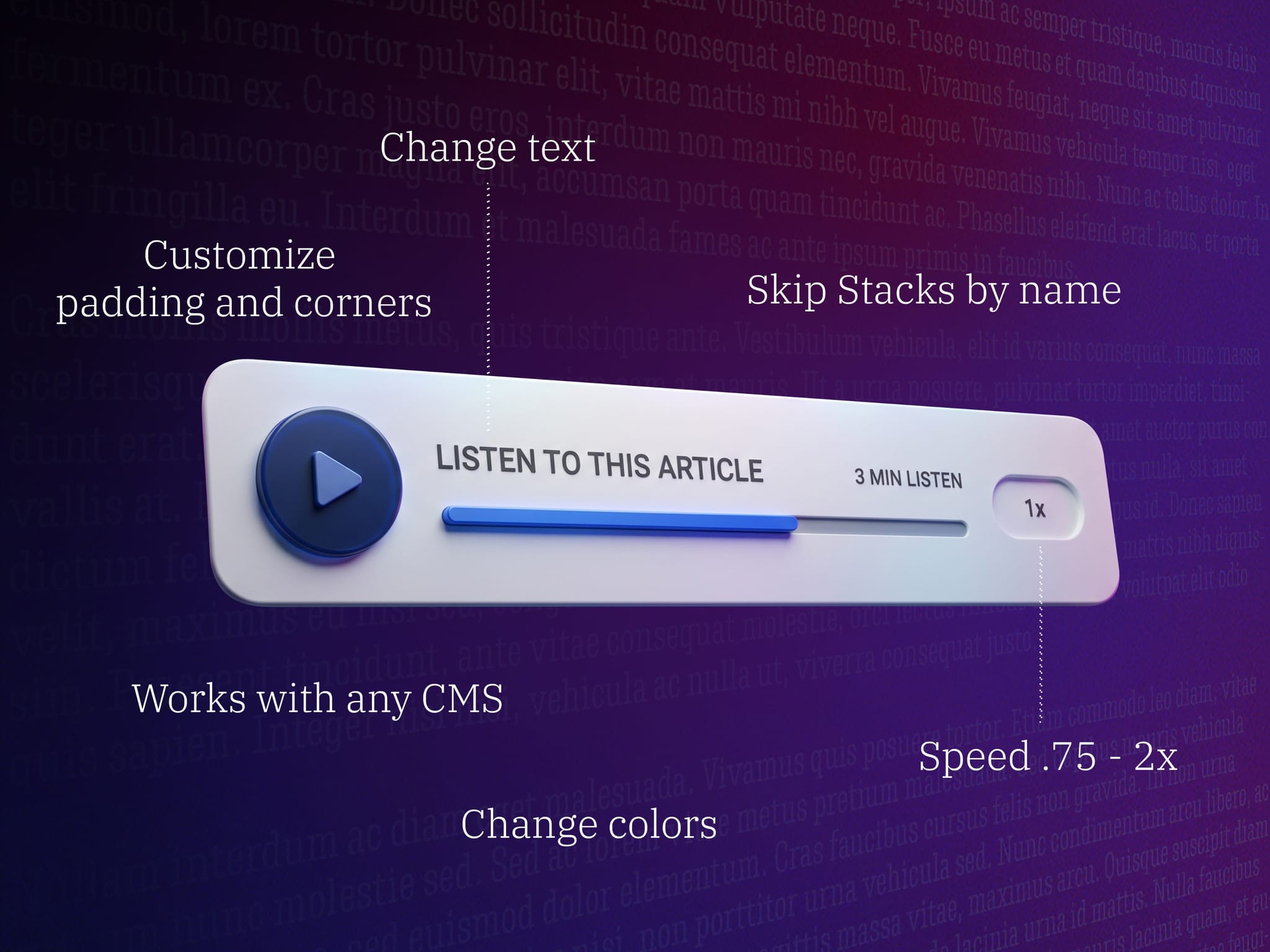
Skip layers. Exclude any layer by Stack Name, such as categories, reading time, share buttons, or newsletter blocks.
Full playback controls. Play/pause, speed control from 0.75× to 2×, and a clickable progress bar to skip ahead.
Listening time estimate. Shows “min listen” before playback and “min left” while playing, adjusted for speed.
Fully customizable design. Font, text transform, colors, border, radius, padding, and button size, all from the right panel.
Localization-safe. Handles settings changed by Framer’s automatic translation, a common source of bugs in multilingual sites.
Privacy-friendly. No external services, no tracking scripts, and no data leaves the visitor’s device.
Fails gracefully. Hides itself automatically in the rare browsers without voice support, so visitors never see a broken button.
Try it here: https://text2speech.framer.website/