About Apparel Designer
Custom T-shirt & Apparel Designer
Let visitors design custom clothing with text, images and colors
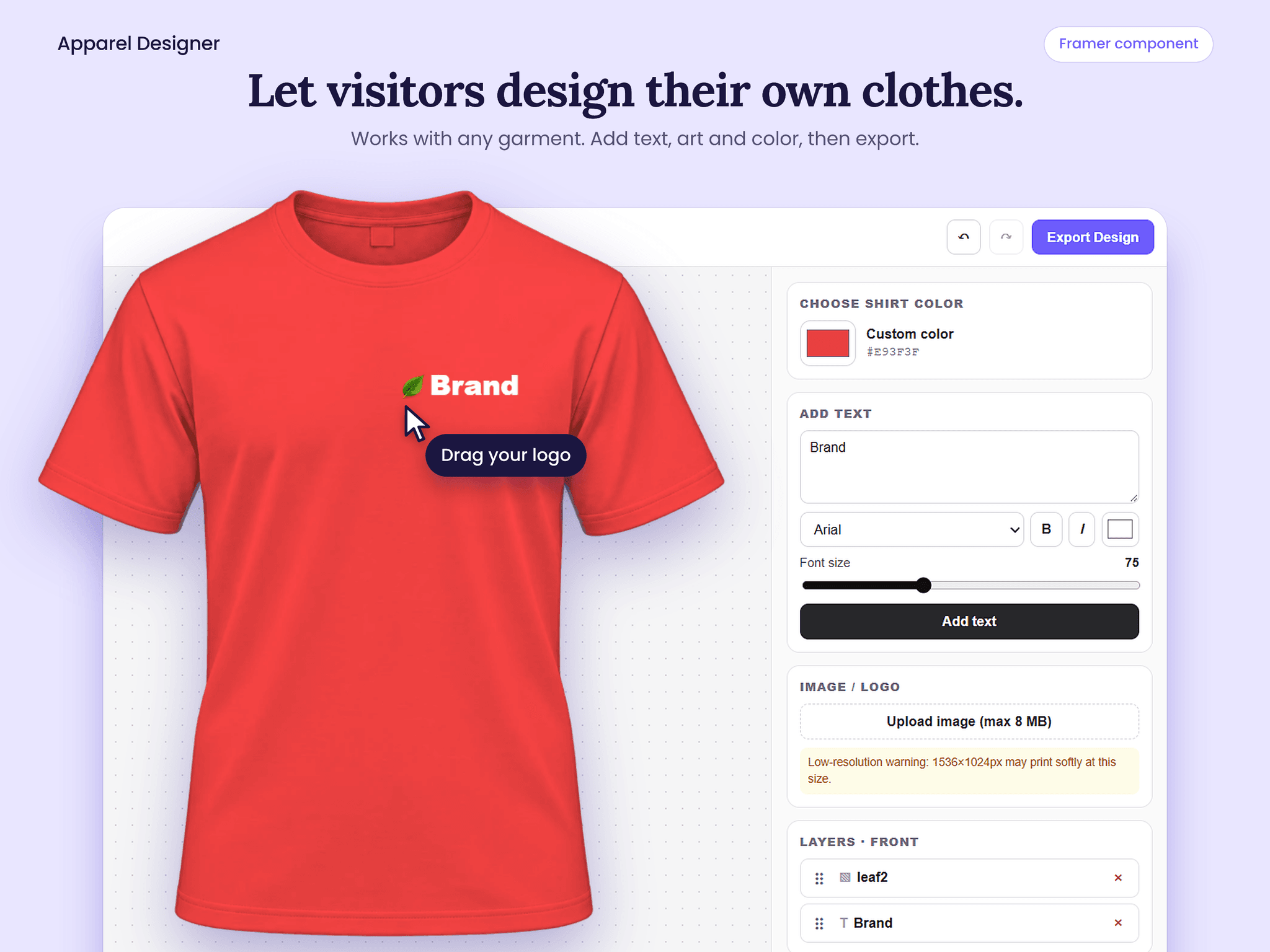
Apparel Designer is an interactive design tool for Framer. Visitors upload front and back images of any garment, then customize it right on your site: change the color, add text, place their own images or logos, and export the finished design.
Built for boutiques, print-on-demand shops, merch stores and custom apparel brands that want visitors to design their own products.
FEATURES
- Works with any garment: dresses, tops, hoodies, tees and more
- Front and back views for full-garment designs
- Custom color picker to recolor the garment
- Text tool with 16 fonts, bold, italic and adjustable font size
- Image and logo upload (up to 8 MB)
- Layers panel to select, arrange and manage design elements
- Undo and redo
- One-click design export
- Works best with transparent PNG product images
TYPICAL USE CASES
- Custom dress and boutique design pages
- Print-on-demand and merch stores
- Team, club and event apparel ordering
- Mockup and preview tools for clothing brands
- Product customizers for online shops
HOW TO USE
1. Copy the component into your Framer project.
2. Drag Apparel Designer onto your canvas and resize it.
3. In the properties panel, add your own front and back garment images [Transparent Background + White image].
4. Publish your site and try the designer in the live preview.
TIPS
- Use PNG images with a transparent background so color changes look clean.
- Keep front and back images the same size for the best alignment.
- Test uploads and export in the live preview, not only on the canvas.
Need help? Contact me at [tamimahmedruet@gmail.com].


