About Before-After Compare
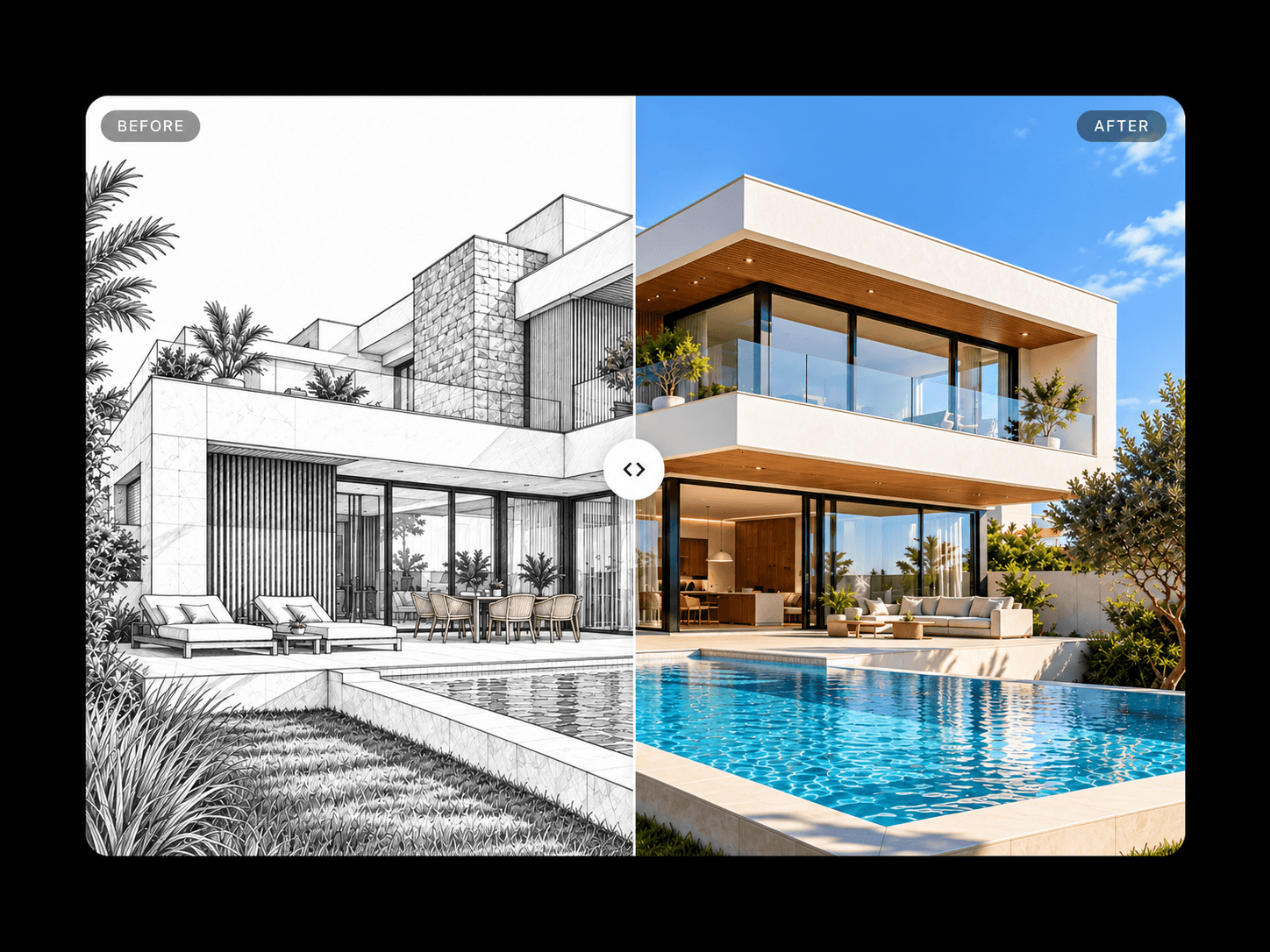
Before-After Compare lets visitors reveal the difference between two images with a smooth, interactive slider. Perfect for showcasing transformations, design updates, photo edits, renovations, and product results, it combines a responsive comparison view with spring-based motion and a polished, customizable interface.SEO Keywords: Before-After Compare, Framer before after slider, image comparison component, before and after images, interactive comparison slider, photo comparison, renovation showcase,
Use Cases
Photo editing, interior renovations, architecture projects, beauty transformations, design portfolios, product showcases, agency websites, and case studies.
Features
Interactive before-and-after image comparison
Horizontal and vertical orientations
Smooth spring-based slider movement
Customizable starting position
Optional introductory sweep animation
Return-to-rest or stay-on-leave behavior
Three handle styles: arrows, pill, and ring
Adjustable handle size, fill, and icon color
Customizable divider width, color, and glow
Optional Before and After labels
Adjustable label position, typography, colors, and radius
Image fitting options: Fill and Fit
Customizable background and corner radius
Why You’ll Love It
Before-After Compare makes visual transformations easy to explore without cluttering your layout. Its customizable interaction, refined motion, and flexible styling help you present meaningful differences in a polished, engaging way across your Framer website.