About Brewly - Hero Sec
Brewly – Interactive Coffee Experience
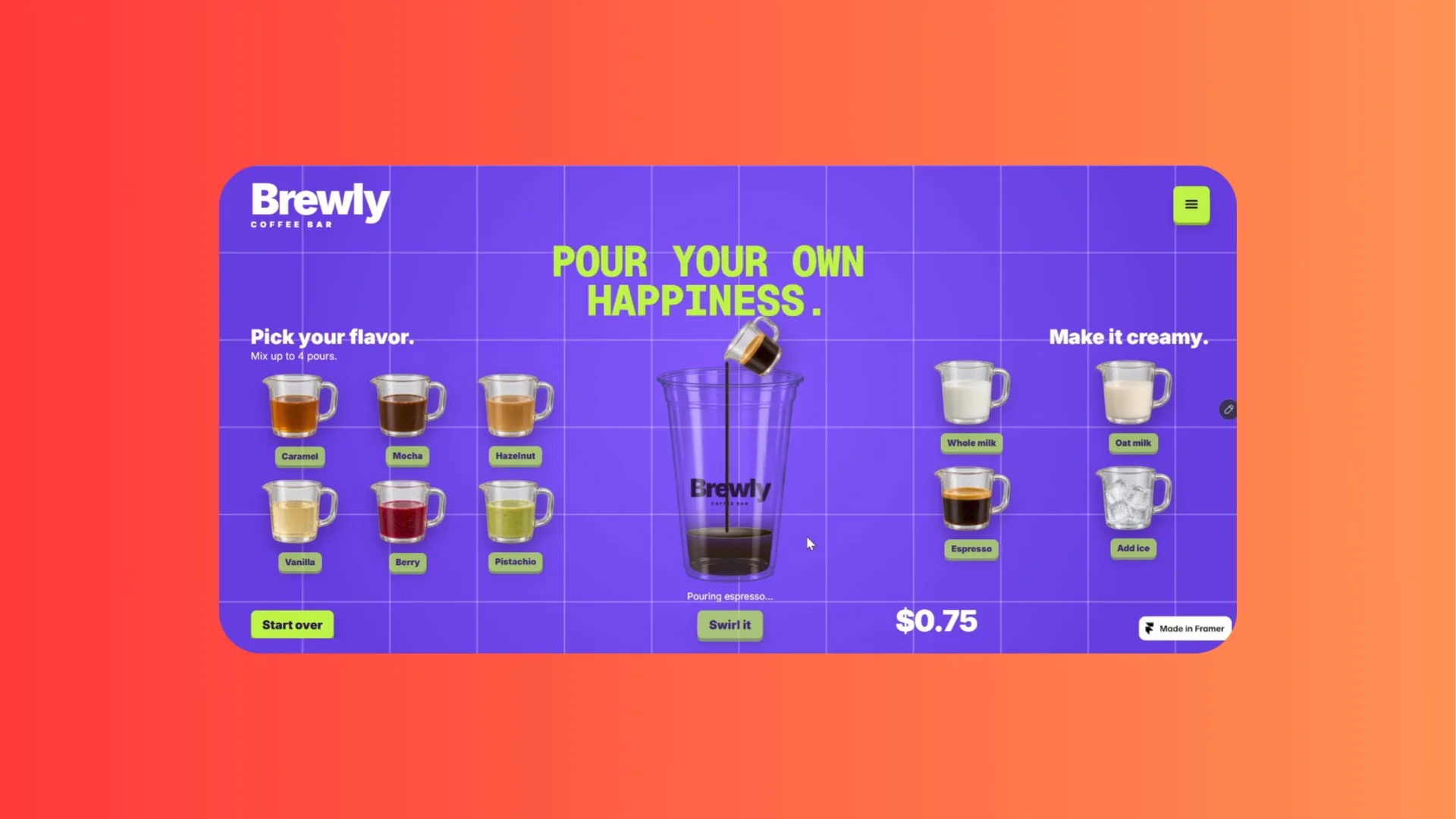
Brewly is an interactive coffee shop hero component for Framer. Let visitors create their own drinks by choosing flavours, adding creamy options, pouring ingredients into a glass, and swirling everything together.
Featuring smooth pouring animations, liquid layers, ice cubes, and live price calculation, Brewly makes your website more engaging. Its responsive layout and editable property panel let you customise the design without changing the code.
Features
Interactive pouring and swirling animations
Customisable flavours and creamy options
Upload your own jug and glass images
Live price calculation
Ice cube effects
Editable text, fonts, colours, and buttons
Custom navigation menu and links
Adjustable cup and jar sizes
Responsive desktop, tablet, and mobile layouts
Custom messages and pricing
Show or hide the text logo on the cup
How to Use
1. Add the Component
Add Brewly to your Framer canvas and adjust its width and height.
2. Add Images
Open the property panel:
Cup Glass – Upload a transparent glass image.
Logo Image – Upload your brand logo.
Flavors – Add jug images for each flavour.
Creamy – Add images for milk, espresso, ice, and more.
3. Customise Ingredients
Edit names, colours, images, types, and prices under Flavors and Creamy. Add or remove items as needed.
4. Customise the Design
Use Text Editor, Font, Colors, Price, Navbar & Side Panel, and Buttons to match your brand.
5. Adjust Layout
Use Layout and Drink settings to customise spacing, jar size, cup size, columns, and maximum pours.
6. Preview and Publish
Test on desktop, tablet, and mobile. Select ingredients, pour, swirl, and reset your drink.
Need Help?
If you have any questions or need help setting up or customising Brewly, feel free to contact me. I'll be happy to help!