About CMS Receipt Gallery
CMS Receipt Gallery
A playful way to showcase your work, inspired by the look and feel of a printed receipt.
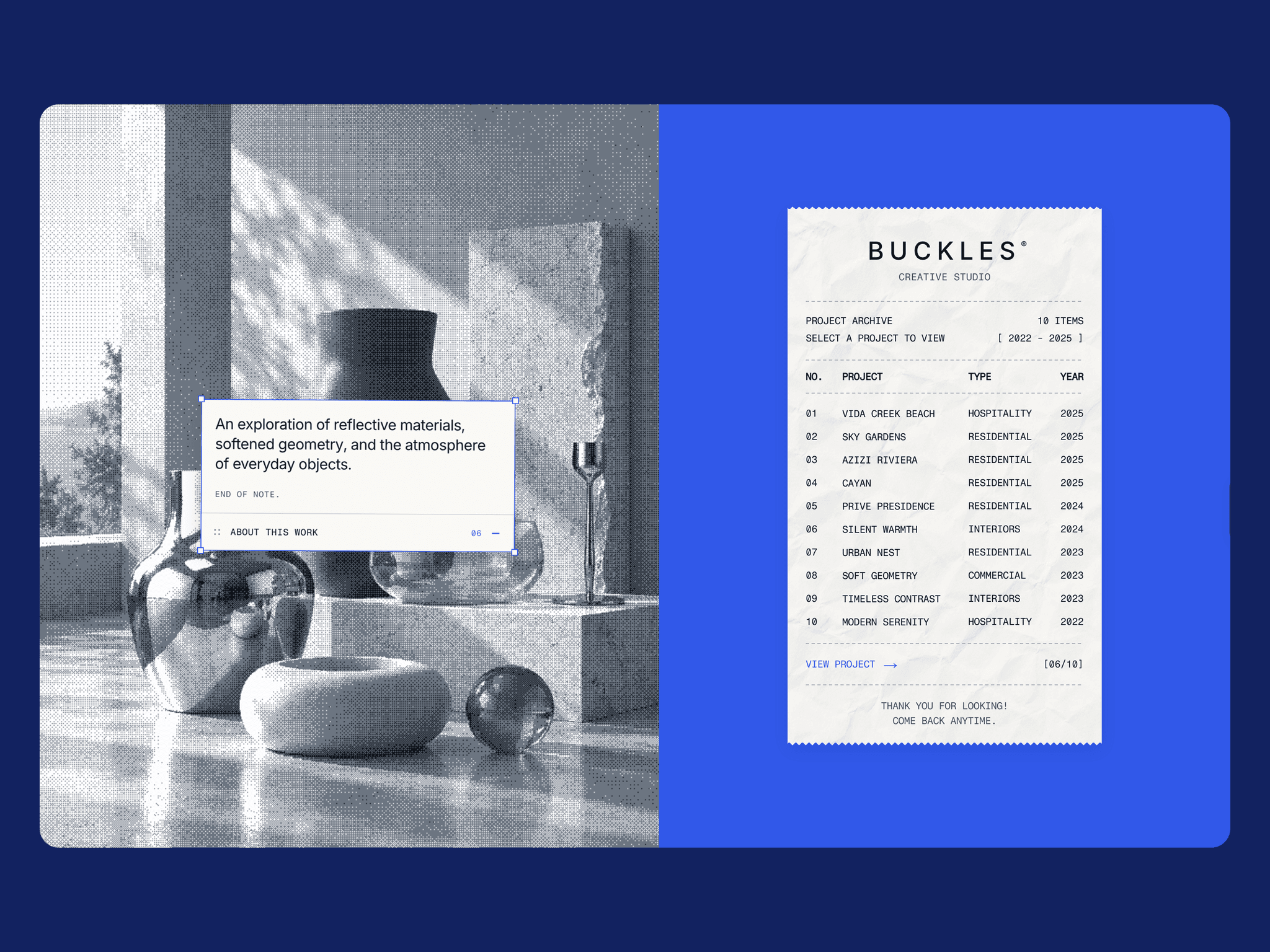
CMS Receipt Gallery is an interactive Framer component that turns a traditional project gallery into a tactile browsing experience. Explore projects through a paper-inspired directory, magnetic interactions, and smooth dither-to-color image transitions.
Features
Framer CMS Support: Manage projects through a connected CMS collection using the included CMS starter.
Manual Project Management: Add, edit, and organize projects directly in the component settings.
Paper Unroll Animation: A smooth receipt-unrolling effect triggered when the gallery enters the viewport.
Magnetic Interactions: A subtle cursor-following receipt that responds naturally to movement.
Dither-to-Color Transitions: Interactive image effects that reveal the original photograph when selecting a project.
Interactive Project Directory: Browse projects with hover previews, animated selection indicators, and smooth transitions.
Expandable Project Notes: Display project descriptions through an interactive, draggable label.
Fully Customizable: Adjust colors, typography, images, layout, animations, and other visual details.
Responsive Design: Optimized for desktop, tablet, and mobile.
Reduced Motion Support: Respects visitors' accessibility preferences.
How to Use
Choose between Manual and CMS mode to manage your projects. Manual mode lets you edit project details directly in Framer, while CMS mode uses the included starter setup to connect your own Framer CMS collection.
Customize the gallery to match your brand, add your projects, and you're ready to showcase your work.
Perfect for creative portfolios, design studios, architecture projects, photography collections, and more.
Support
Need help setting up or customizing CMS Receipt Gallery? Feel free to reach out!
Email: uibyb.design@gmail.com
X (Twitter): @uiby_b