About CMS Table Kit
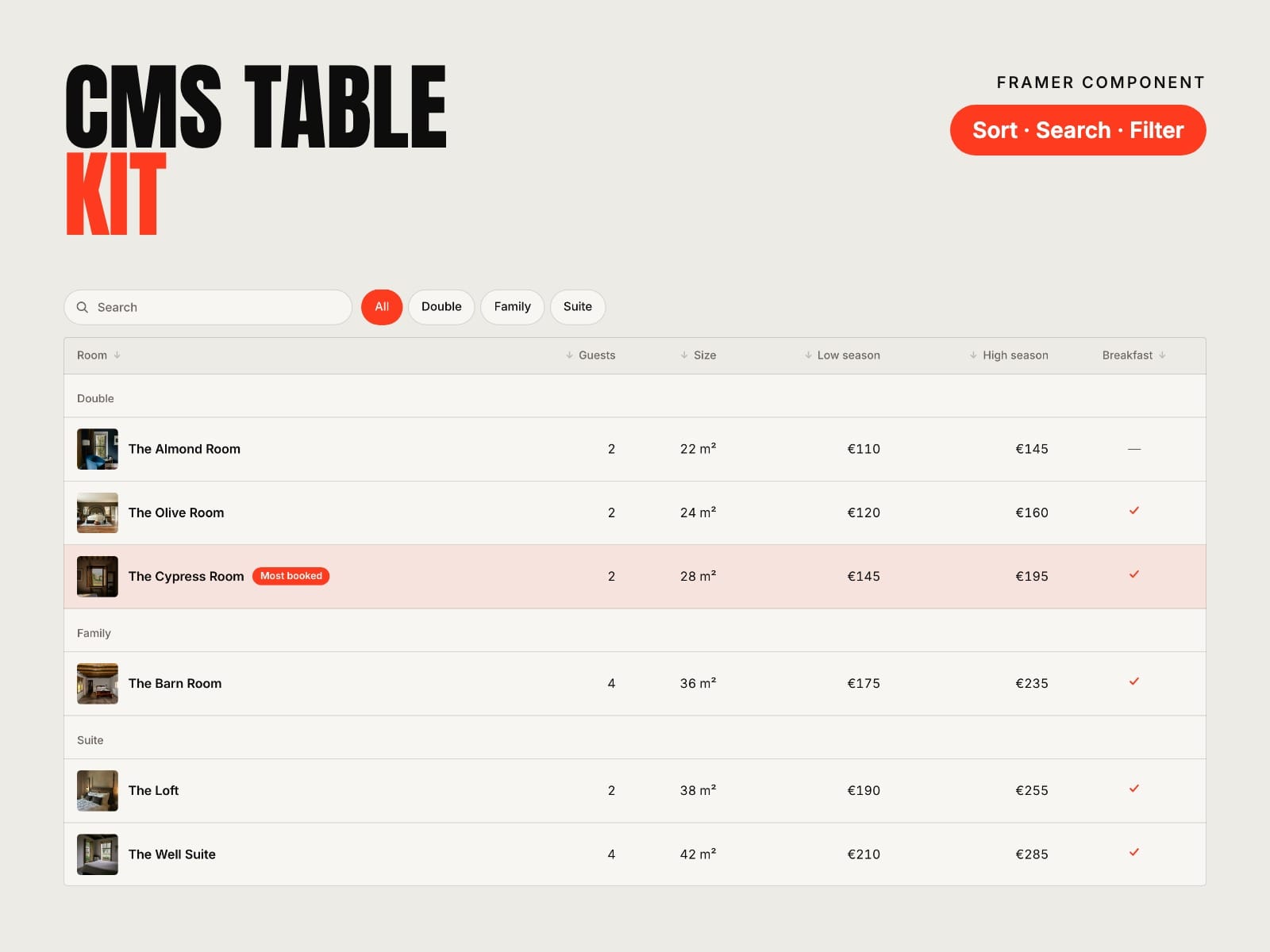
Your CMS as a table, sorted your way. Framer's own tables live inside formatted text and are typed by hand. Put a Table Row in each item of a Collection List and the kit draws the whole collection as one table: rates, price lists, listings or plan comparisons.
How to use
Paste CMS Table Kit into your Framer project
Add a Collection List of your collection and put a Table Row inside its item
Connect a field to each column: text, number, date, option or toggle
Name the columns in the kit, choose what visitors can do, then publish
Key features
Live with your CMS, in the Collection List's own order and filters
Up to 8 columns: text, number, price, date, yes / no, badge or link
Prices, numbers and dates in the site's language
Sort by any column (a sort menu on phones), search, and filter buttons
Group titles, highlighted rows and columns, row images and links
Cards, or a sideways scroll with a frozen first column, on phones
Sticky header and CSV download
Keyboard and screen reader friendly, no network requests
Full documentation: miguelrecio-components.framer.website/cms-table/docs
One-time payment. Single-Use licence: one website or project per licence. Questions: info@miguelrecio.es.