About Command FAQ
Command FAQ turns your FAQ into something visitors can search.
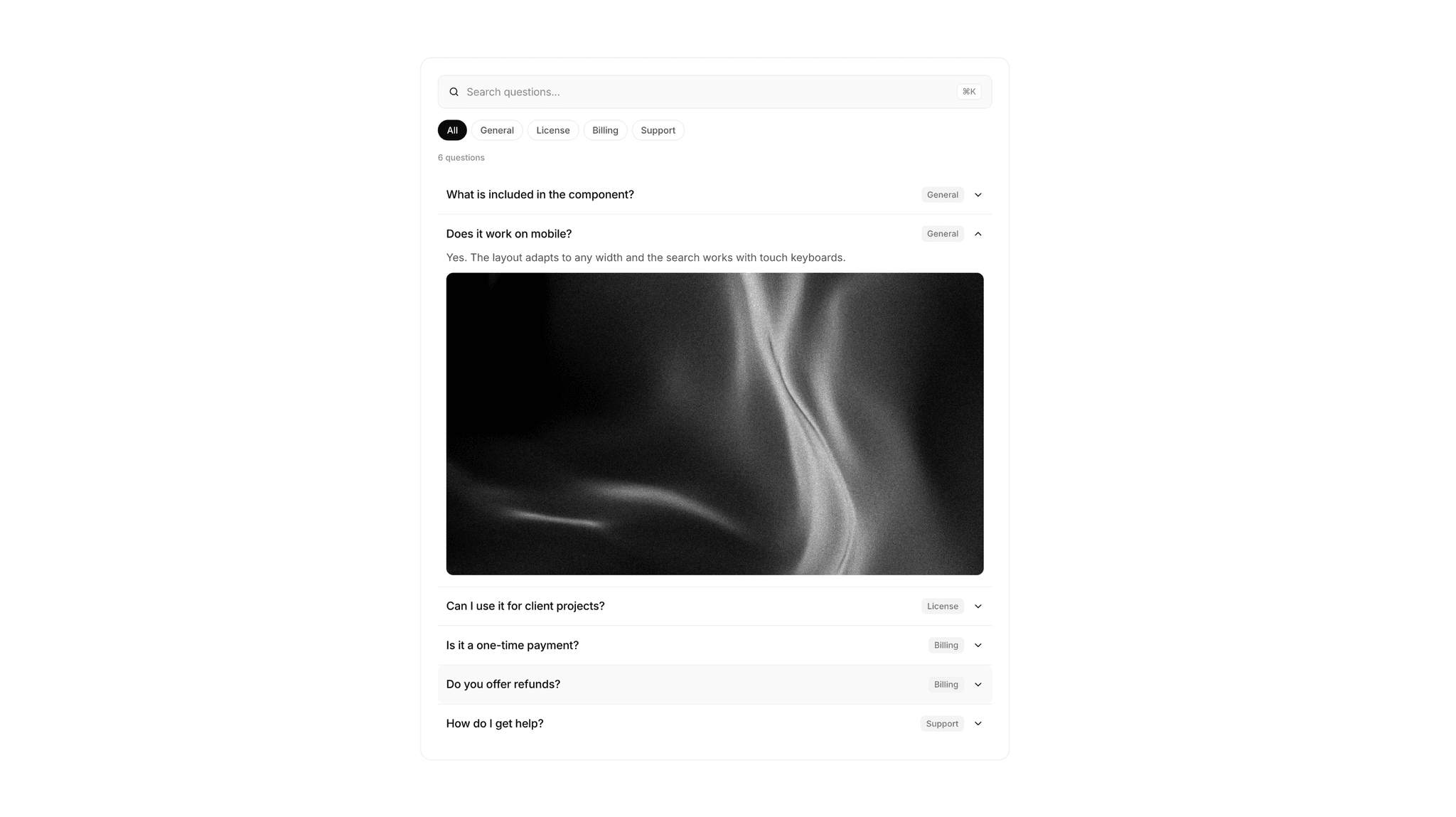
Instead of scrolling through a long accordion, visitors type a word and the list filters instantly. Matching words are highlighted, categories narrow things down, and the whole section works from the keyboard — just like the command menus people already know from their favorite apps.
Clean, minimal and fully editable. Drop it on your canvas and change every detail from the right panel. No code needed.
### ✦ What You Get
- Instant search across questions and answers
- Highlighted matching words
- Category filters, created automatically from your items
- ⌘K / Ctrl+K to focus the search from anywhere on the page
- Keyboard navigation: ↑ ↓ to move, Enter to open, Esc to clear
- Optional image or video inside any answer
- FAQPage structured data (JSON-LD) added for you, one toggle
- Friendly empty state when nothing matches
- Smooth, subtle animations with an adjustable transition
### ✦ Fully Customizable
- Fonts: input, question, answer, category and meta text
- Colors: background, borders, text, icons, highlight, categories, tags
- Spacing: padding, gaps, row spacing, answer spacing
- Shape: container, search bar, row, category and media radius
- Content: placeholder, labels, empty text, shortcut badge
- Behavior: single or multiple open, open item on load, search answers on/off
- Works in light or dark — just change a few colors
### ✦ Perfect For
- SaaS and product websites
- Help centers and documentation pages
- Pricing pages with lots of questions
- Agencies building client sites
- Any site with more than a handful of FAQs
faq, faq section, searchable faq, search, command menu, cmdk, accordion, help center, support, seo, schema, categories, filter, minimal, saas