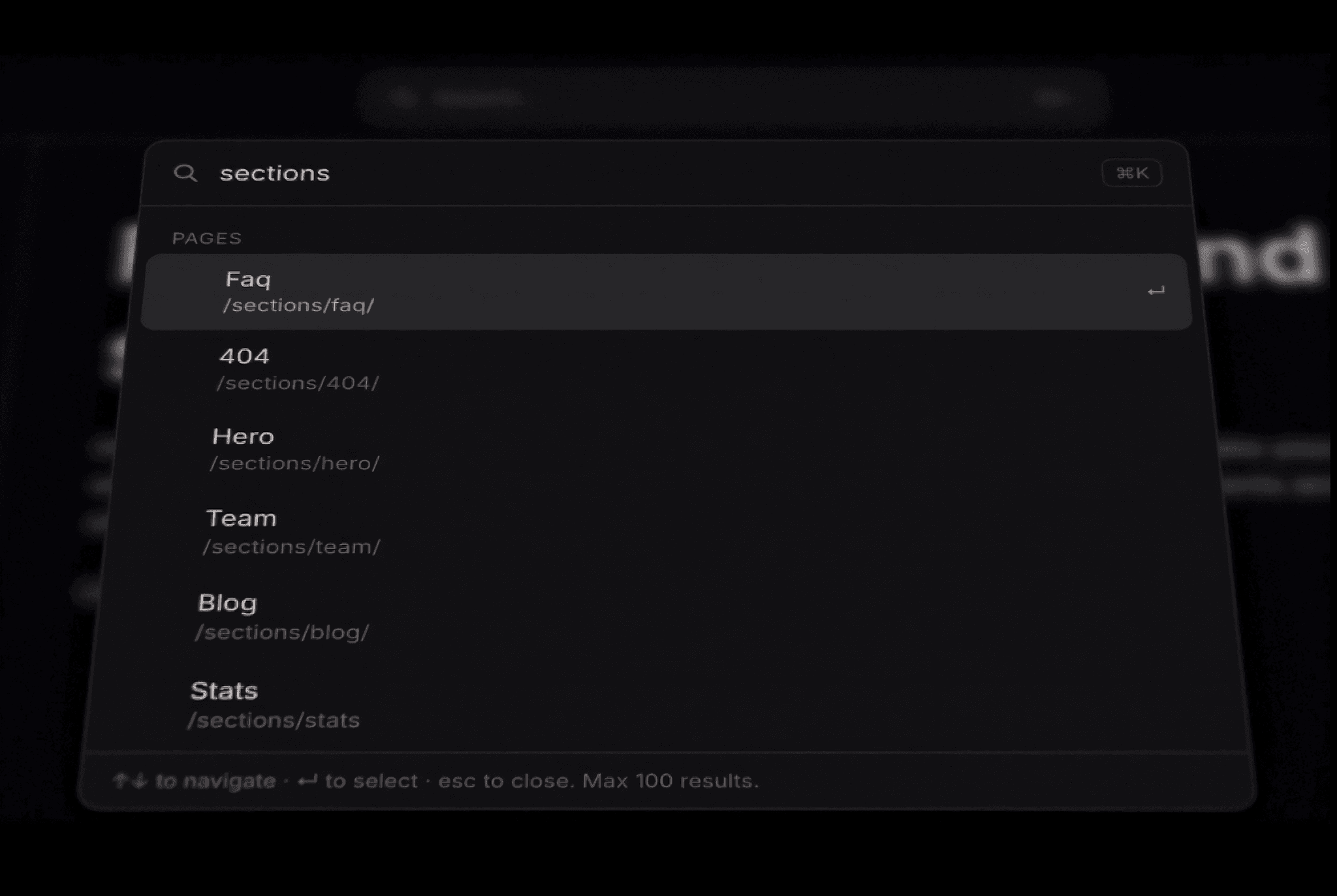
About CommandK Palette
A single drop-in component that gives your site a fast, familiar ⌘K search overlay, the kind you'd expect from a modern app, not a website. Search content across your entire published sitemap, fully keyboard-driven, and styleable to match any brand.
How to use it
Drop the Command Palette anywhere on the canvas, it's best placed once, in a header or navigation bar. Nothing else needs to be on the page for it to work.
Set Trigger to a Search Bar, Button, Icon, or Hotkey Only if you don't want a visible element at all.
Open Custom Items and add entries by hand, each one takes a Title, optional Subtitle, Group (used as a heading), Emoji or Icon, Keywords (searchable but never shown), and an action: Go to Link, Copy Text, or Fire Event.
Want it to index your whole site automatically instead of listing pages by hand? Turn on Index Site. It reads your live sitemap and adds every published page with zero configuration.
Use Scopes to limit indexing to a section of your site (e.g.
/blog/) if you only want part of it searchable, each with its own group label.Every visual detail is exposed as a property control. Headover to to styles and customize the way you like or matches to your brand.
Get the full guide to set up this cmdK search bar on your Framer site.
Features
Auto-indexing your live pages.
Scoped indexing to limit auto-search to specific sections of a larger site.
Remembers each visitor's last picks between sessions.
Full keyboard controls. Arrow, enter, esc.
Auto responsive to mobile devices with safe-area padding for iOS/Android
Respects reduced motion
No dependencies, no backend. Pure React, works on any Framer site immediately after publishing.
Support
Need help getting this set up? Reach out anytime at hello@framerstacks.com and we'll get back to you within 1–2 business days. This includes help with installation, configuration, and troubleshooting bugs in the component itself.