About Contact Dock
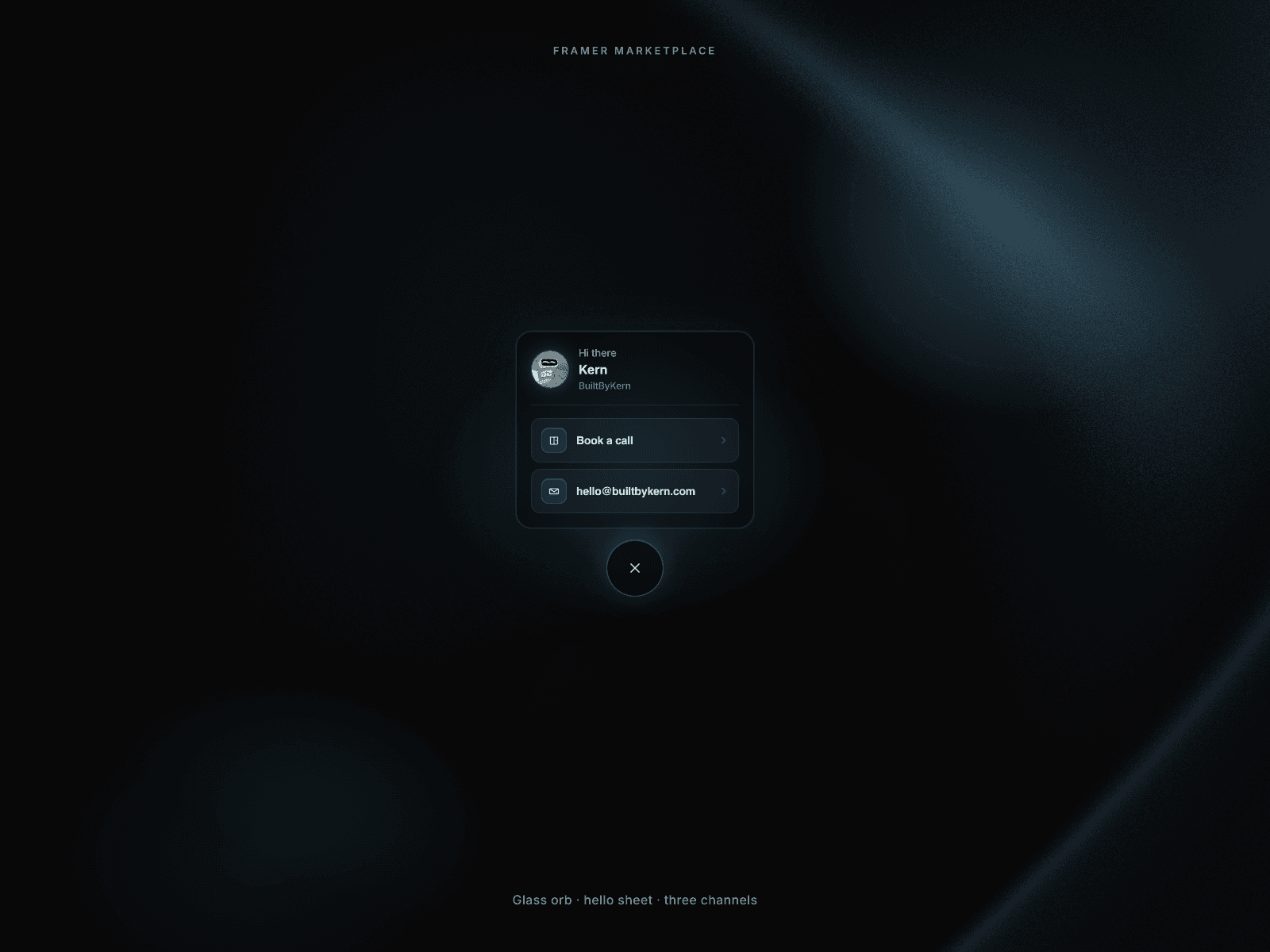
Contact Dock is a fixed-corner glass trigger that springs open a hello sheet — avatar, greeting, name, and up to three actions (book, email, tel, or any URL). Accent-tinted icons, CSS pulse rings, Radius and Blur controls, canvas-safe portal, Escape/outside close, and dialog focus management. Zero packages beyond framer + framer-motion. No Auto Demo — the pointer is the product.
Categories / tags: Components · Contact · FAB · Glass · Interaction · Motion · Utility · Accessibility · Booking · Email Features
Fixed corner dock (Left / Right) with safe-area insets
Up to 3 Channels (label, link, show, icon) with smart mailto/tel/URL
Appearance: Accent, Tint, Blur, Radius %, Size
CSS pulse rings + accent glow; reduced-motion aware
Dialog a11y: aria-modal, focus sheet on open, restore on close
Canvas-visible orb; live portal to document.body
Built-in Kern icons use Accent; optional image uploads
No Auto Demo / no WhatsApp
Setup (buyer)
Insert Contact Dock (fixed size ~60×60 on canvas is fine).
Fill Content (greeting, name, role, avatar).
Edit Channels (up to 3) — paste URL, email, or tel.
Tune Appearance (Accent #6FD3FF, Tint, Blur, Radius, Corner, Size).
Optional: Pulse off; custom Orb/Close icons.