About Copyline — Button
Copyline is a premium copy-to-clipboard button for Framer. One click copies any text, from coupon codes and referral links to install commands, and the button confirms it with a smooth, quiet animation: the icon turns into a check, "Copy" rolls into "Copied", and the button resizes to fit.
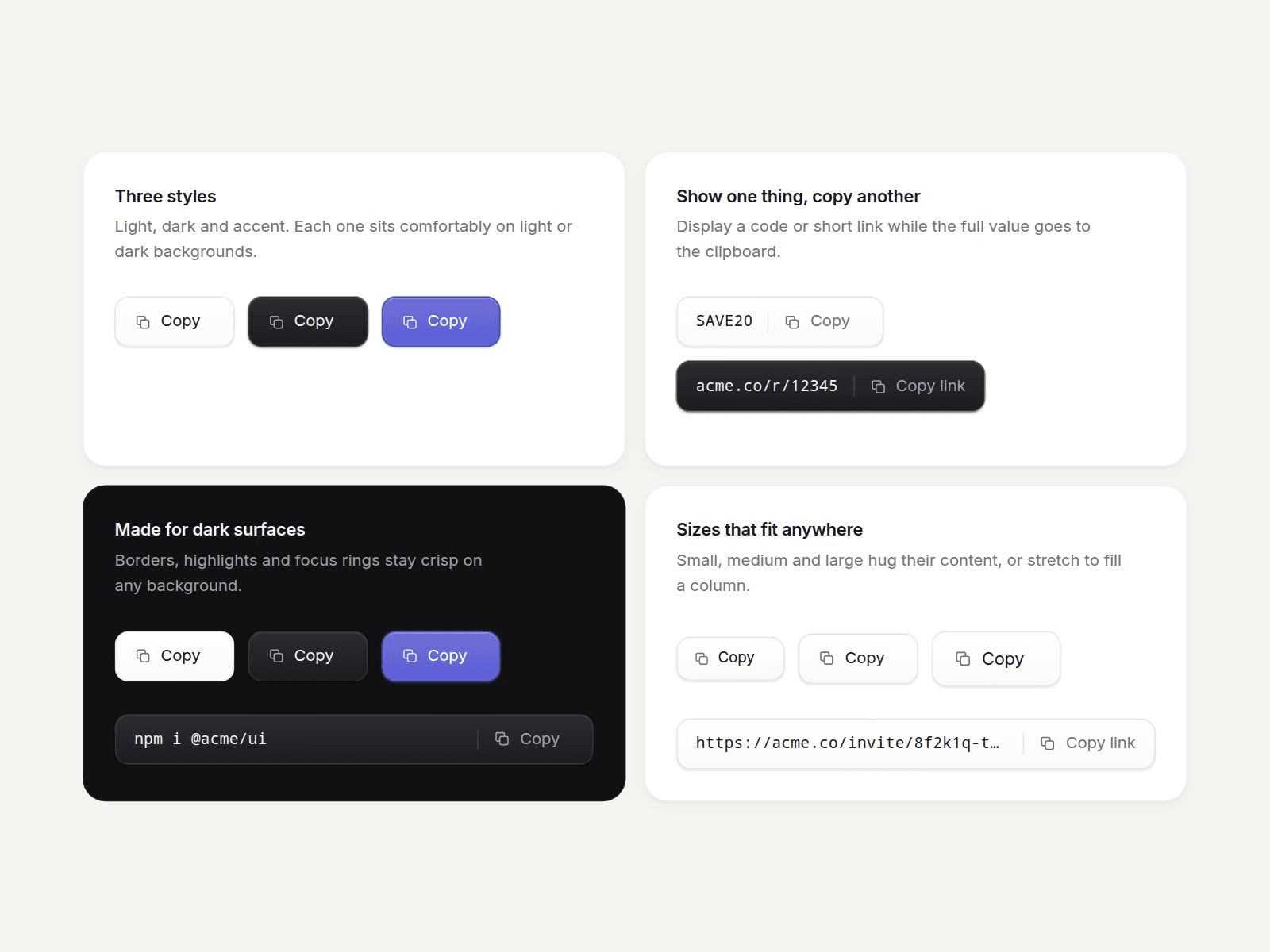
Show one thing and copy another. Put a short code or link inside the button while the full value goes to the clipboard, which is perfect for promo codes, invite links, API keys and code snippets.
Features
• One-click copy with a built-in fallback for browsers that block the clipboard
• Optional display text, shown inside the button in a clean monospace style
• Animated confirmation: icon morph, drawn check mark, rolling label and a soft success pulse
• Three styles (Light, Dark, Accent) that look sharp on light and dark backgrounds
• Accent colour, three sizes, corner radius and your own Framer font
• Editable Copy, Copied and Failed labels, so it works in any language
• "On Copy" interaction to trigger Framer actions, like showing a toast or overlay
• Preview the Copied and Failed states on the canvas while you design
• Accessible: real button, keyboard support, keyboard-only focus ring, screen-reader announcements
• Respects reduced-motion settings
• Responsive: hugs its content or stretches to fill, and long values end with "…"
• One lightweight file with no external libraries
Great for
Pricing pages and promo banners, referral and invite sections, developer docs and code snippets, portfolios (copy my email), and SaaS dashboards.
How to use
1. Add Copyline to your page.
2. Type the value in Text to Copy.
3. Optionally add Display Text, then choose a style, size and accent colour.
Support
Questions or issues? Email [your support email] and I'll reply within 48 hours.