About Corner Video Player
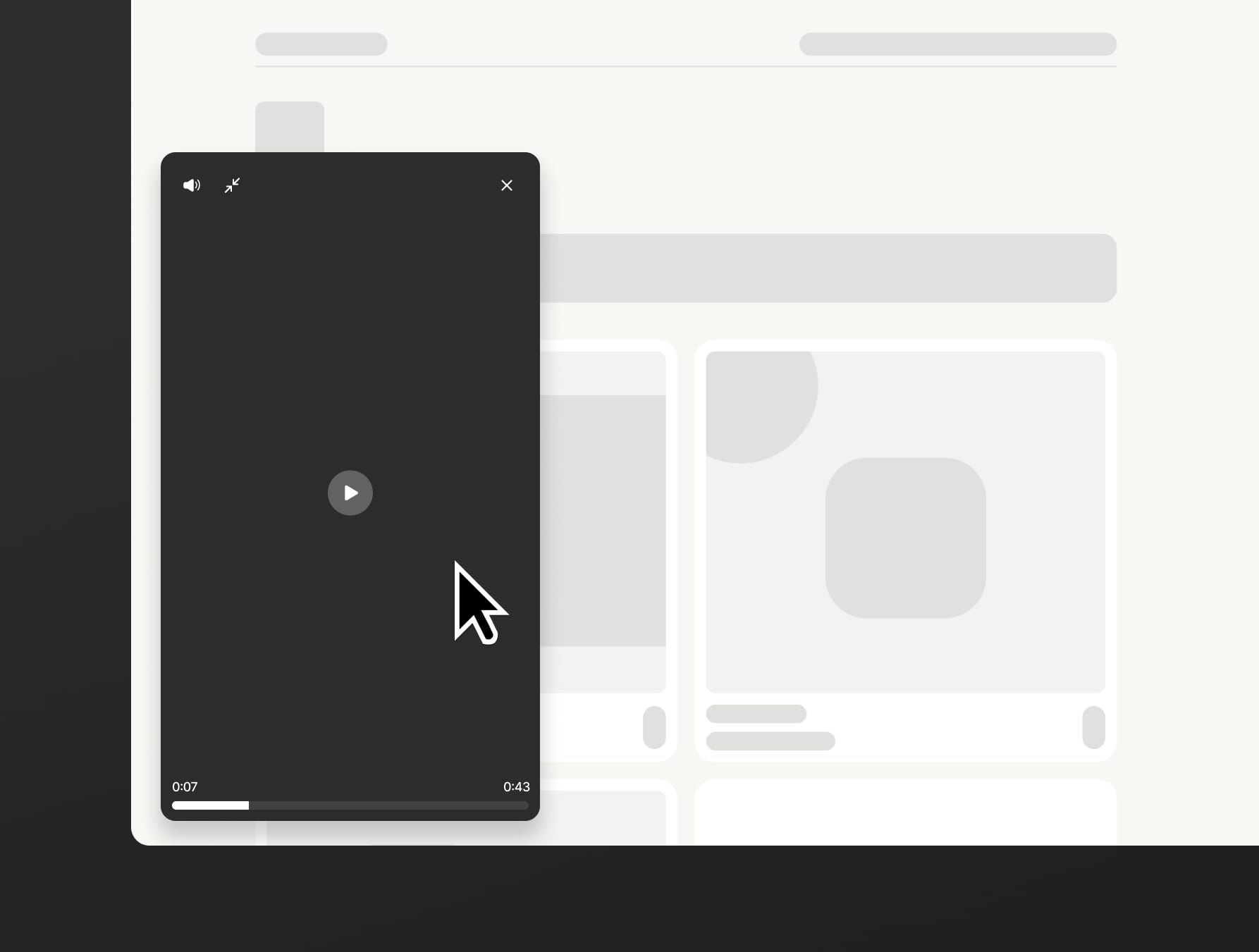
Pin a video on the bottom left or bottom right corner of your site.
Use cases
Personal intro on a portfolio — a talking-head "hi, I'm X, here's what I do" reel that injects some more personality into your site.
Founder welcome on a landing page — a quick pitch from the founder in the corner of a product site.
Case study walkthrough — pin a screen-recorded demo next to the written case study so visitors can watch the work in motion while they read.
Parameters
Video — 9:16. Accepts mp4, webm, or mov.
Pin to — which bottom corner the player lives in: bottom left or bottom right.
Entrance — how the player first appears on page load: Fade in, Slide in left, Slide in right, or Slide in bottom. Subtle by design; the effect parameters aren't adjustable.
Delay — how long to wait (0–10s) after page load before the entrance effect fires.
Player radius — corner rounding of the video player, 0–20px.
Width — width of the player in its normal (small) state, 120–240px. Height follows automatically at 9:16.
Expanded — width of the player when the visitor clicks the enlarge button, 240–400px.
Edge margin — gap between the player and the bottom + side edges of the screen, 0–80px.
Progress bar — color of the scrubber's fill.
Button text — the label on the collapsed button (e.g. "Watch intro").
Button color — background color of the collapsed button.
Button radius — corner rounding of the collapsed button, 0–20px.
Text color — color of the button's label and play icon.
Font size — label size, 10–16px.
Font — typeface for the button label (full Framer font picker).
Shadow — intensity of the drop shadow on both player and button, 0–100% of the designed look.
Autoplay — whether the video starts playing (muted) on page load.
Contact
If there are any issues, reach out to me at trotter.isaiah0@gmail.com and we'll get it resolved as soon as possible (: