About Custom CMS Carousel
CMS Carousel for Framer
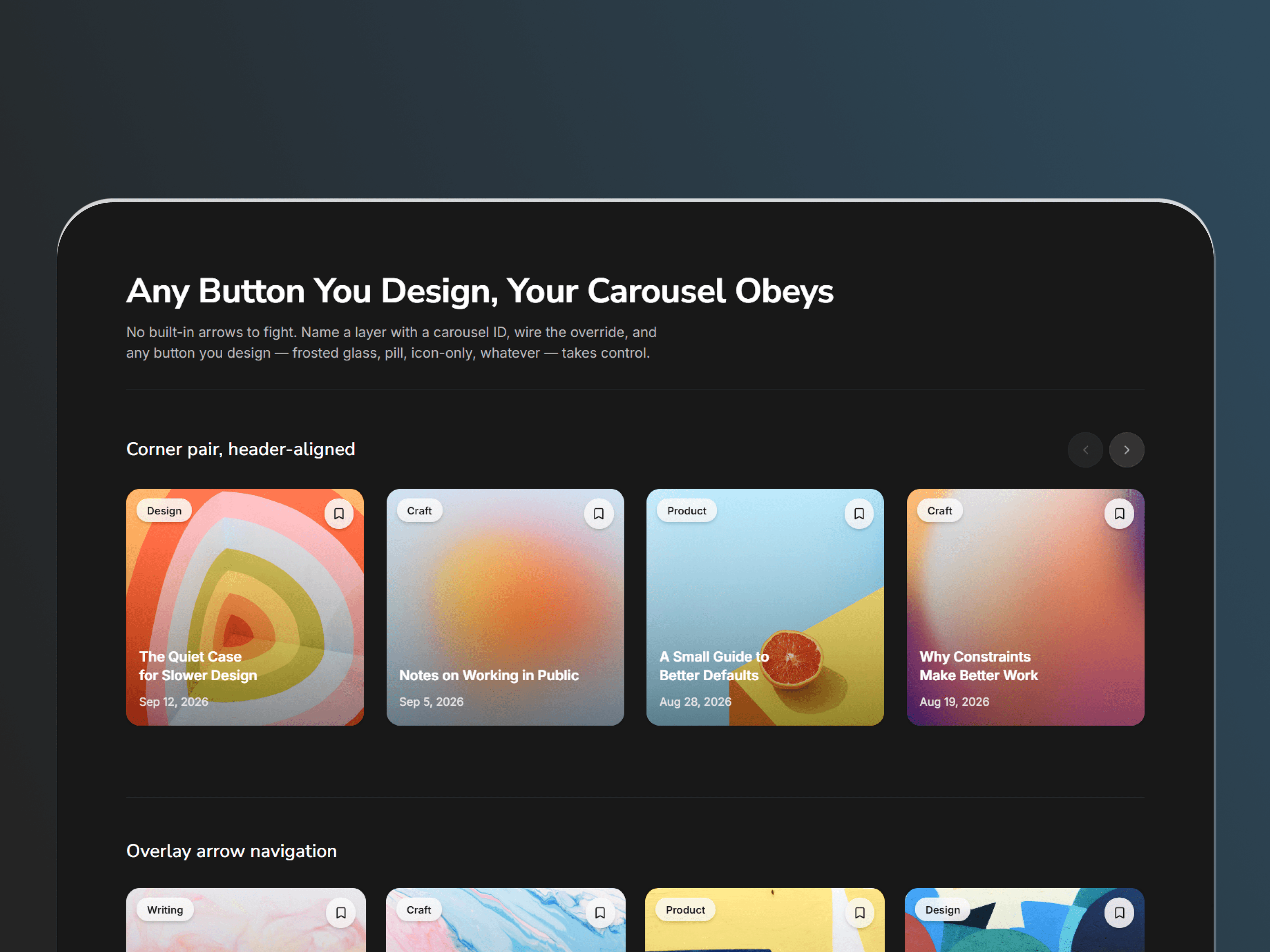
A flexible, fully customizable carousel for Framer CMS. Connect a CMS Collection List and create a polished carousel experience while keeping complete control over navigation, layout, indicators, animation, and styling.
KEY FEATURES
Complete Design Control
Use any Framer layer as a custom Prev/Next button
Design navigation to match your brand
Customize indicator colors, size, spacing, opacity, and position
Control padding, gaps, alignment, background, and overflow
Customize animation timing and easing
CMS & Layout
Connect directly to a CMS Collection List
Display 1–10 items at once
Adjustable item spacing and padding
Responsive layout calculations
Automatic CMS content discovery
Supports multiple carousels on the same page
Interactions
Drag and swipe navigation
Smart horizontal/vertical gesture detection
Keyboard arrow navigation
Auto-advance with configurable timing
Pause auto-advance on hover
Clickable navigation indicators
Smooth Framer Motion animations
Custom Navigation Create your own navigation buttons using icons, text, shapes, images, or custom components. Apply the included Prev/Next overrides to connect them to your carousel.
Each carousel can have its own ID, allowing separate navigation controls to operate different carousels independently.
Indicators Customize indicator size, colors, spacing, padding, opacity, corner radius, inset, background, and backdrop blur.
GETTING STARTED
Add CMS Carousel to your Framer canvas.
Connect your CMS Collection List to Content.
Set the number of visible items and spacing.
Customize your indicators and animations.
Create your own Prev/Next buttons.
Apply the navigation overrides.
Give each carousel a unique ID when using multiple carousels.
Publish your fully customized CMS experience.
Your CMS content. Your navigation. Your design.