About Draggable Gallery
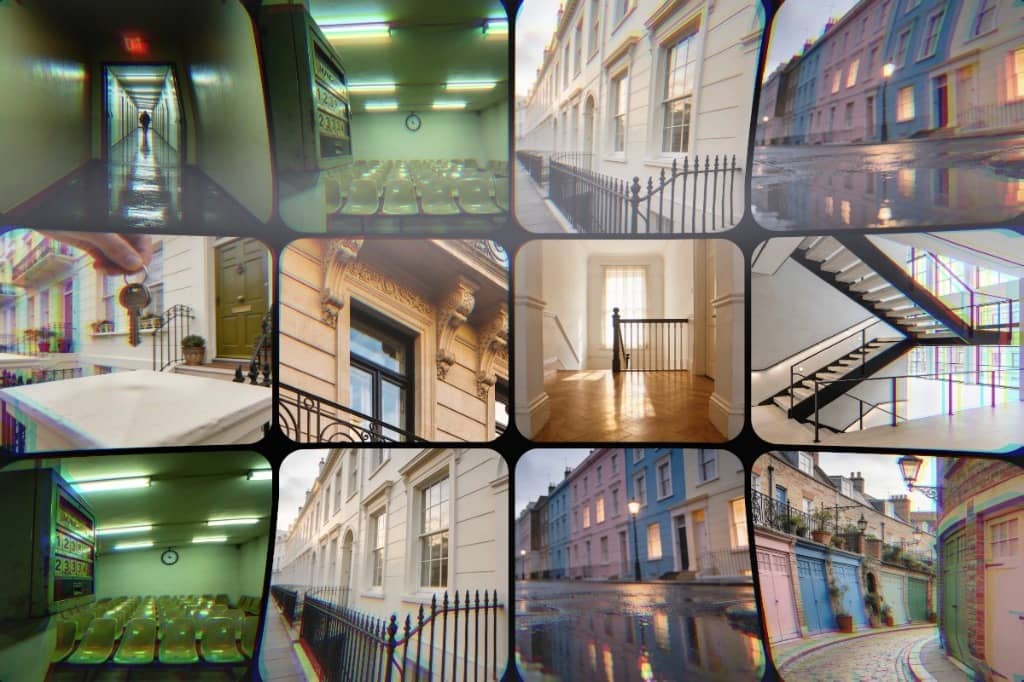
This draggable media gallery component is an advanced, highly customizable interactive grid system built for rich visual presentation and smooth user interaction. It allows users to freely drag across a large canvas of media items arranged in configurable rows and columns, creating an immersive browsing experience similar to navigating a digital wall or workspace. The gallery supports both images and videos, each rendered seamlessly within uniform grid cells that maintain consistent sizing and spacing. Smooth motion animations enhance every interaction, including dragging, zooming, and opening previews, ensuring a polished and modern feel.
Multiple zoom presets—such as zoom in, zoom out, normal view, fit-to-screen, and reset position—give users precise control over how they explore content. The intelligent fit-to-screen feature automatically calculates the optimal scale so the entire grid remains visible inside the container, while drag constraints dynamically adjust based on zoom level and container size. Clicking an item opens a split-screen modal preview with elegant transitions, highlighting the selected media while dimming the surrounding area for focus.
Key Features
Smooth draggable canvas navigation for exploring large grids
Multiple zoom controls including zoom in, zoom out, normal, fit-to-screen, and reset
Supports both images and videos in the same gallery
Fully customizable rows, columns, item size, and spacing
Split-screen modal preview with smooth animation
Dynamic drag constraints based on zoom and container size
Customizable control panel position and styling
Optional name labels with adjustable typography and background
Upload media files or use external URLs
Optimized motion performance for fluid interactions
Best For
Portfolio and creative showcases
Product or catalog displays
Photography and videography galleries
Interactive media libraries
Digital art exhibitions
Visual dashboards and presentations
Case study or project showcases
Immersive landing page sections
Client showcase pages
Modern UI demos and prototypes