About Floor Plan Selector
Turn your property plans into enquiries.
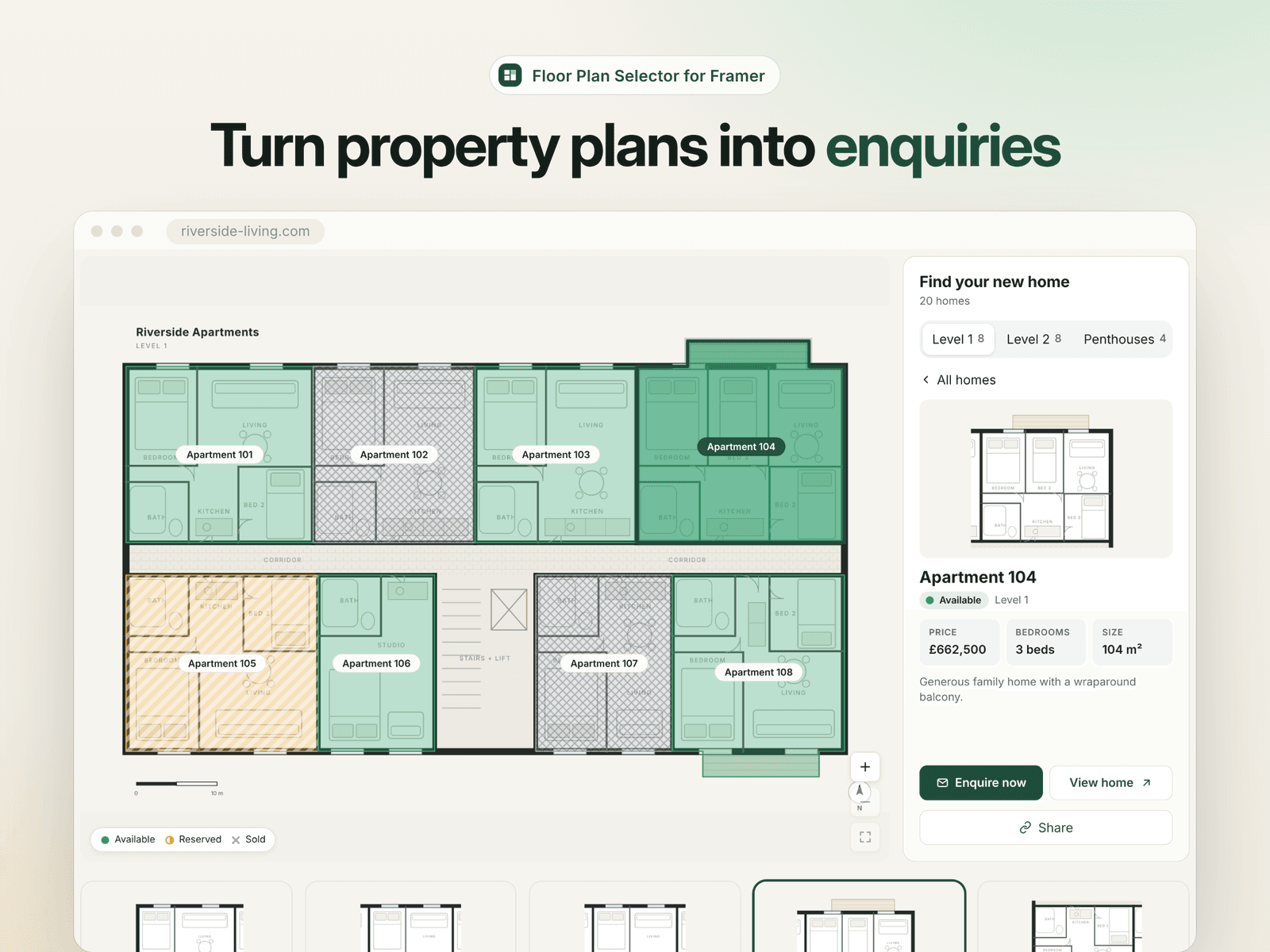
Floor Plan Selector transforms floor plans, building elevations and site plans into interactive property experiences. Visitors can explore floors, find available units, filter by their requirements and open the right property or enquiry page.
Make every unit easy to explore
Highlight apartments, homes, plots or commercial spaces directly on your own plan. Select a unit on the drawing and its details appear. Choose a property from the list and the matching area lights up.
Draw your regions visually
Upload your plan, trace the clickable areas and give each one a unit ID using the included setup tool. Copy the generated configuration into the component and connect your property details.
Keep property details in Framer
Connect unit names, availability, prices, bedrooms, floor areas, images and links to your Framer CMS. For smaller projects, add your units directly through the component's controls.
Help buyers find the right property
Let visitors filter by availability, bedrooms, price and size. Switch between floors or development phases, explore a selected unit and share a direct link to it.
Built for desktop and touch
Explore detailed plans with pan, zoom and reset controls. On smaller screens, tap a unit to reveal its details in a clear, compact layout. Keyboard controls and a readable property list give visitors another way to explore.
Make it fit your project
Adjust colours, typography, region styles, cards, labels, spacing and corner radii from Framer's property panel.
Included
Interactive plan viewer and synchronized unit cards
Visual rectangle and polygon setup tool
Framer CMS connection helpers
Availability, bedroom, price and area filters
Unit details and individual CTA links
Shareable selected-unit links
Mobile pan, zoom and tap interactions
Three complete examples
Setup guide and editable source
$39 once. Lifetime use for one licensed website. No external tools, API keys or monthly component fees.