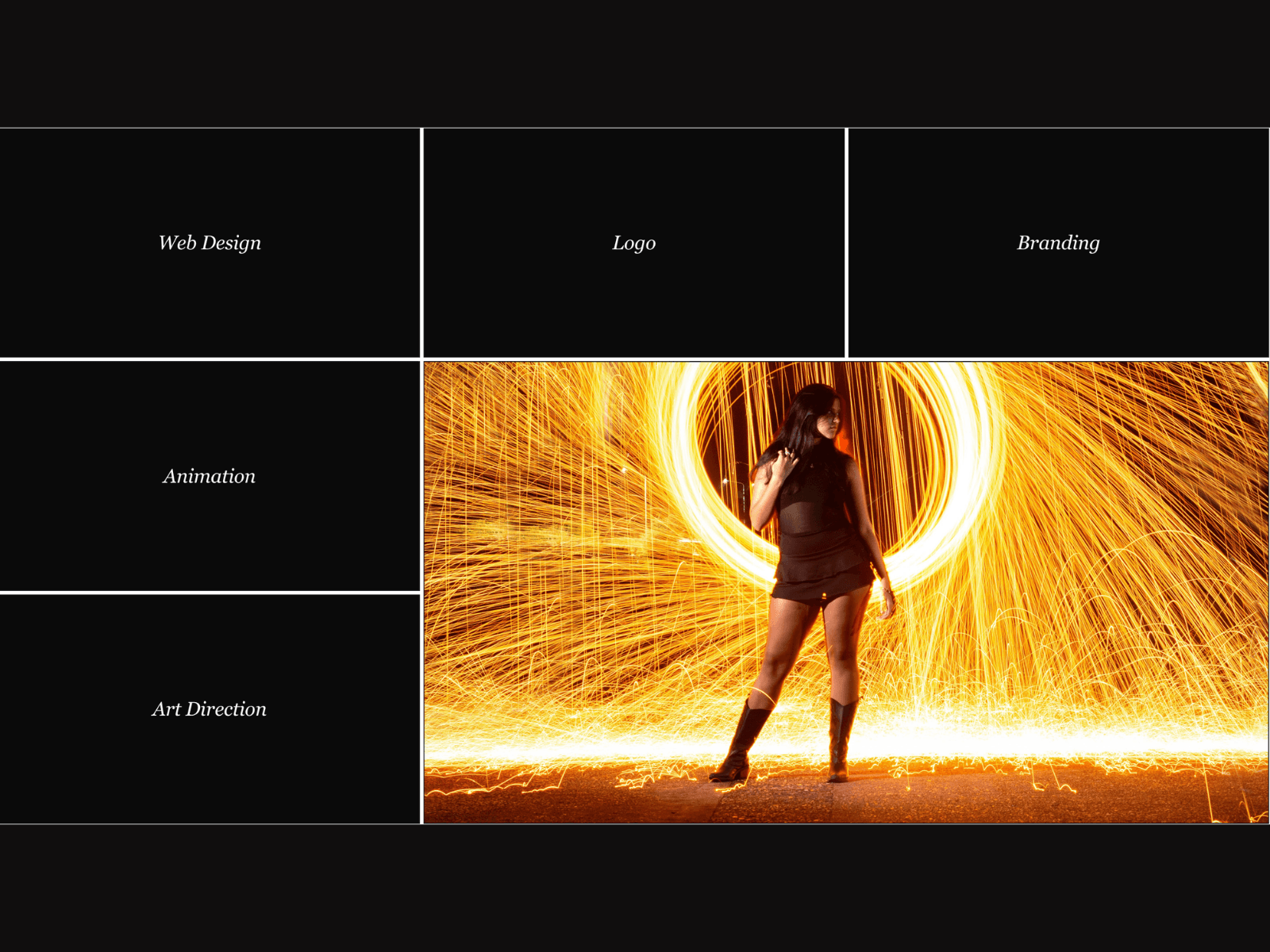
About FrameGrid
FrameGrid is a 3x3 capability grid for Framer where hovering any tile expands it across multiple rows and columns while playing your video underneath, with decorative corner and edge frame textures on every tile.
Each tile starts as an italic label, a service, skill, or category name, then crossfades to video or image on hover as the tile grows. Neighboring tiles compress to make room, then settle back when you move away.
WHAT IT DOES
Add up to 9 items, each with a label and an optional video or image. Hovering any tile expands it to span 1, 2, or 3 rows and columns, fading the label out and the media in, video plays only while hovered to save bandwidth. Optional corner and edge frame textures overlay the tile for a gallery feel.
KEY FEATURES
Explicit 3x3 grid with configurable hover-expand span, 1 to 3 cells
Real video playback on hover, muted and looped, pauses when not active
Label-to-media crossfade on every tile, not just a static swap
Decorative corner and edge frame textures, fully optional
Per-tile media scale for fine-tuned cropping and zoom
Adjustable transition, border, radius, and placeholder color
Full typography control for tile labels
Graceful fallback for tiles without media
Static-safe rendering for the Framer canvas and thumbnails
Zero third-party dependencies beyond Framer Motion
WHY IT WORKS
Most hover-expand grids only handle images or generic content. FrameGrid is built around video, so a capability grid or service list can play real motion the moment someone hovers, not just a static enlarge.
PERFECT FOR
Agency capability sections, service and skills grids, studio showreels organized by category, and any Framer site presenting a compact set of video-backed offerings.
WHAT'S INCLUDED
A single drop-in component. Add up to 9 items with label and media, then tune span size, transitions, borders, and frame textures through property controls.
Drop it in, load your media, and let the grid do the expanding.