About 3D Box Showcase
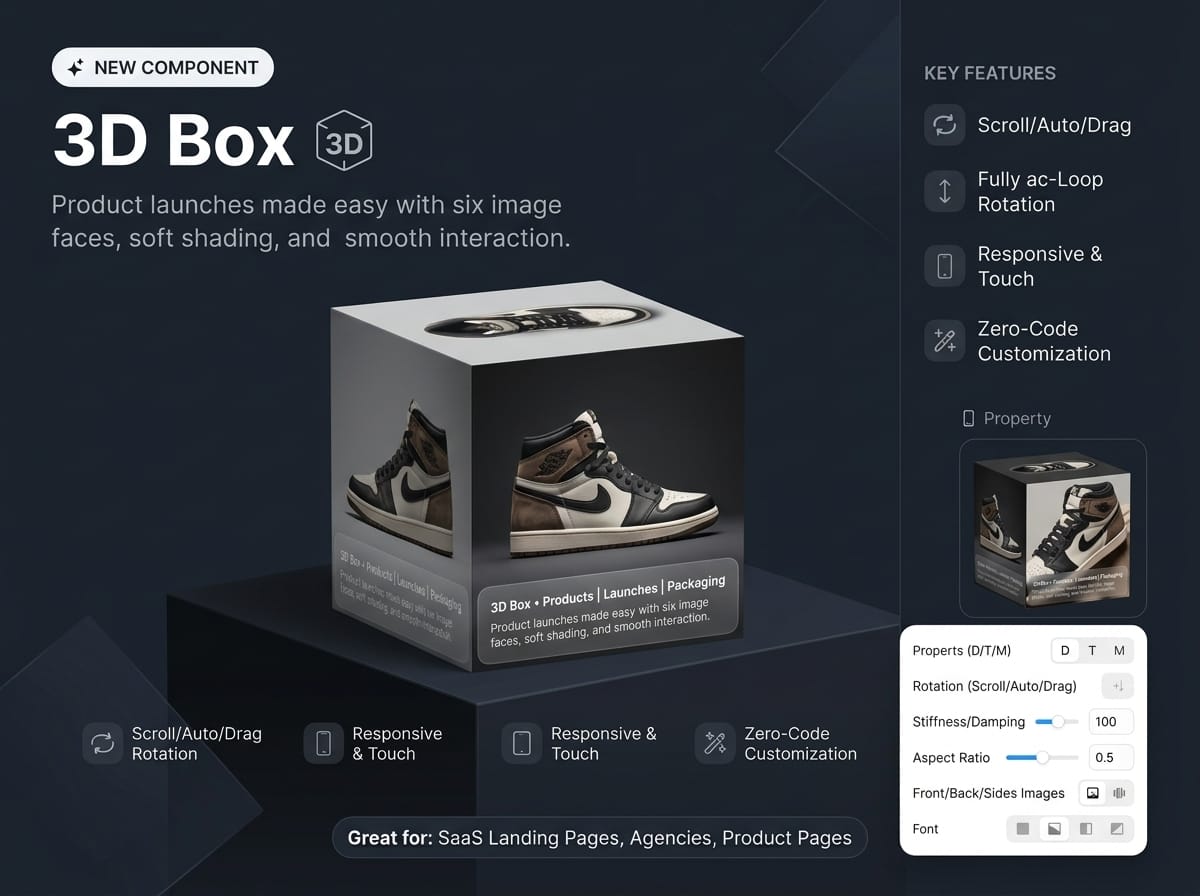
D Box turns your images into a real 3D object with six faces and a frosted-glass caption. Choose how it moves: it follows the visitor’s scroll, spins by itself, or responds to drag and touch. It fits any frame automatically and is fully editable from the Framer properties panel, with no code.
Key features
Three rotation modes: Scroll (rotates as the visitor scrolls the component or the whole page), Auto (continuous spin with adjustable speed and direction), or None (a fixed angle).
Drag, touch, and keyboard: rotate with mouse, finger, or pen. On phones, normal page scrolling keeps working. Arrow keys also rotate the box.
Six image faces: front, back, left, right, top, and bottom. Any face left empty uses the built-in artwork, so the component looks good as soon as you drop it in.
Frosted-glass caption: a label, a big title, and a tag on the side faces, with adjustable tint, blur, and height. The caption shrinks on narrow faces so the text never breaks.
Responsive by default: Auto Fit scales the box to its frame so it is never cropped, even while rotating. Max Scale lets it grow to fill larger frames. It works with fixed, fill, and fit-content sizing.
Smooth, natural motion: spring-based rotation with adjustable stiffness and damping.
Performance-minded: auto-rotation pauses when the component is off-screen and respects “reduce motion”. Scroll listeners are only active in Scroll mode.
Fully styleable: box width, height, and depth, perspective, start angle, side shading, background color, and font.