About Iconverse
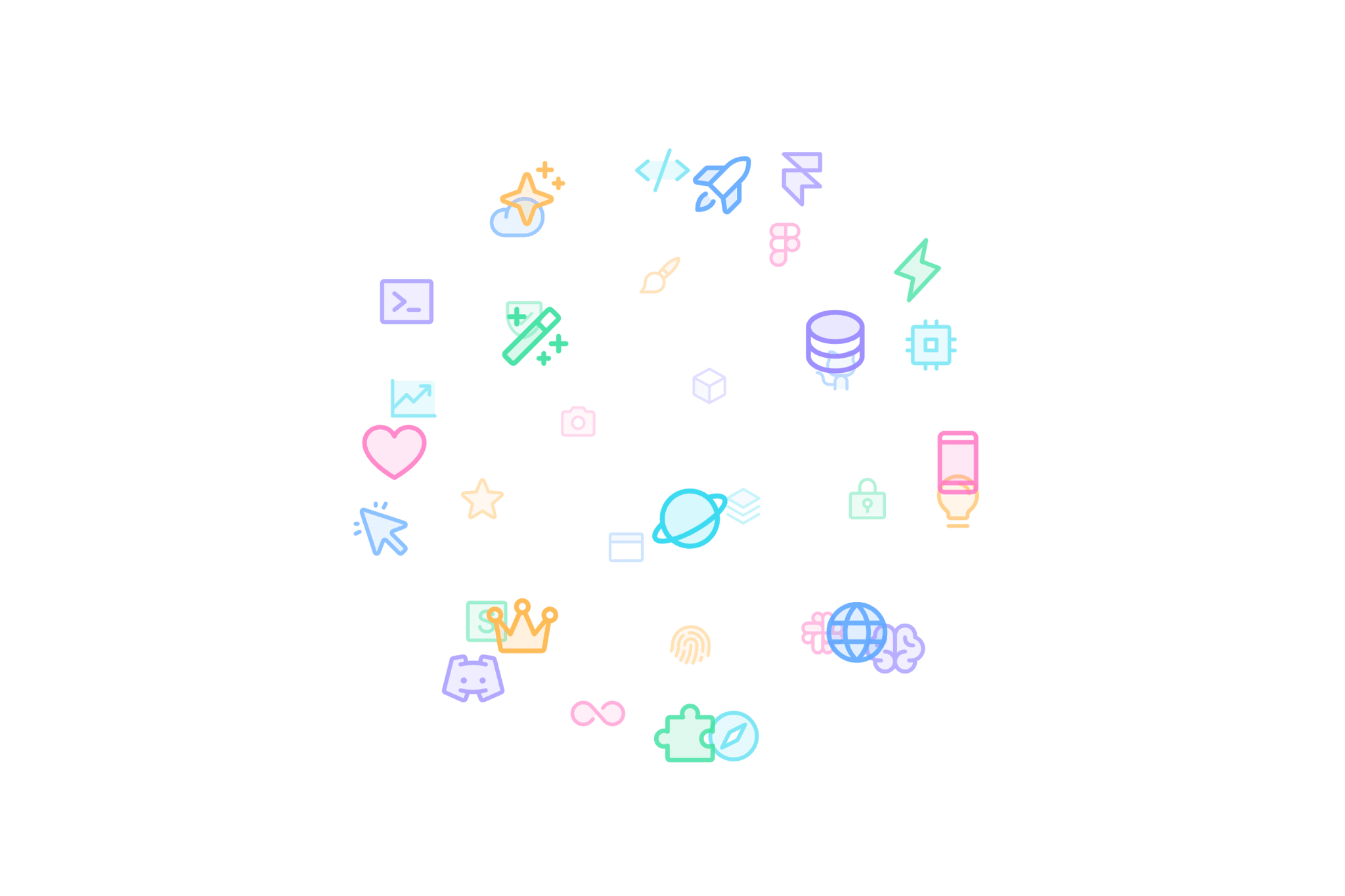
Turn any set of icons or logos into a smooth, draggable 3D sphere. Perfect for tech stacks, integrations, skills and hero sections. It adapts to any frame size and stays fast, with zero dependencies.
Features
1000+ Phosphor icons by name in 6 weights (thin to duotone), or use your own images and logos
Three shapes: sphere, ring or helix
Natural interaction: drag to spin with momentum, cursor-steer mode, click an icon to bring it to the front
Motion control: speed, direction, scroll-linked spin and a burst-in intro
Rich styling: per-icon colors, tiles, borders, glow, perspective, far scale and far opacity
Labels and links: hover or always-on labels, plus a link on any icon
Center slot: place a logo, text or button in the middle
Fully responsive: auto-fits any frame and breakpoint, and icons never clip
Performance and accessibility: pauses off-screen, respects reduced motion, keyboard friendly
Quick Start
Add the component to your canvas and size the frame.
Open Icons and enter names like
rocket-launch, or upload images.Fine-tune Icon Style, Sphere, Motion and Interaction.
Hit Preview. It animates in Preview and on the live site, and stays static on the canvas by default.
Support
Questions, feature requests or need help? Email info.evixel@gmail.com