About iPhone Handset
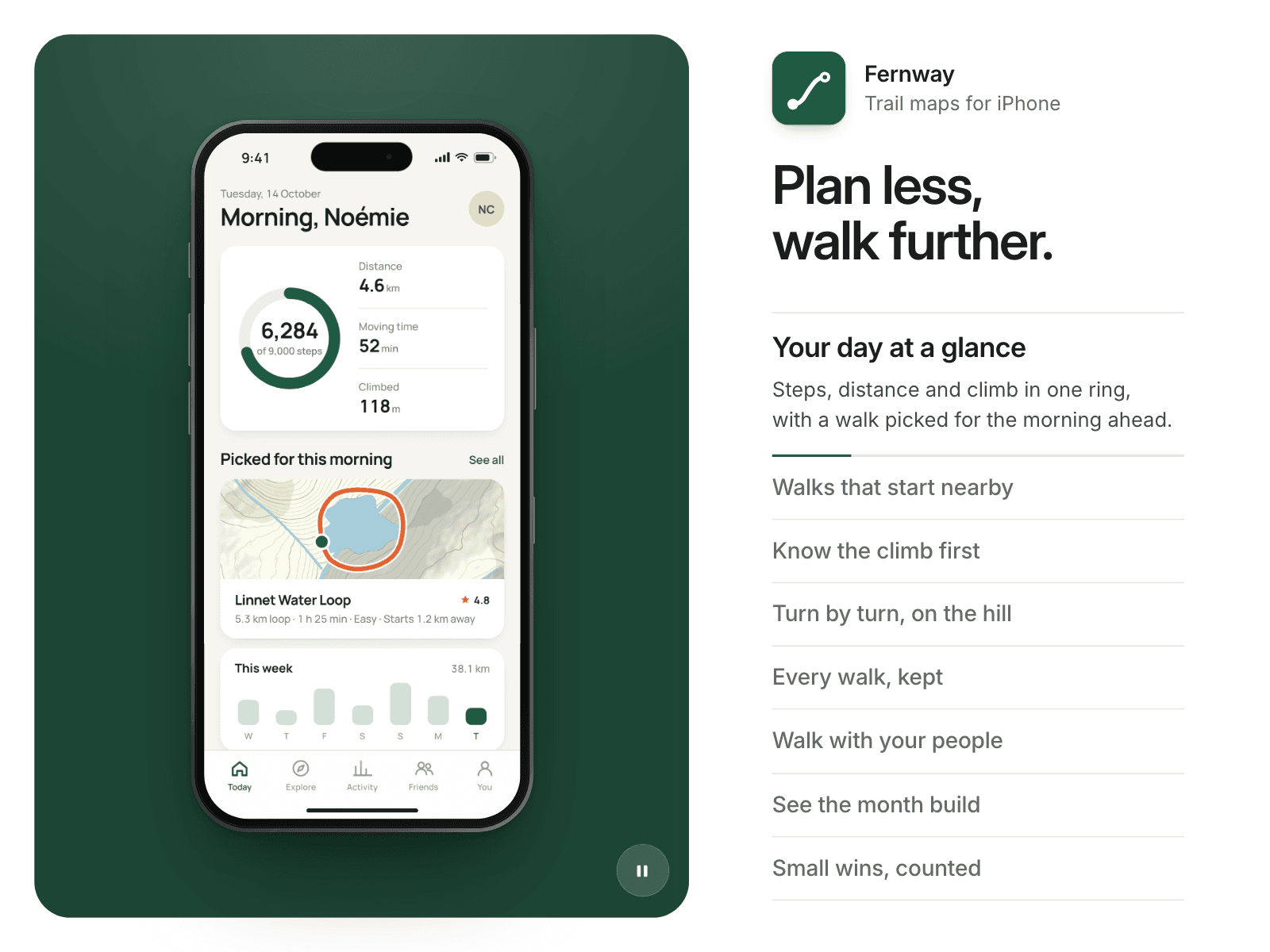
Handset is an app screenshot carousel for Framer. A realistic iPhone holds still while your screens change with the iOS push. Beside it, the screen titles are the navigation, and the active one opens its text and fills a progress line. It reads your CMS through a slot, or a list you fill by hand.
What you can customize
App icon, name, line and large title
Phone side, start screen, stage width and phone size
Eleven colors, stage light and radius
iPhone finish, glass, bezel, screen corners and shadow
Push speed, easing, drift and screen time
Perfect for
App and SaaS landing pages
Launch and feature pages
Case studies of mobile work
Responsive
Its own phone layout below a width you set: a caption under the phone, and a swipe or a tap on the dots changes the screen. In a short box the list folds into a caption.
Included interactions
Drag, touch swipe, title clicks, scroll wheel, and arrow keys with a visible focus ring. Autoplay pauses on hover and has a pause button. Arrow buttons are optional on desktop and tablet. Each screen can play a muted video and open a link. Reduced motion is respected.
CMS setup
Add a Collection List to your page and connect your screens.
Name the repeated item Card and its layers Image, Title and Subtitle. Link and Video are optional.
Select Handset and pick the list in CMS source. Leave it empty to use Screens.
Controls
Content: App name, App line, Title, App icon, Links in new tab
Layout: Phone side, Start at, Stage width, Phone fill, Icon size, parts shown
Spacing: Padding, Gap, Text margin and four inner gaps
Style: eleven colors, Stage light, Stage radius, Phone shadow, Bezel, Screen corners
Typography: Built-in font, five font controls
Motion: two screen times, Push time, Easing, Drift, Dim, Edge shadow, Text open
Interaction: autoplay, loop, hover, pause, drag, wheel, keys, arrows
Responsive: Phone below, Title size, Phone fill, Stage radius
Media: Video, Loop video, Restart on show