About Job Board Pro
A careers list you can set up in minutes — with deadlines that count themselves down.
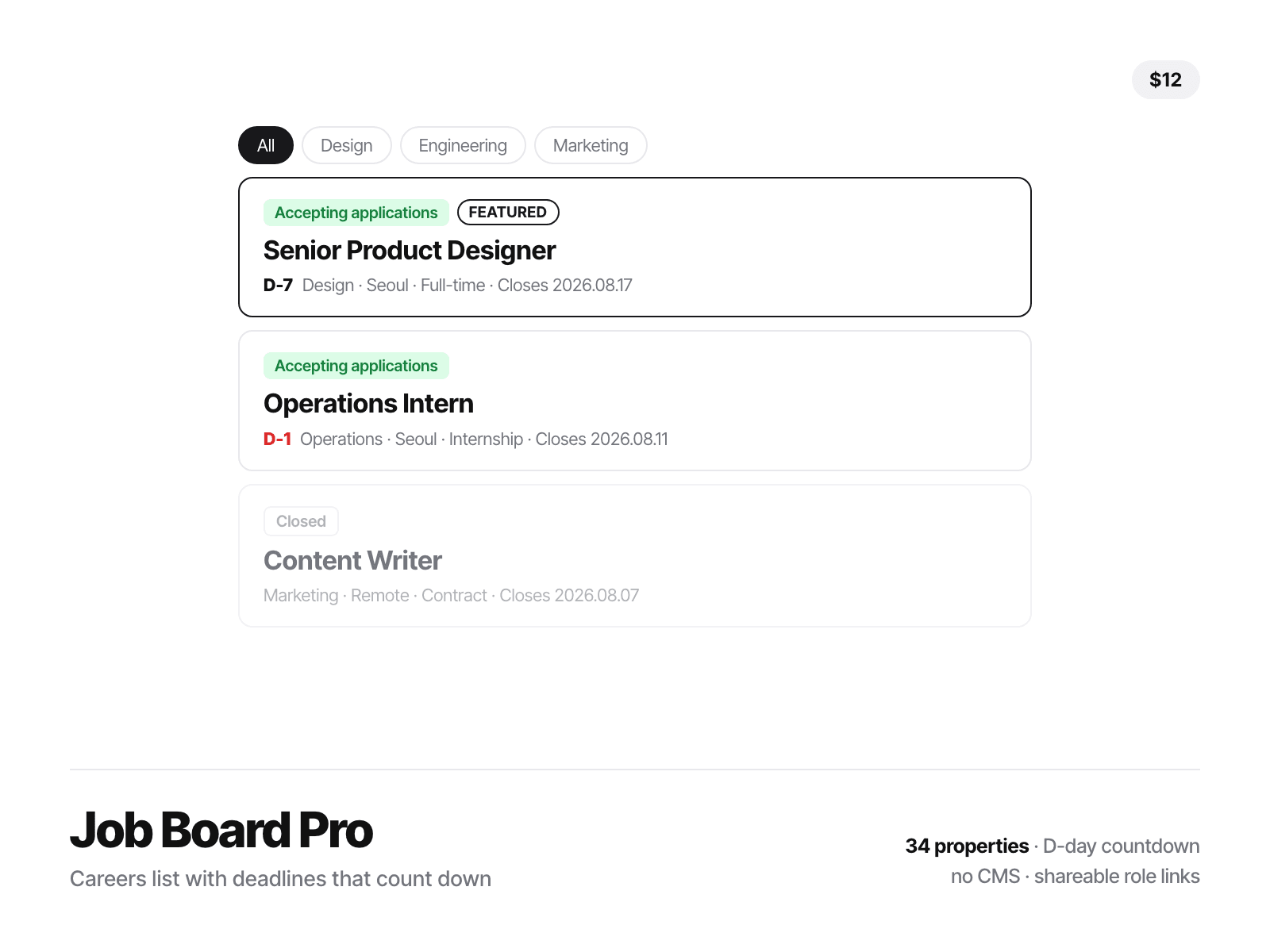
Roles close on their own. Give a role a closing date and it carries a live countdown — D-7, D-1 in red when it is nearly over, then a grey Closed pill and a dimmed row once the date passes. Nobody has to remember to take anything down.
Dates can be relative. Write +14d instead of a date and the deadline moves with the day the page is read. Handy for evergreen postings, and it means the example roles never look expired.
One thing to click. The whole row is the application link — no button hunting, the way real job boards work. Hover a role and a Copy link chip puts yoursite.com/careers?role=senior-product-designer on the clipboard, so you can send one role to one candidate.
No CMS setup. Roles are edited right in the properties panel — a five-role startup page takes minutes, and nothing breaks when you rearrange the layout.
Filters build themselves. Type a role's team and location and the filter chips appear on their own. A Reset button shows up only once something is filtered.
34 properties, all on the canvas: Roles (title · team · location · type · apply link · closing date · featured) · Heading · Count · Search · Search hint · Team filter · Location filter · Type filter · All label · Reset button · Deadlines · Open label · Closed label · Countdown · Last day · Closes prefix · Hide closed · Shareable links · Link button · Copied label · Featured tag · Empty title · Empty body · Gap · Radius · Size · Text · Muted · Card · Border · Accent · Open text · Open fill · Urgent
Built to behave. Every role shows on the Framer canvas so you can lay the page out without fighting filters. The countdown is read after the page mounts, so server and browser never disagree. Uses replaceState, so clicking through roles never fills the Back button. The count text is a template — {n} open role|roles — so it says "1 open role", not "1 open roles".