About Liquid Glass Marquee
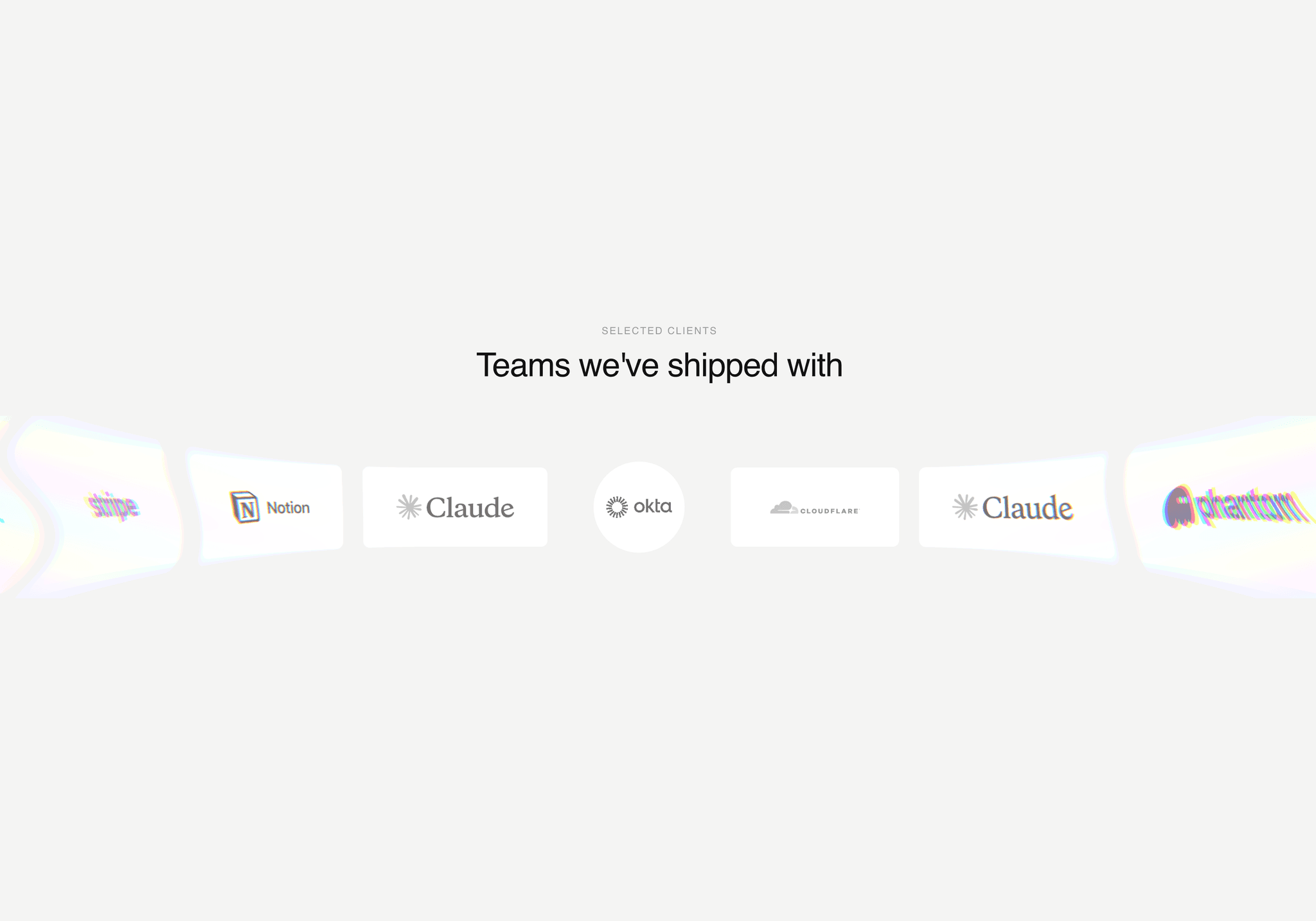
Liquid Glass Marquee turns a plain row of client logos into a section people stop scrolling for.
Logos flow flat through the middle of the strip. As they reach the edges they stretch, bulge and split into soft rainbow fringes, as if they were sliding off a curved sheet of liquid glass. The edge ripples slightly, so it keeps moving even when the strip slows down.
Hover a logo and its card springs from a rectangle into a circle, with a little bounce. Move away and it springs back. The strip slows down while the cursor is over it, so visitors can click without chasing the logo.
It ships as a full section with an optional eyebrow and title. Add your logos, set the links, and it's ready to publish.
Features
Liquid glass edge effect rendered with a WebGL shader
Adjustable glass edge width, stretch, bulge and rainbow strength
Optional liquid ripple on the edges
Hover morph from rectangle to circle with a spring animation
Wide logos shrink to fit inside the circle
Slows down on hover, speeds back up on leave
Drag or swipe to scrub, with momentum
Left or right direction, adjustable speed
Text logos or image logos (PNG, SVG), shown in grayscale
Optional link per logo
Built-in heading with eyebrow, title, fonts and colors
Card height, width, padding, gap, radius and colors
Pauses rendering when off screen
Respects reduced motion
Screen readers get a hidden list of logo names and links
Falls back to a flat strip in browsers without WebGL
How to use
Drag Liquid Glass Marquee onto your page and set its width to Fill.
Open Logos in the properties panel. For each logo, add a name, and optionally an image and a link.
Tune the glass edge with Glass Edge, Stretch, Bulge and Rainbow.
Set Speed and Hover Speed.
Turn the heading off if you already have one above the section.