About Mac Note Card
Ticker – macOS Style Note Widget
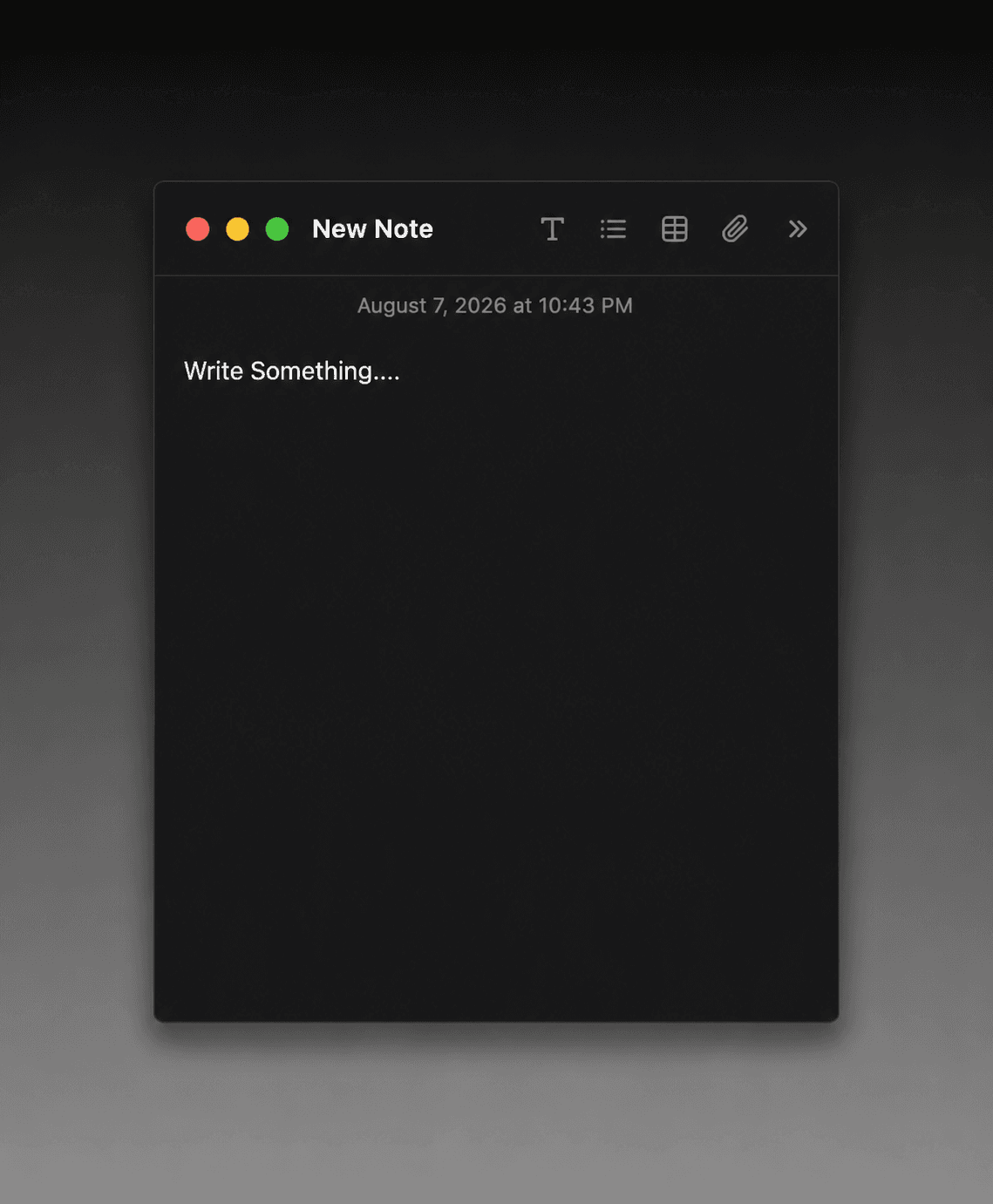
This is a realistic macOS "Notes" app-inspired UI component, designed to be used as a polished, interactive note widget in portfolios, product mockups, landing pages, or presentations. It closely mirrors the look and feel of the native macOS Notes app — complete with a dark background, traffic-light window control buttons (red, yellow, green), a top toolbar with icons, and a timestamp.
Editable Properties:
Title – Customize the note's header/title text (default: "New Note")
Content – Fully customizable body text for the note
Timestamp – Set a custom date/time string, or leave blank to auto-generate it
Show/Hide Timestamp – Toggle whether the timestamp is visible or hidden
Background Color – Change the note's background color (default:
#1C1C1E)Border Color – Customize the border color (default:
#2C2C2E)Title Color – Change the color of the title text (default: white/
#FFFFFF)Timestamp Color – Set a separate color for the timestamp text
Toolbar Icon Color – Customize the color of the top toolbar icons
Window Controls (Show/Hide) – Toggle the visibility of the red/yellow/green dot buttons in the top-left
Toolbar Icons (Show/Hide) – Toggle the visibility of the text, list, table, and attachment icons in the toolbar
Border Radius – Adjust the roundness of the note's corners via a slider (default: 6px)
Shadow – Turn the drop shadow effect on or off
Title Font – Select a custom font for the title (default: Inter)
Interactive Features:
Free Text Editing – Users can type anything they want directly inside the note, just like the real macOS Notes app — no restrictions, fully editable content area.
Remove/Close on Click – Clicking the red circle button in the top-left (the traffic-light close button) removes the note entirely, replicating the feel of closing a window on macOS.