About MagnetizingLines
🎯 Magnetizing Lines – Interactive Tech Grid
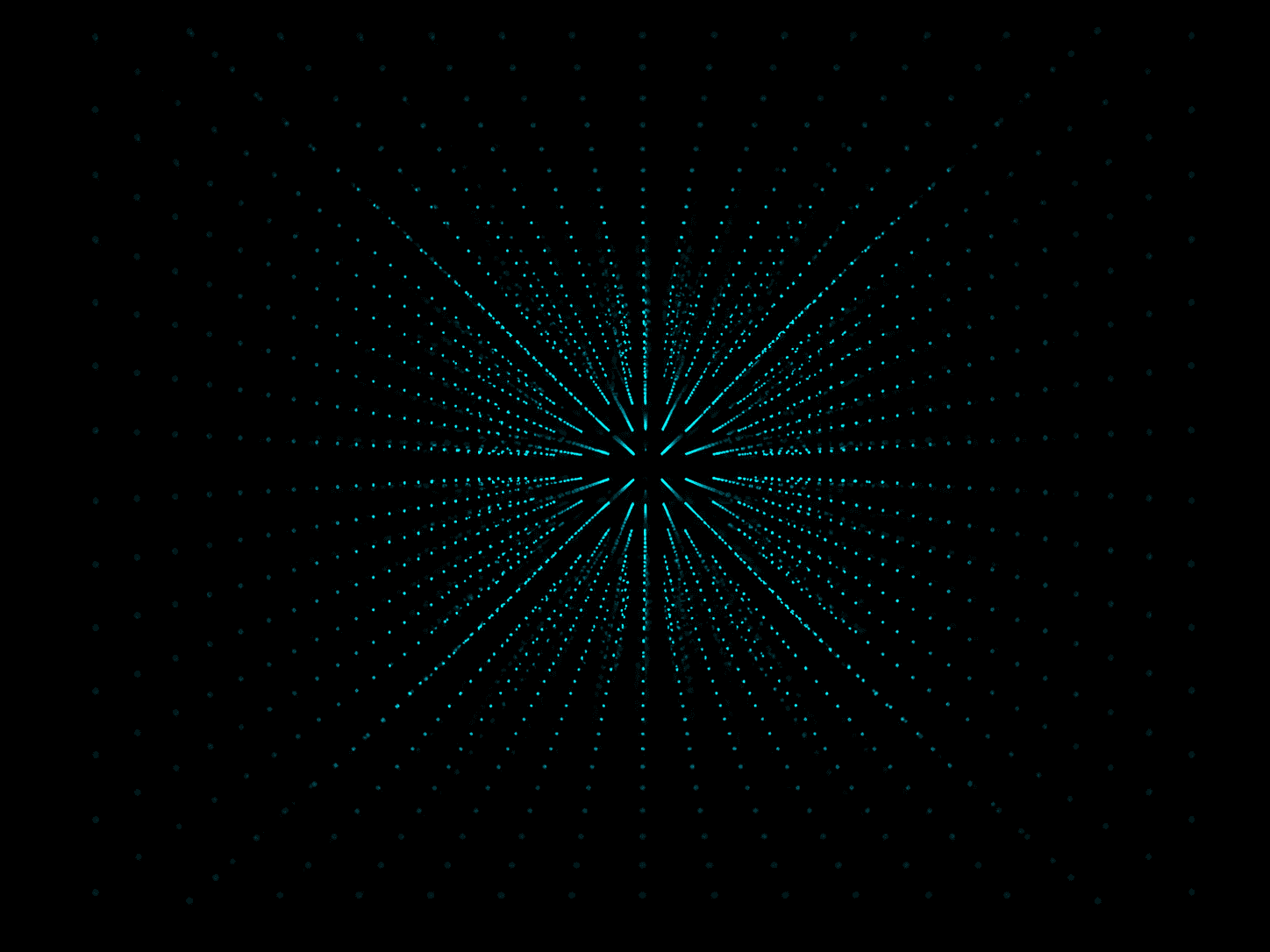
Magnetizing Lines is an interactive visual grid of rotating lines that shrink and orient themselves toward your cursor — like tiny magnetic compasses. Perfect for techy hero sections, glitch-style backgrounds, or futuristic interactive canvases.
🧲 The closer your cursor, the more each line bends and shrinks — creating a reactive, hypnotic effect.
⚙️ Features & Controls
Layout & Sizing
Sizing Mode (Frame, Fill Frame, Fill Viewport, Custom): Control how the component scales inside your layout.
Custom Width & Height: Only shown when Custom mode is selected (e.g. 80vmin or 600px).
Grid Configuration
Rows / Columns: Define the grid density (from 1 to 50 each).
Gap: Control the spacing between each line using any valid CSS unit (e.g. 0px, 1rem, 1vmin).
Line Styling
Color 🎨: Pick any line color.
Thickness: Default line width.
Thickness Unit: px, vmin, or rem.
Length: Default line height.
Length Unit: px, vmin, or rem.
Rounded Ends ⚪: Toggle between rectangular and pill-shaped lines.
Base Angle: Set a static rotation angle (before cursor influence).
Magnetic Interactivity
Magnetize Effect 🧲: Enable or disable cursor-driven shrinking and rotation.
Radius: How close the cursor needs to be to affect lines.
Minimum Thickness: Smallest width when fully shrunken.
Minimum Length: Smallest height near the cursor.
Falloff: Choose between Linear (uniform change) or Smooth (eased shrink curve).
💡 Use Cases
Tech hero sections that feel alive and reactive
Glitch-style ascii art backdrops
Generative, animated motion texture
Scroll-triggered or hover-triggered visual feedback
Creative cursor effects for interactive UI sections
🧰 Pro Tips
Use vmin units for responsiveness
Combine with Framer scroll triggers for layered animation
Dark mode? Try light lines on black for max contrast
Want subtle animation? Lower the thickness and enable smooth falloff