About Overlap Projects
Create immersive portfolio experiences with layered project transitions, scroll-driven reveals, image parallax and floating vignettes — powered by your native Framer CMS.
Key Features
Native Framer CMS — connect your Projects collection and manage content directly from the CMS
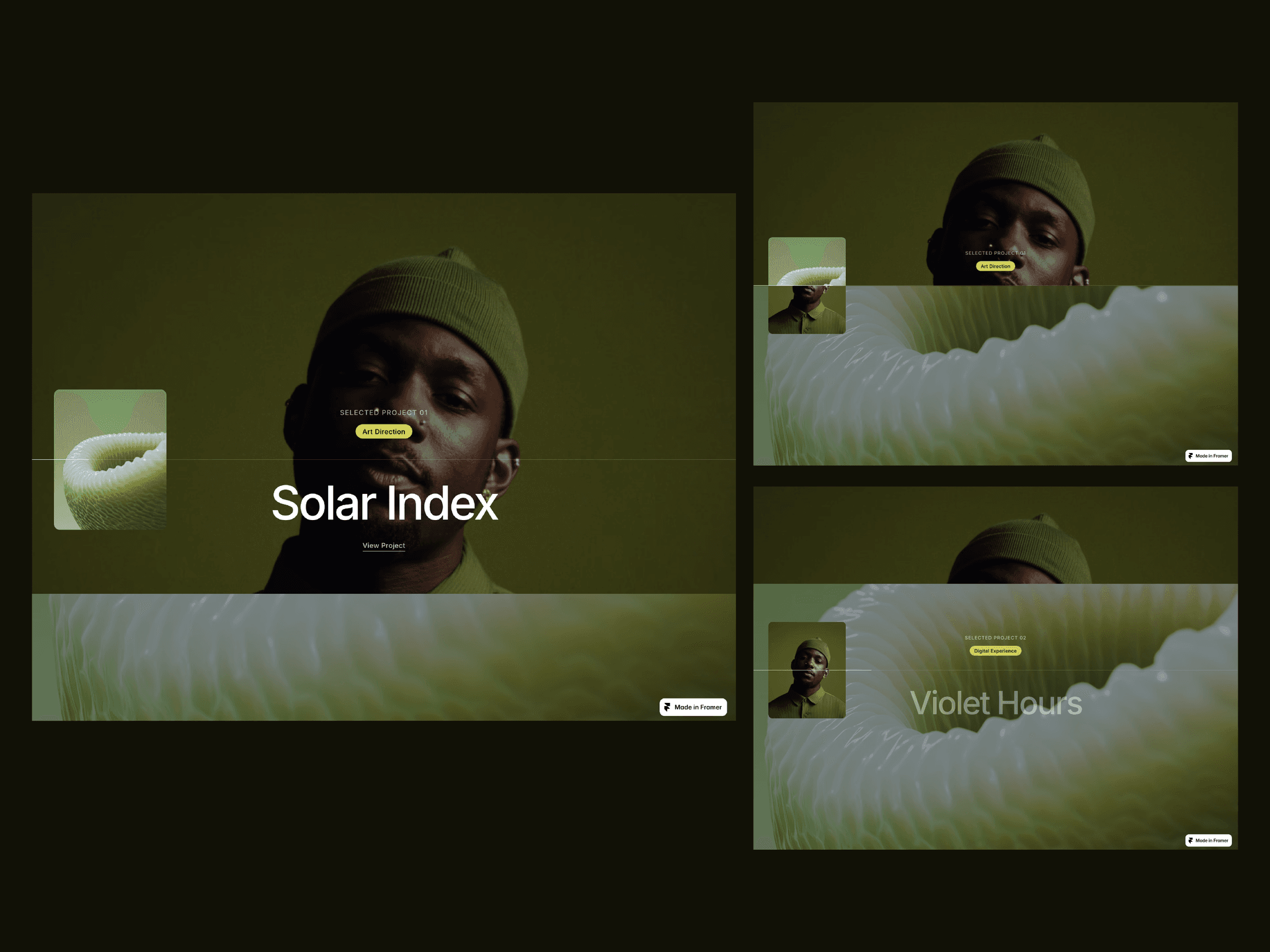
Layered Transitions — projects overlap as you scroll for seamless full-screen transitions
Scroll-Driven Reveal — each project progressively reveals as it enters the viewport
Image Parallax — adjustable depth adds subtle movement to project imagery
Floating Vignette — add a secondary CMS image for more editorial, art-directed compositions
Flexible Controls — Left/Right positioning and Small, Medium or Large vignette sizing
Responsive by Design — adapts across Desktop, Tablet and Phone
Progress Indicator — optional full-width line tracks progression through your projects
Custom Content — connect titles, categories, CTAs, colors and imagery from your CMS
Accessible Motion — reduced-motion and keyboard accessibility built in
No Code Required
Why Customers Will Love It
Most portfolio galleries simply display projects one after another. Overlap turns the collection itself into the experience.
Each project stays in place as the next progressively takes over the screen, combining layered reveals, subtle parallax and staggered content. A floating secondary image adds another level of art direction.
Perfect for designer portfolios, creative studios, agencies, photographers and art directors looking for something more expressive than a standard grid or carousel.
Refund Policy
Due to the nature of digital products and Framer components, refunds are not available after purchase. Please review the live preview before purchasing.