About Pinly
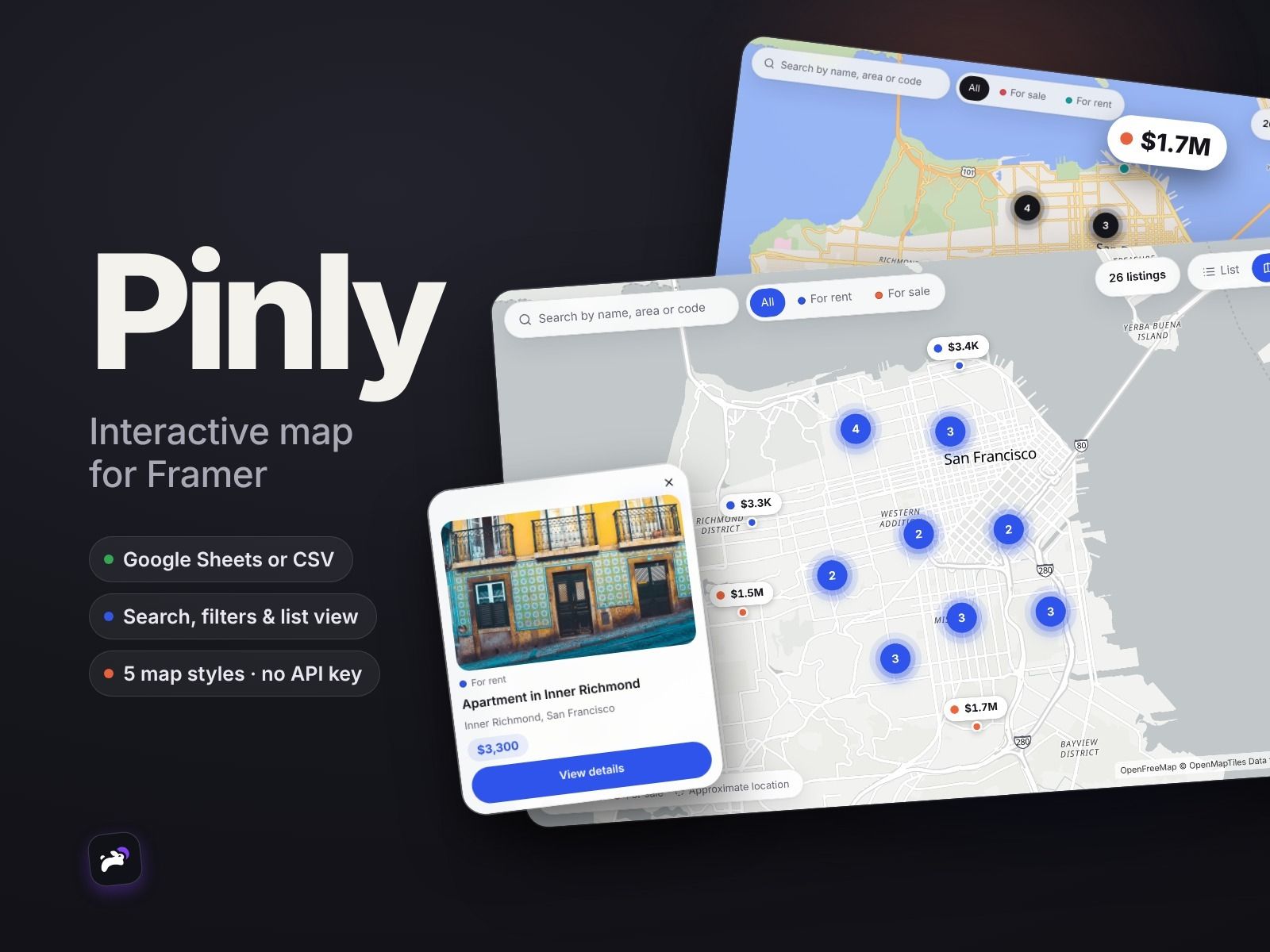
Pinly puts your places on an interactive map: price pins, groups, filters and a list view, straight from a Google Sheet or a CSV file. Edit the sheet and the map follows, with no API keys.
Visitors search, filter, tap a pin to see its photo and price, or switch to a list.
Features & Customization
Sheets In, Map Out: publish a Google Sheet as CSV or upload a CSV file in the panel. Columns are found in English or Spanish.
Photos on Every Card: add an image column (Google Drive or Framer links) and each pin opens a card with its photo. The List view turns them into a grid.
Search, Filters and Count: a search box, category filters and a live listing count.
Groups That Open Up: nearby pins merge into a numbered circle that zooms in on click.
5 Map Styles: Cobalt, Ink, Carnival, Coral and Forest.
Your Pins: Bubble, Label or Dot pins, Halo or Solid groups, Round, Soft or Square corners.
Private When It Matters: mark a row as approximate and its pin shows a dotted zone instead of the exact spot.
Links That Arrive Filtered: share a link with ?q= and the map opens already searched.
How to Set Up
Paste the Pinly link you receive after purchase onto your canvas.
Publish your Google Sheet as CSV and paste the link, or upload a CSV file in Pinly.
Pick a style, pins and tools, then publish.
Good to know: MapLibre ships inside the component and map tiles load from OpenFreeMap, so there's no API key to set up. Until you add your data, it shows sample listings.
Where to Use
Great for real estate listings, store locators, restaurants and venues and event maps. Place it as a full-width section or a full-screen page.
One-time purchase for one person or studio: unlimited projects and free 1.x updates. Please don't resell or redistribute it. Includes English and Spanish (panel and visitor-facing text).
Questions, or need a custom Framer component? Write to support@hopara.com.mx. More components by Hopara Studio at framer.com/@hopara.