About Scroll Orbit 360
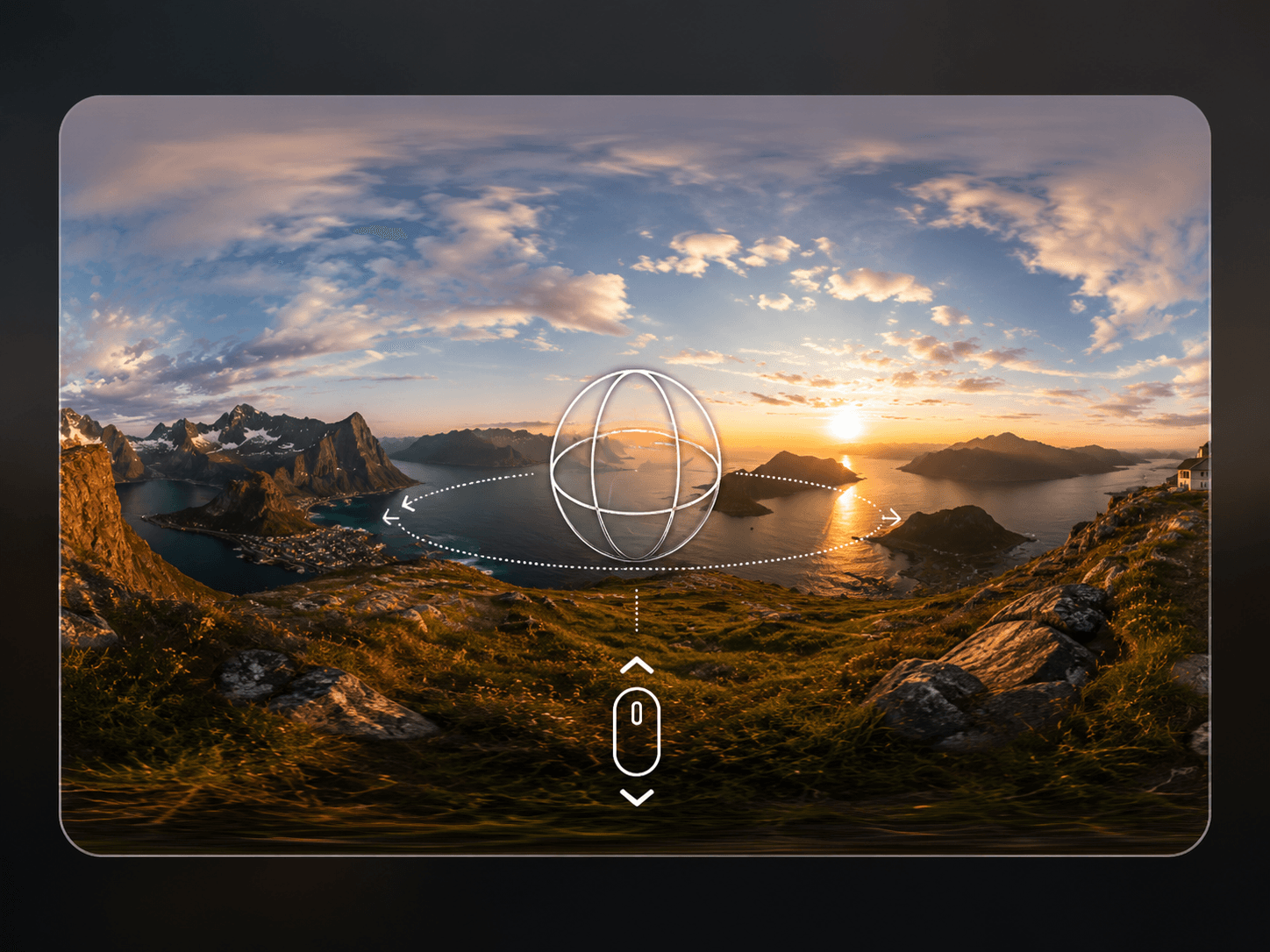
ScrollOrbit360 turns any equirectangular image into a fully explorable 360-degree world for Framer, panned by scrolling instead of only dragging.
Scroll down and the panorama pans left to right, scroll back up and it reverses. Visitors can also drag or auto-rotate, but scroll-driven pan is the differentiator: the scene becomes part of the page's natural scroll flow, not a box people stop to drag.
WHAT IT DOES Upload one equirectangular panorama and ScrollOrbit360 renders it as a real 360-degree WebGL sphere. As the visitor scrolls, the view yaws smoothly left or right in sync with scroll direction and speed. Drag, auto-rotate, and field-of-view control all work alongside it.
KEY FEATURES
Scroll-driven yaw rotation, pans with page scroll direction and speed
Adjustable scroll sensitivity, with an invert option for reversed pan
Manual drag navigation, adjustable sensitivity and invert option
Optional auto-rotate with configurable speed
Adjustable field of view, initial yaw and pitch, and pitch clamp range
Adjustable render quality for performance tuning
Viewport-aware, only animates while the component is in view
Graceful fallback image if the texture fails to load
Static-safe rendering for the canvas and export
Zero third-party dependencies, pure WebGL, self-contained component
WHY IT WORKS Every other 360 viewer on the marketplace treats the scene as an isolated box you drag inside of. ScrollOrbit360 ties the panorama to the page's scroll motion, so exploring feels like part of scrolling, not a separate interaction to discover.
PERFECT FOR Real estate walkthroughs, venue previews, architecture and interior showcases, travel sites, and any Framer page wanting an immersive 360 scene tied to scroll.
WHAT'S INCLUDED A single drop-in component. Upload your equirectangular image and tune scroll sensitivity, drag behavior, field of view, and quality through property controls.
Drop it in, upload your panorama, and let scrolling do the exploring.