About Scroll Text Effect
Unveil reveals your copy as people scroll, word by word, letter by letter or line by line. Drop it on the canvas, type your text and choose an effect. No code needed.
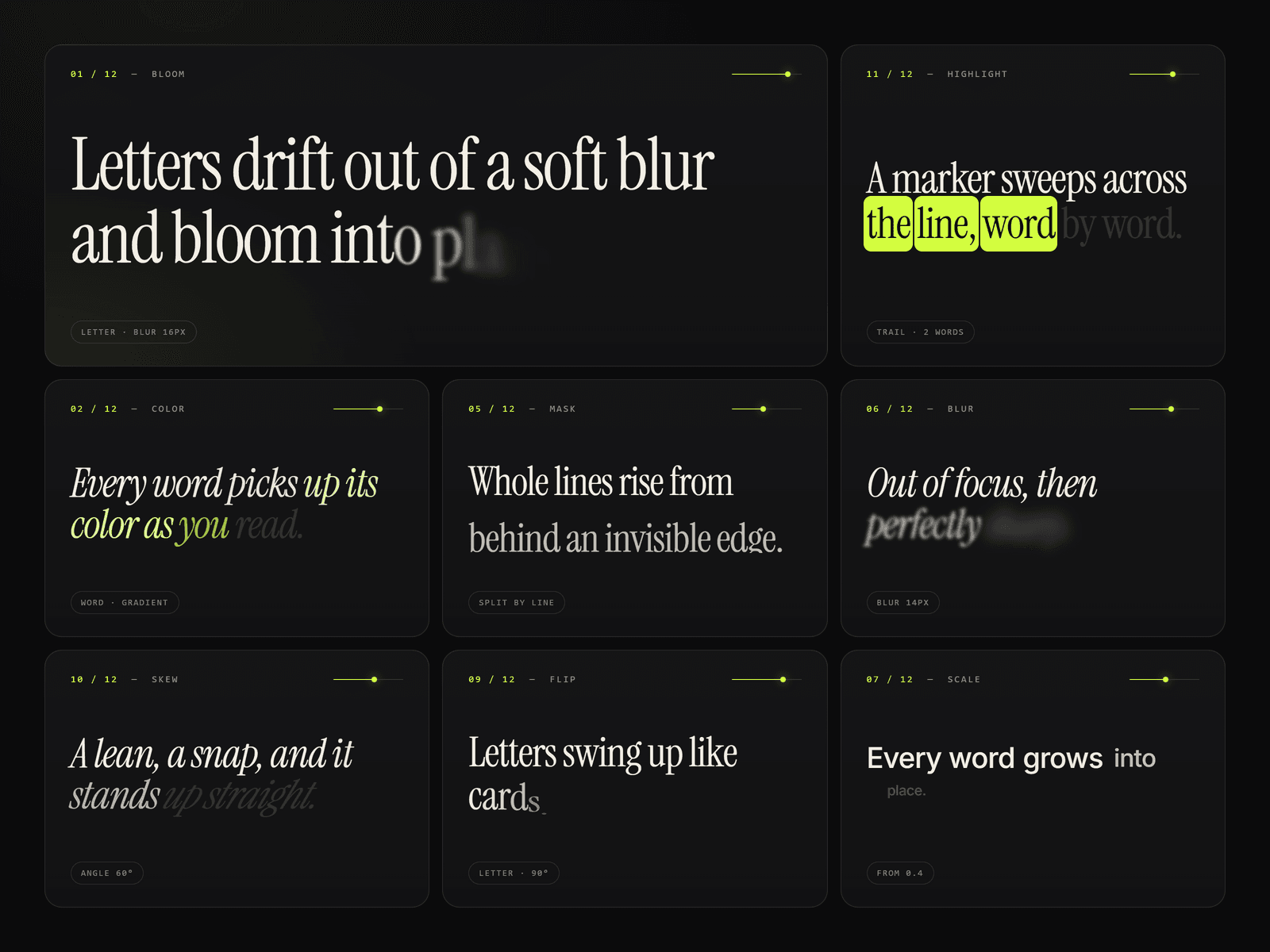
12 effects plus Custom. Bloom, Color, Fade, Rise, Mask, Blur, Scale, Slide, Flip, Skew, Highlight and Scramble. Custom lets you mix your own from fade, blur, movement, scale, rotation and skew.
Three triggers:
- Scroll ties the reveal to the scroll position, so it plays backwards when you scroll up.
- In View plays it on its own once the text appears. It can play once, replay each time, or reverse.
- Page follows the whole page's scroll, for heroes and sticky sections.
Full control:
- Split by word, letter or line. Lines update as the layer resizes.
- Softness sets how smooth the reveal is. At 0 each part switches on in steps instead.
- Reveal order: from the start, the end, the center outwards, or random.
- Start and end lines, smoothing, delay and play time.
- Initial and final colors, with an optional gradient.
- Font, size and alignment from the properties panel.
Built Properly:
- Screen readers get the full sentence.
- Visitors who prefer reduced motion see the final text straight away.
- Unveil only listens to scroll while it's near the screen, and stops working once the reveal settles
- The canvas shows a preview at any percentage you choose, so you can design with it mid-reveal.