About Showcase Pricing
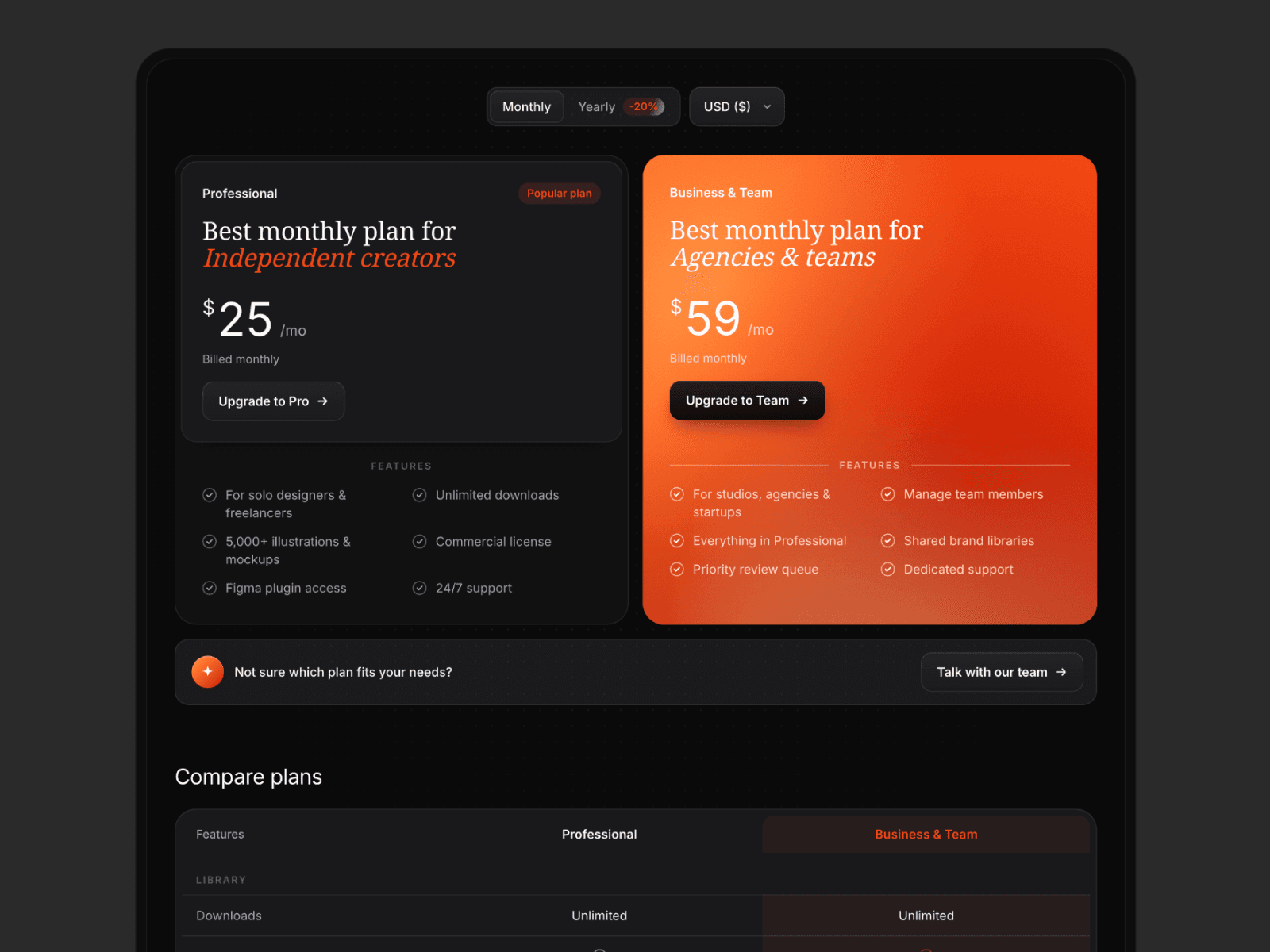
Showcase Pricing is a complete pricing section built around wide, editorial plan cards. Each plan has a headline, a big price and its call-to-action on a clean sheet, with features laid out in two columns underneath. The featured plan sits on a slowly moving mesh gradient, and prices roll like an odometer when visitors switch between monthly and yearly or change currency.
Drop it on the page, set it to Fill, and edit everything from the properties panel. No code needed.
MOTION
• Rolling-digit prices
• Live mesh gradient with subtle grain
• Cursor-following light ring on cards
• Staggered scroll reveal, hover lift and button shine
• Every effect can be switched off, and all motion respects "reduce motion"
DETAILS
• 1–4 plans, custom price option (e.g. "Custom"), free label, badges
• Feature lines: one per line, start with "-" for not included or "#" for a sub-heading
• Fully responsive: cards stack on mobile and the help card becomes a single strip
• Accessible: keyboard navigation, focus states and screen-reader labels
• Fonts, sizes, spacing, radius and colors are all adjustable
HOW TO USE
1. Drag Showcase Pricing onto your page and set its width to Fill.
2. Edit your plans in Plans: name, two-line title, monthly price and features.
3. Set the yearly discount in Billing. Yearly prices are calculated automatically, or you can enter your own.
4. In Currency, add the currencies you need with their rates (your base currency = 1).
5. Pick a theme, highlight style and gradient in Style.