About Suite Up
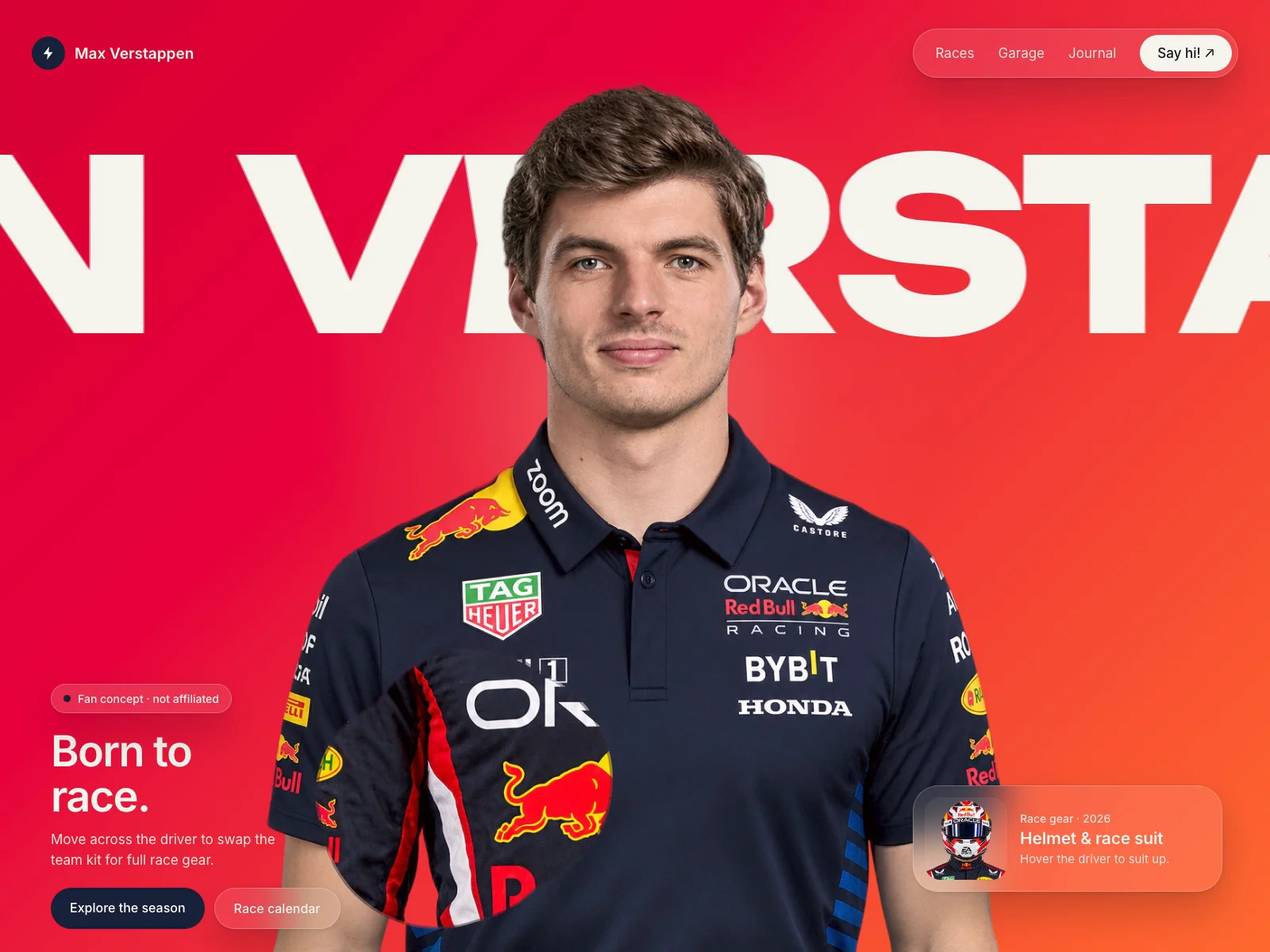
Suit Up turns any cut-out portrait into an interactive moment. Move the cursor and a hand-painted, torn-edge brush trail reveals a second version of the same person underneath: casual to race gear, day to night, before to after. Each stroke holds for a moment, then shrinks away.
It's built for heroes. The figure anchors to the bottom, can be scaled and cropped below the fold, and leaves room for your own layers on top. It plays an optional intro (blur-in plus a teaser stroke) and works on touch devices, where it paints by itself when the screen is idle.
Features:
- Torn-edge brush trail that swaps between two images
- Brush size, trail length and touch brush size controls
- Optional intro: the figure rises in from a blur
- Optional teaser stroke so visitors know they can interact
- Auto-wander on touch screens when idle; drag to paint
- Custom cursor dot with adjustable color and size
- Height and crop controls to frame the figure large, cropped below the fold
- Respects reduced motion and pauses when offscreen
How to use:
1. Add Suit Up to your page and set it to fill your hero section.
2. Upload two transparent PNGs of the same person in the same pose: Front (default look) and Back (revealed look).
3. Adjust Height and Crop Bottom to frame the figure.
4. Place your headline, buttons or cards as normal Framer layers on top.
Controls: Front, Back, Height, Crop Bottom, Mobile ≤, Mobile Size, Brush, Touch Brush, Trail, Auto (touch), Idle, Cursor Dot, Dot Color, Dot Size, Intro, Intro Delay, Intro Time, Teaser Stroke