About AgentDiff
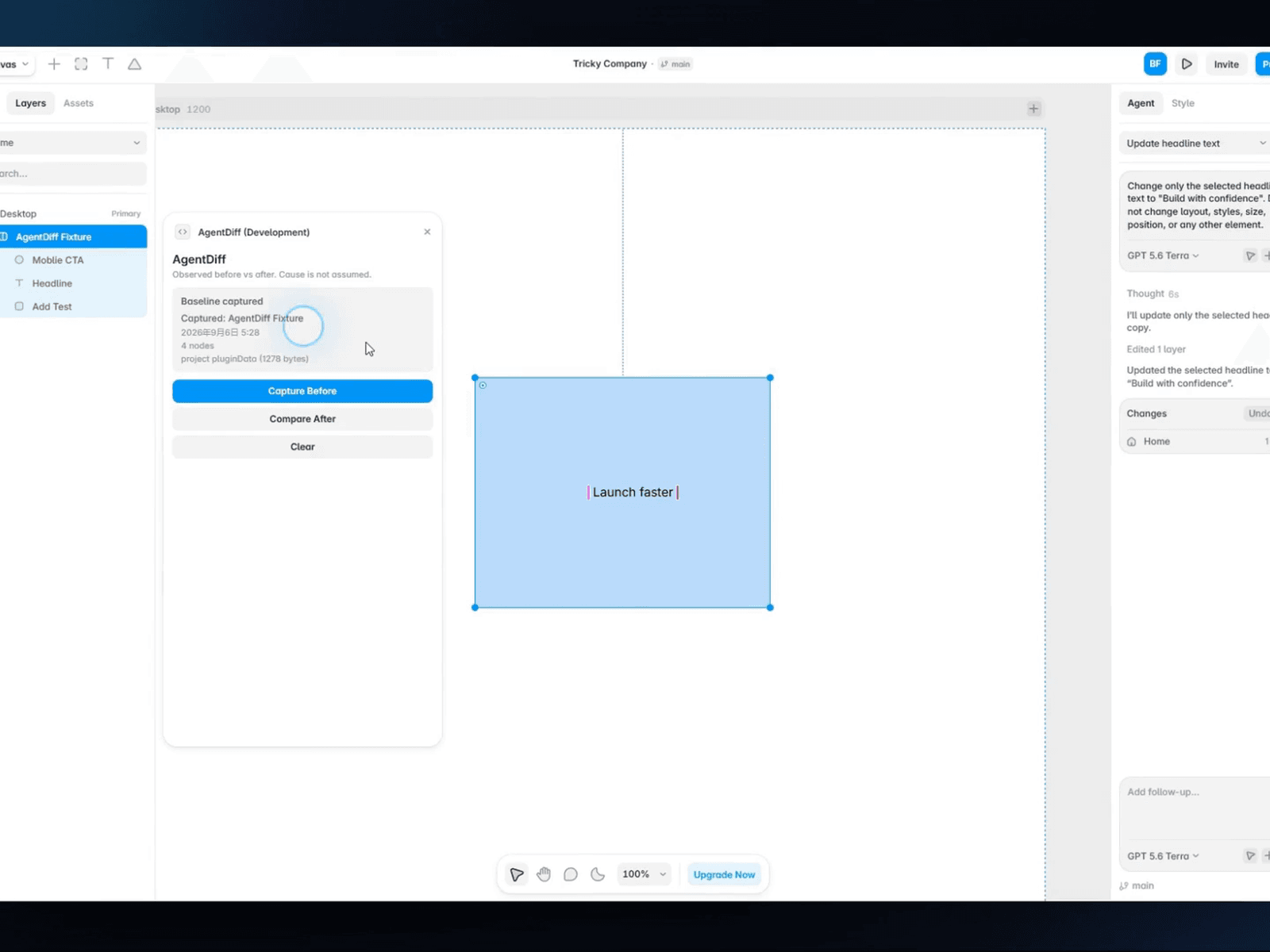
Framer Agent can change copy, layout, and structure in seconds. The hard part is knowing what changed afterward.
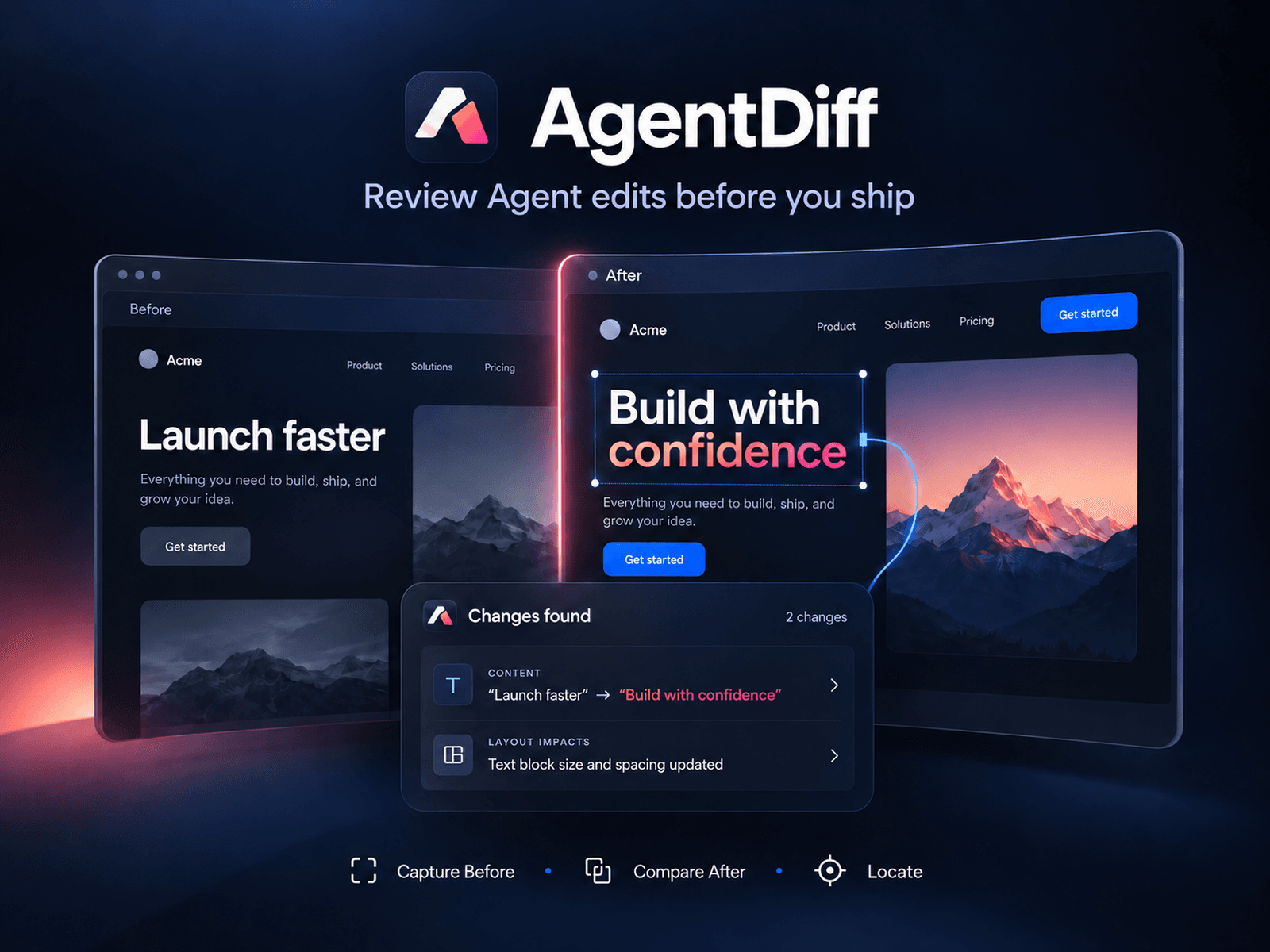
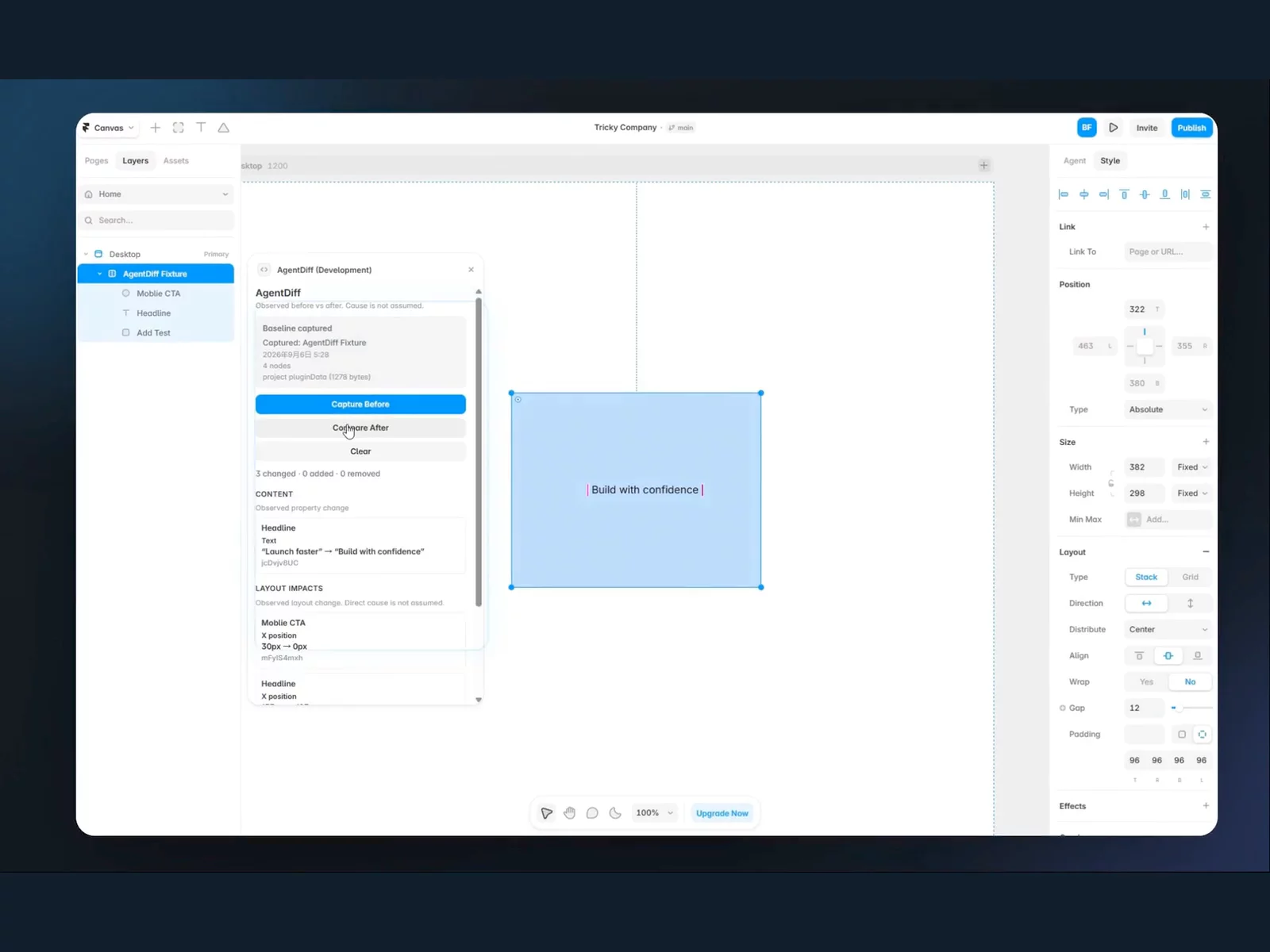
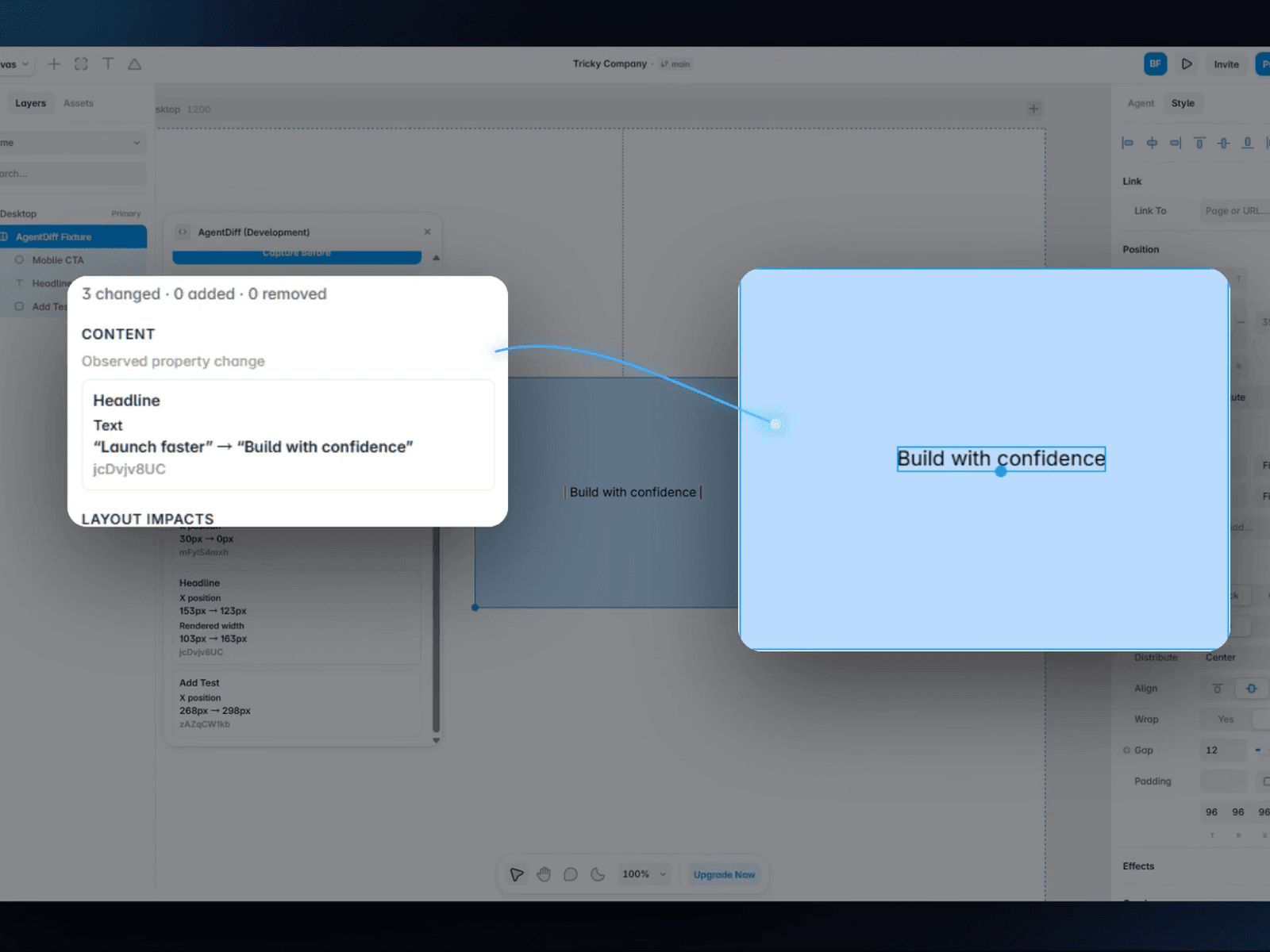
AgentDiff gives you a simple before/after checkpoint for Framer. Capture a layer before an edit, compare after, review the observed changes, then click any live finding to jump straight to the affected layer.
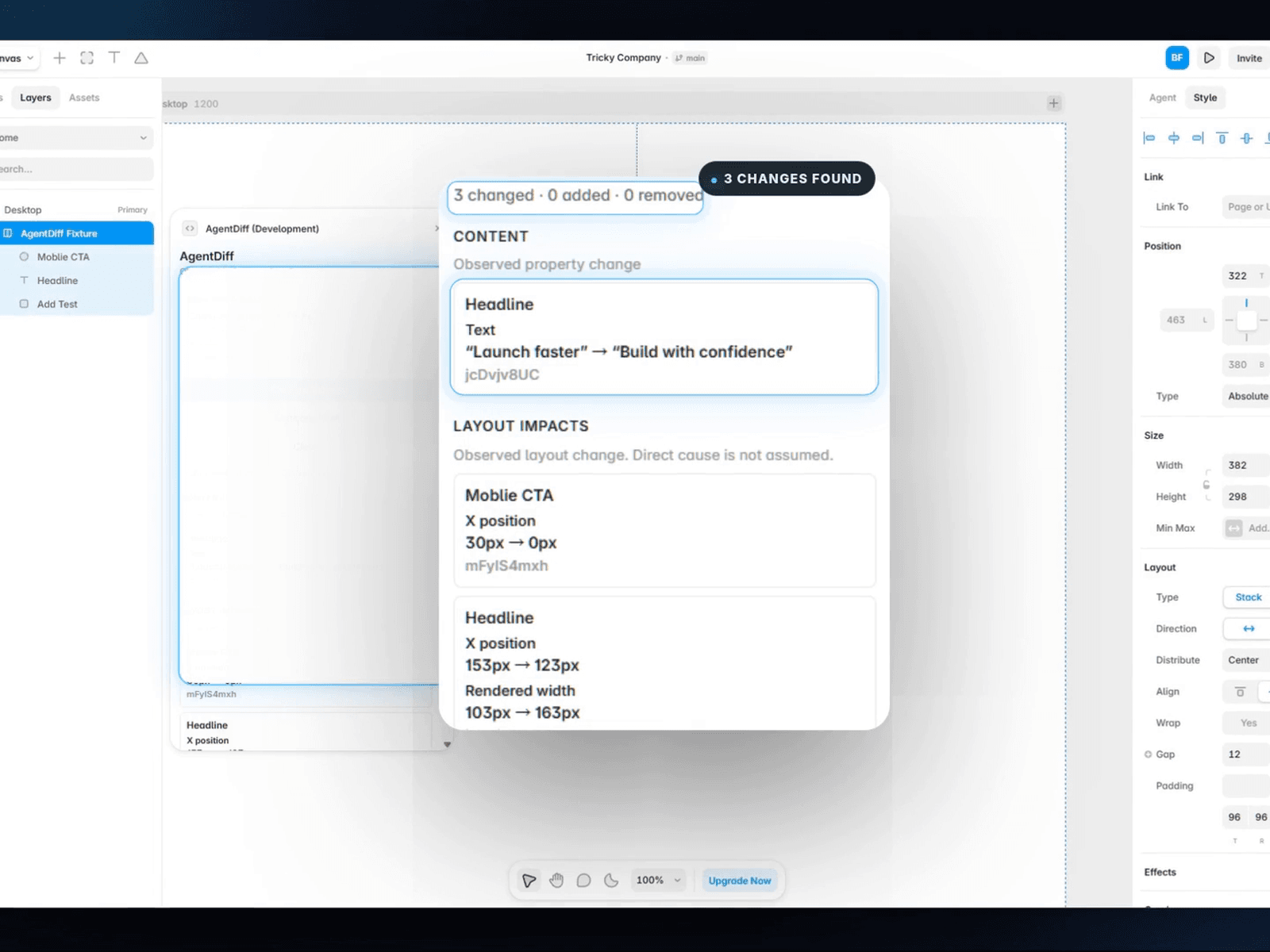
What AgentDiff shows
• Content changes — text and layer-name differences
• Layout impacts — observed position, size, and rendered-layout changes
• Structure changes — added and removed layers
How it works
1. Select one layer and click Capture Before.
2. Make edits with Framer Agent or manually.
3. Click Compare After.
4. Review the findings and click a live layer to locate it in Framer.
Useful for
• Reviewing Agent edits before publishing
• Catching unexpected layout drift
• Verifying a scoped change without hunting through the Layers panel
• Seeing what moved when one edit affects nearby layout
V0 scope
AgentDiff reports observed differences inside the captured scope. It does not guess why a change happened or claim causality, and it does not yet diff every Framer property.
Privacy
No account. No product analytics. No external AI call. AgentDiff does not send your project or canvas data to an external AgentDiff service.
Free during V0 early access.