About Bulk Layout
Stop clicking through Framer's property panel over and over.
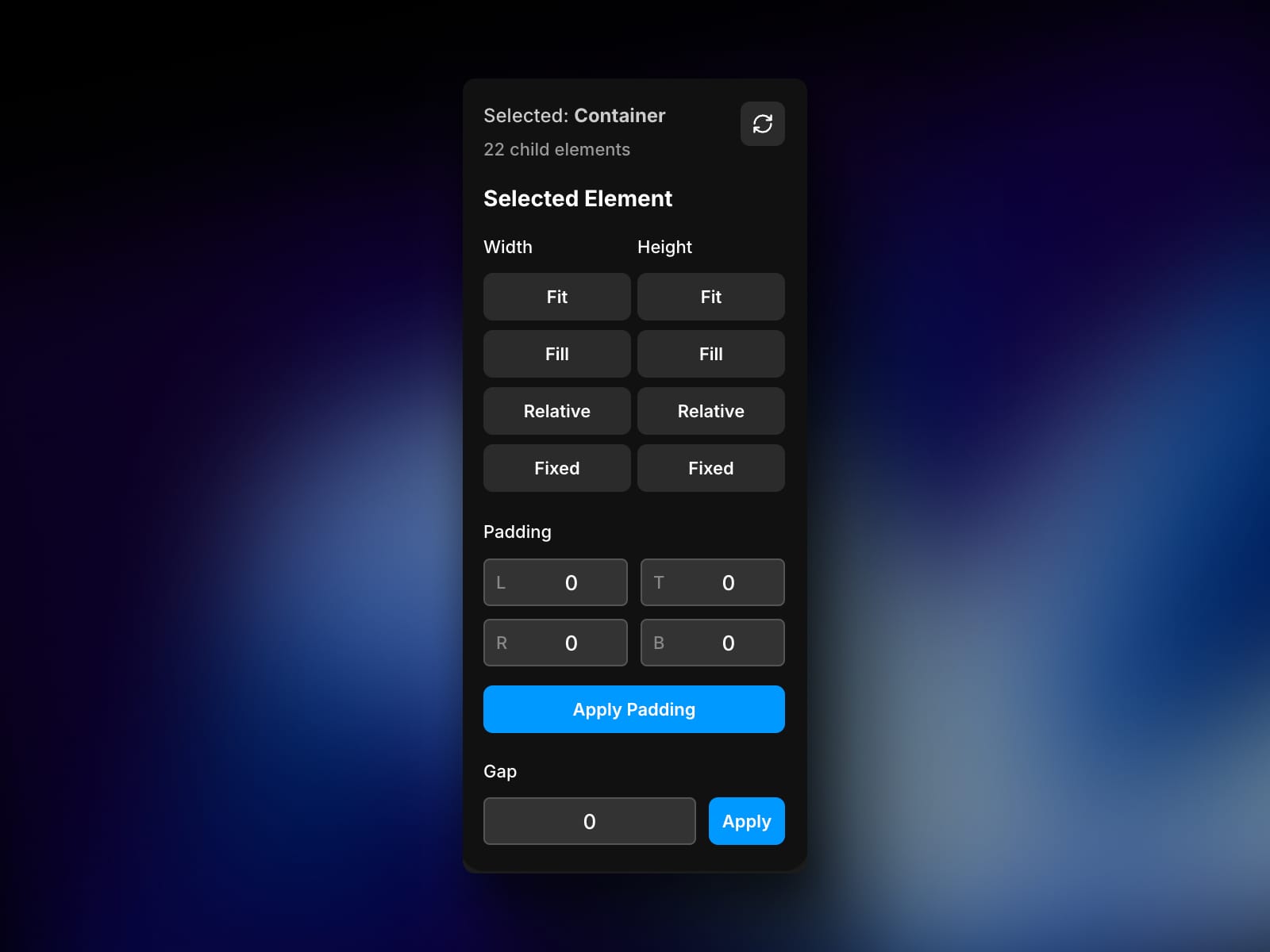
Bulk Layout lets you apply width, height, padding, and gap settings to multiple selected elements simultaneously.
Perfect for:
Setting the same padding across multiple containers
Applying consistent gap spacing to multiple stacks
Converting multiple frames to Fill or Fit Content at once
Speeding up layout adjustments after importing from Figma
How it works:
Select multiple frames, stacks, or containers
Choose your layout settings in the plugin
Apply to all selected elements instantly
Current Features:
✓ Width/Height modes (Fill, Fit Content, Relative, Fixed)✓ Padding controls (L, R, T, B)✓ Gap spacing✓ Works on multiple selections
Coming soon in V2:
Apply settings to all children within a container recursively
Quick action presets
Save 10-15 minutes every time you need to adjust layout properties across multiple elements.