About Caliper
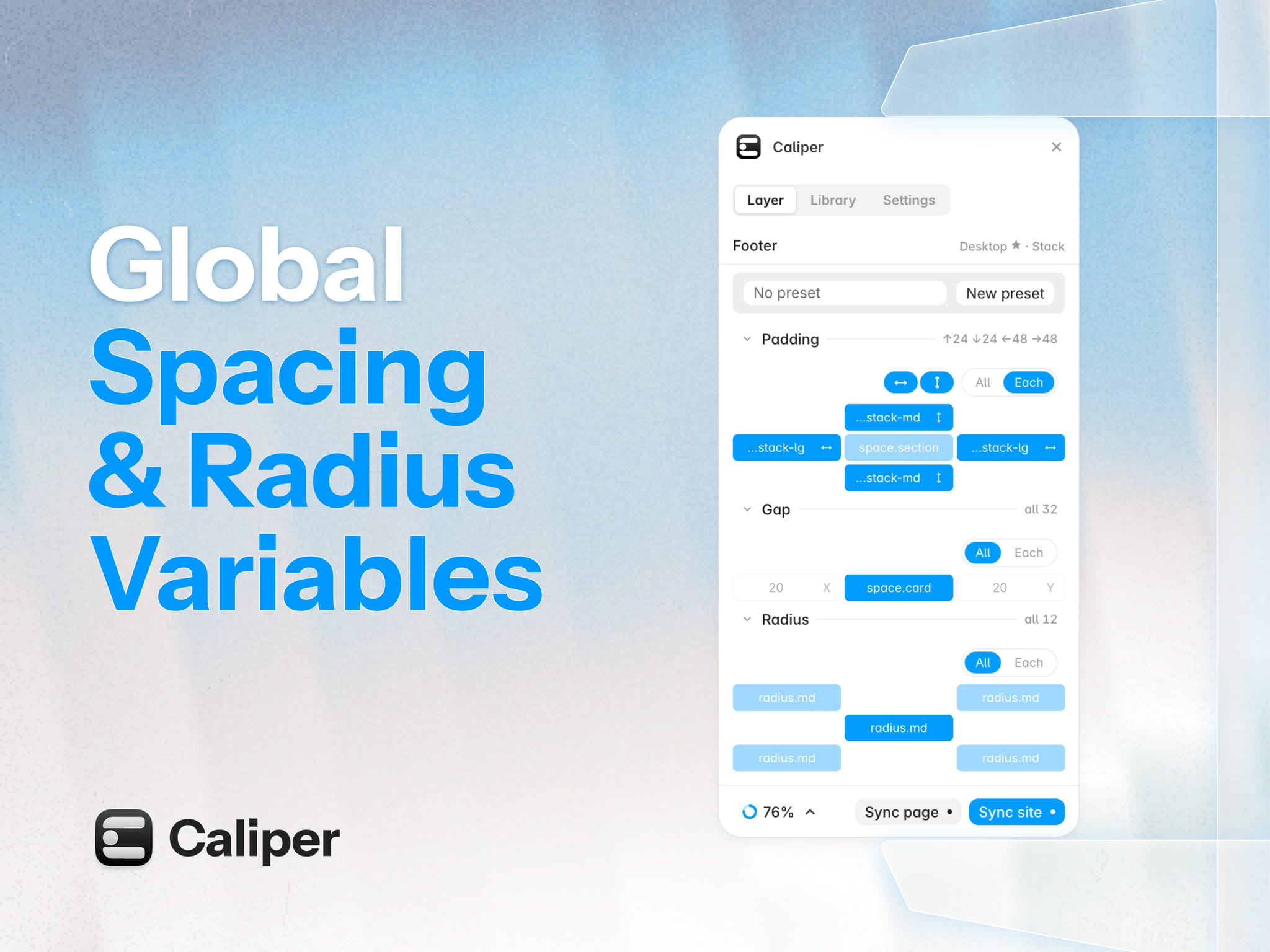
Global spacing & radius variables for Framer
Framer already has global styles for colour and type. But spacing and radius are still numbers to type into each layer. So when I want to change the padding, I have to hunt it down manually on every page, at every breakpoint.
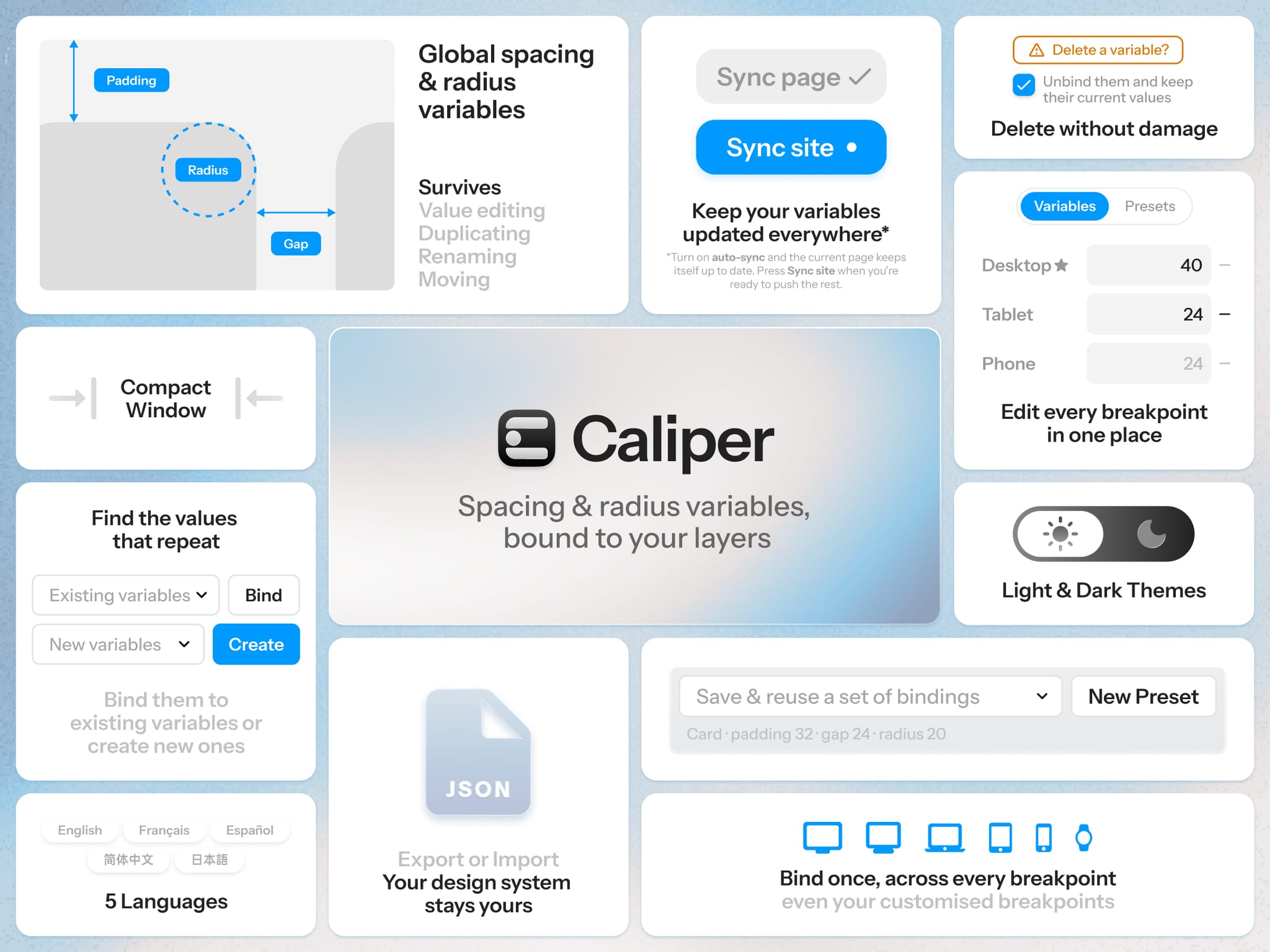
That's why I built Caliper to make it easier. Caliper turns spacing and radius into project-wide variables that can be edited in one place, and keeps them bound to the layers.
How it works
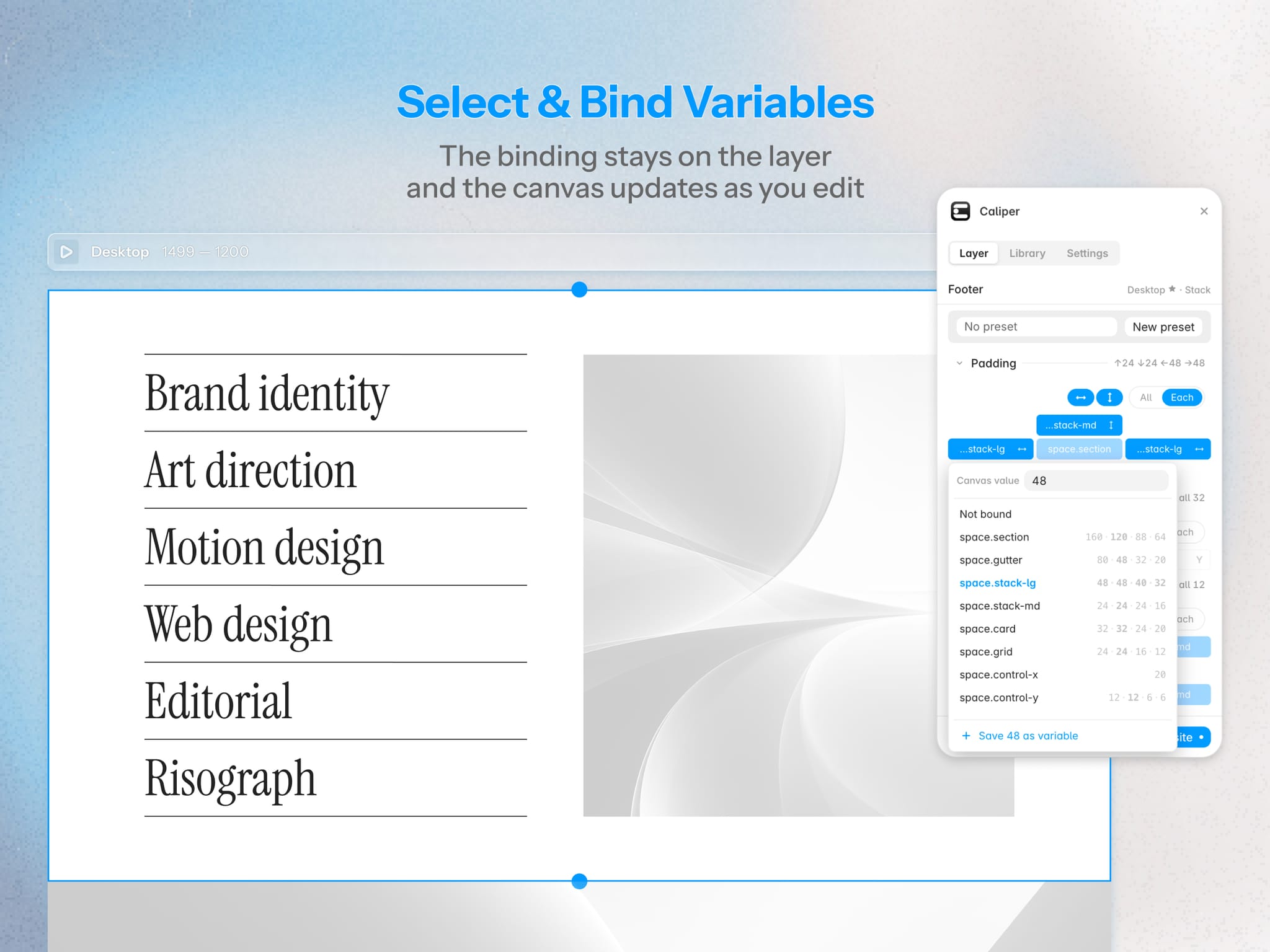
Bind variables from the layer. Select a layer, simply click and pick a variable, done.
The binding lives in the layer's metadata. Rename, move or duplicate the layer, the binding still stays.
Turn on auto-sync in Settings and Caliper keeps the current page up to date as you work.
One variable, across every breakpoint
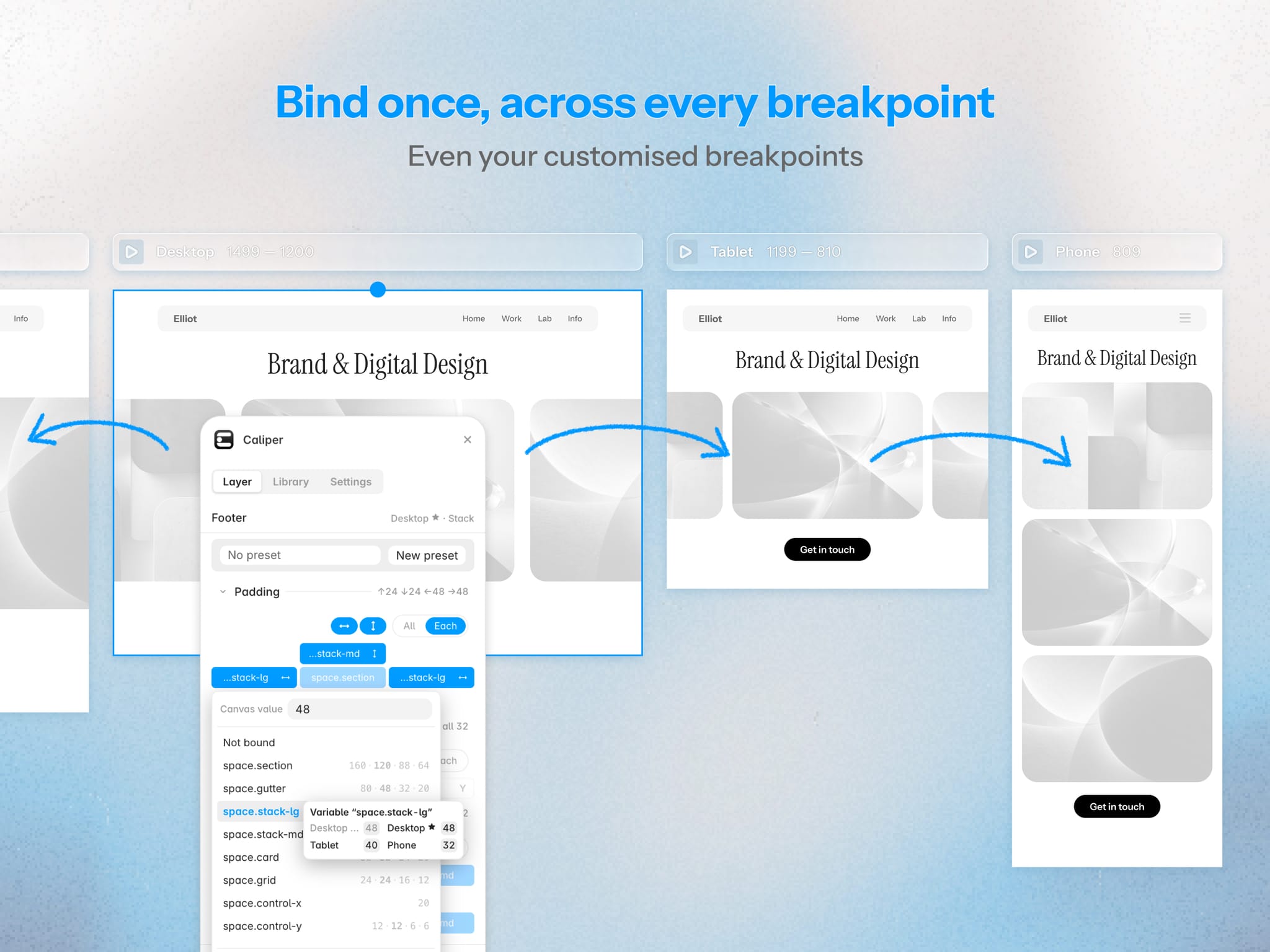
Bind on any breakpoint and the matching layers on other breakpoints come with it.
Define only the few breakpoints that matter. Leave others empty and they will take the value from the nearest defined one towards your primary.
Custom breakpoints are covered too.
Presets
Save the bindings you reuse as a preset, and apply it to another layer in one click.
Already have a project full of numbers?
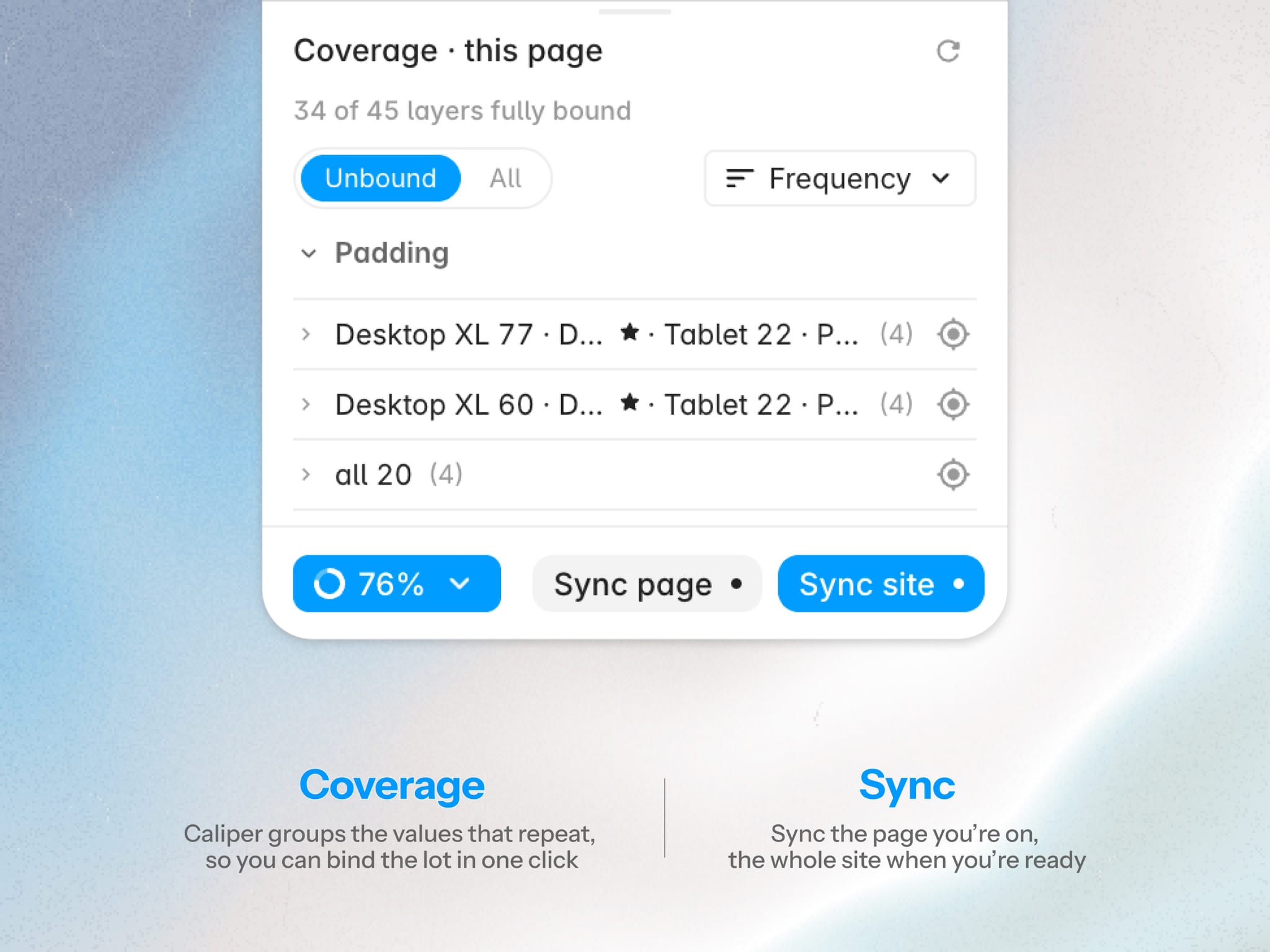
Open the Coverage panel, Caliper scans the page and groups values that repeat. One click binds a whole group to the same variable. Or type in a name to create a new variable from it.
Other features
Export your library as JSON to carry them to another project or hand to a colleague.
No account needed. Caliper doesn't collect or upload your project data.
Worth knowing
Not the same as Framer's Variables. Framer's variables reach inside a single component or CMS item. Caliper's variables are global, they reach layers on every page of your site, at every breakpoint.
Sync site is a manual step. Framer only lets a plugin see one page at a time, so Sync site steps through your site's pages and lands back where you started. Components and page templates are not included currently.