About Color Import
CSS to Color Styles
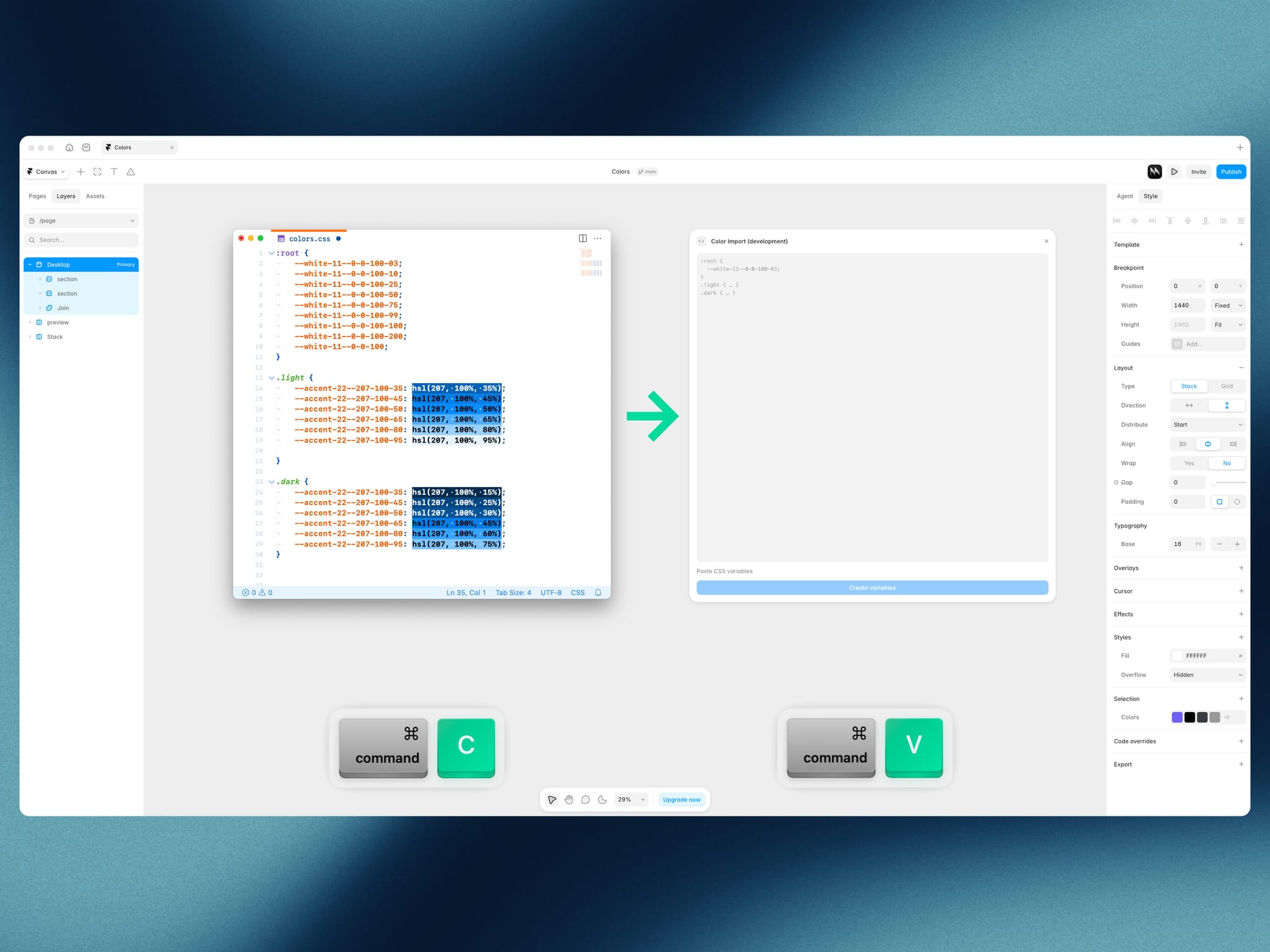
Paste CSS color variables and turn them into grouped Framer Color Styles in one click, with Light and Dark themes handled for you. Only HSL and HSLA colors are supported.
Features
Instant conversion. HSL and HSLA variables become Framer Color Styles straight from pasted text.
Light and Dark in one style. A variable with the same name in
.lightand.darkbecomes a single style with both theme values.Root support. Variables in :root are created for the Light theme.
Automatic grouping. The prefix becomes a group:
--accent-22turns intoaccent 22.
Alpha shorthand.
03is 3%,0_1is 0.1%,0_01is 0.01%. A value of 100 or more gives an opaquehslcolor.Explicit values. Write
--name: hsl(207, 100%, 75%);for an exact color, or leave it out and the color is calculated from the name.Live preview and safe re-runs. Check what will be created first. Existing styles with the same name are updated, not duplicated.
Resizable window.
Example
:root {
--white-11--0-0-100-03;
--white-11--0-0-100;
}
.light {
--accent-22--207-100-95: hsl(207, 100%, 95%);
}
.dark {
--accent-22--207-100-95: hsl(207, 100%, 75%);
}
Result:
Group white 11 with 0 0 100・03 and 0 0 100.
Group accent 22 with 207 100 95: hsl(207, 100%, 95%) in Light and hsl(207, 100%, 75%) in Dark.
How to use
Open the plugin.
Paste your CSS variables.
Check the preview.
Click Create variables.