About Fontwise
Stop replacing fonts one by one in Framer.
Fontwise is the bulk font replacer for Framer. Scan your entire project, swap fonts across pages, components, and CMS in seconds, manage text styles with responsive breakpoints, and apply 350+ professional font pairings without leaving your canvas.
Built for designers building Framer sites who want clean, consistent typography without the manual work.
━━━━━━━━━━━━━━━━━━━━━━━━━━━━━━━
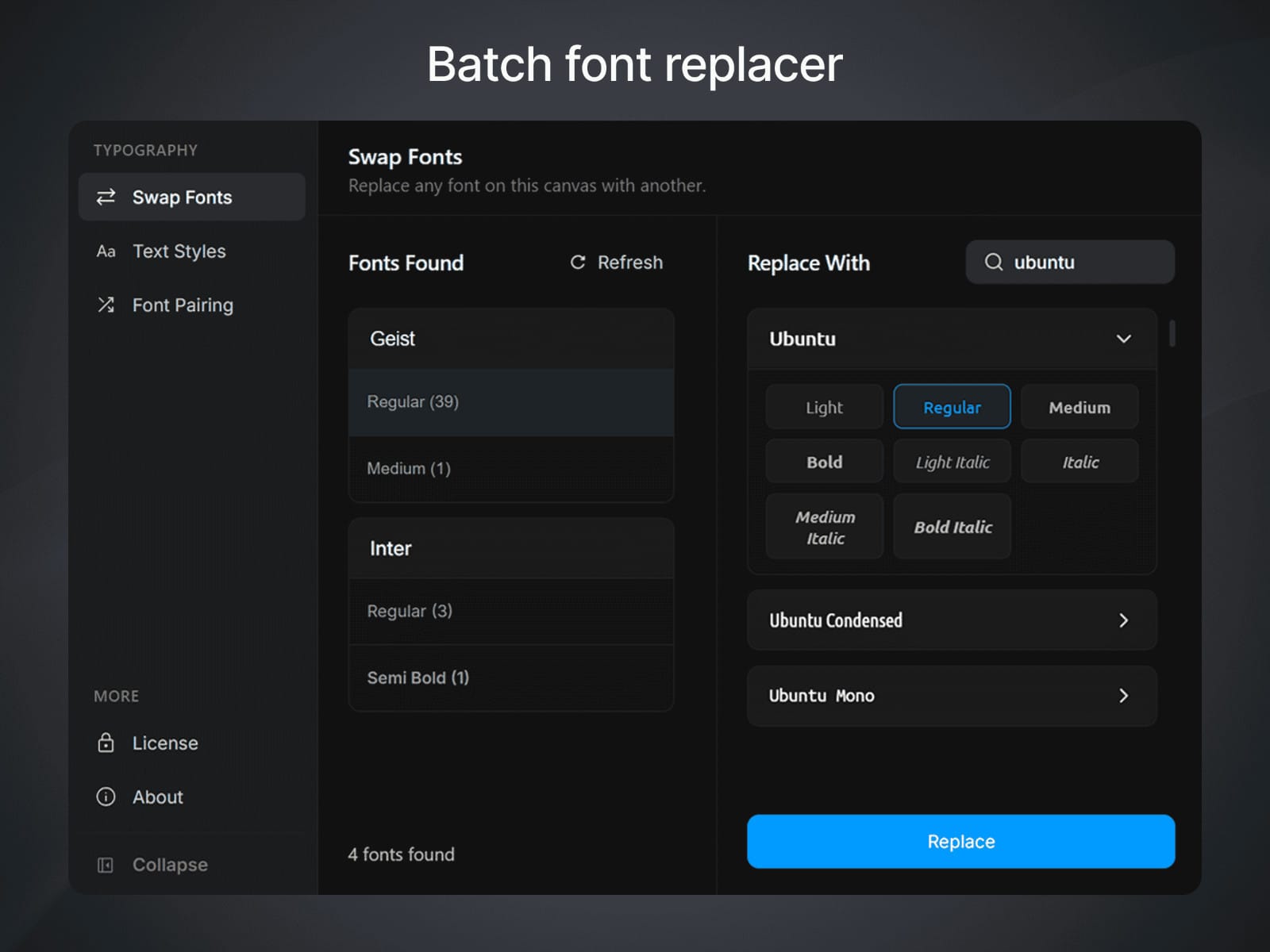
→ BULK FONT REPLACER
See every font family your Framer project uses in one clean list. Multi-select font weights, pick your replacement, and apply it across your entire project, a specific page, section, group, or individual text node.
Fontwise works across pages, nested components, stacks, and CMS items. Google Fonts and system fonts supported.
━━━━━━━━━━━━━━━━━━━━━━━━━━━━━━━
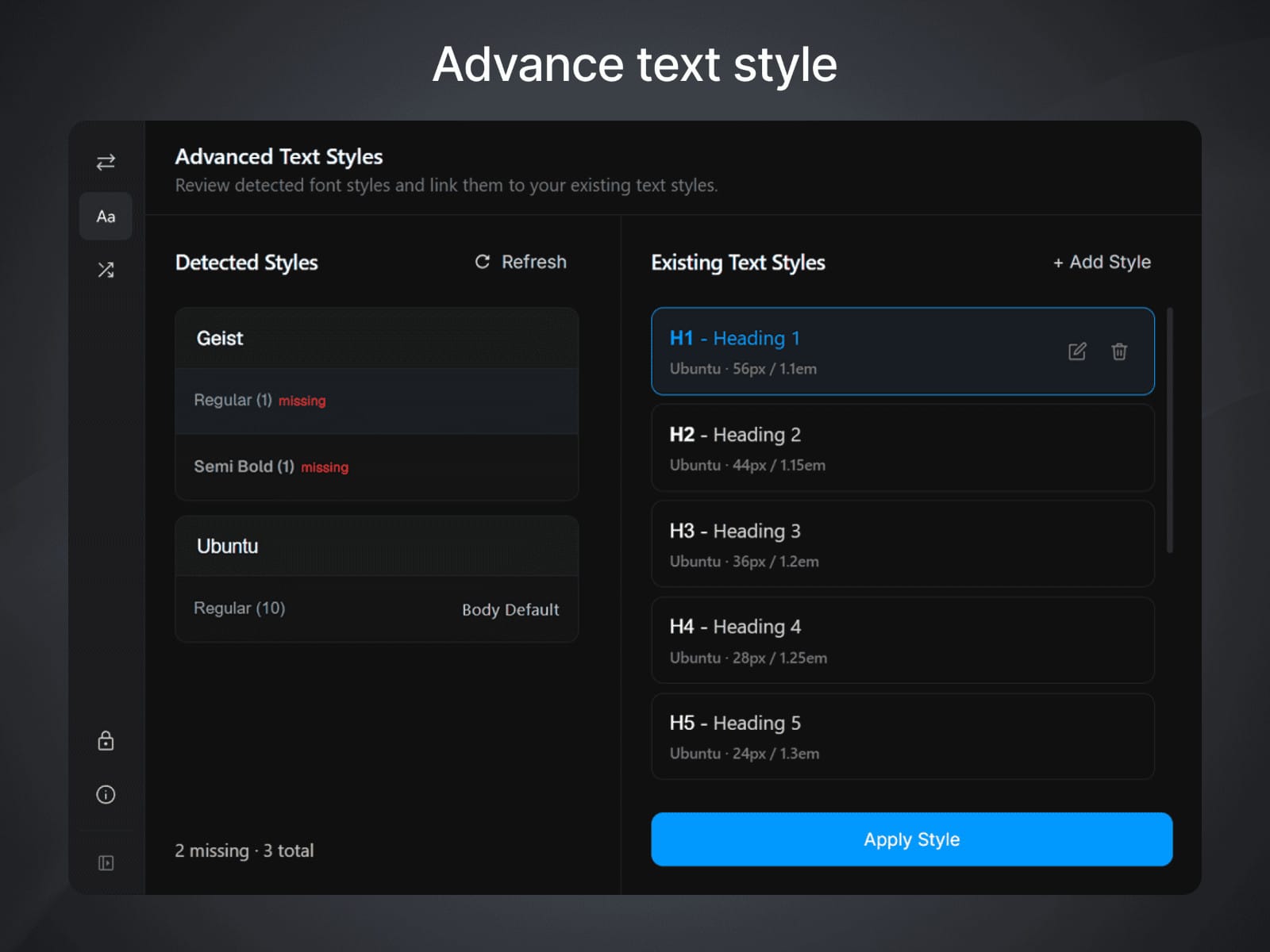
→ TEXT STYLES MANAGER
Fontwise scans your project and surfaces every text style in use. Unstyled text layers get tagged with a Missing badge so nothing slips through.
Apply existing styles to multiple layers at once, create new styles from any text node, and configure responsive breakpoints (L, M, S) without ever leaving the plugin panel.
━━━━━━━━━━━━━━━━━━━━━━━━━━━━━━━
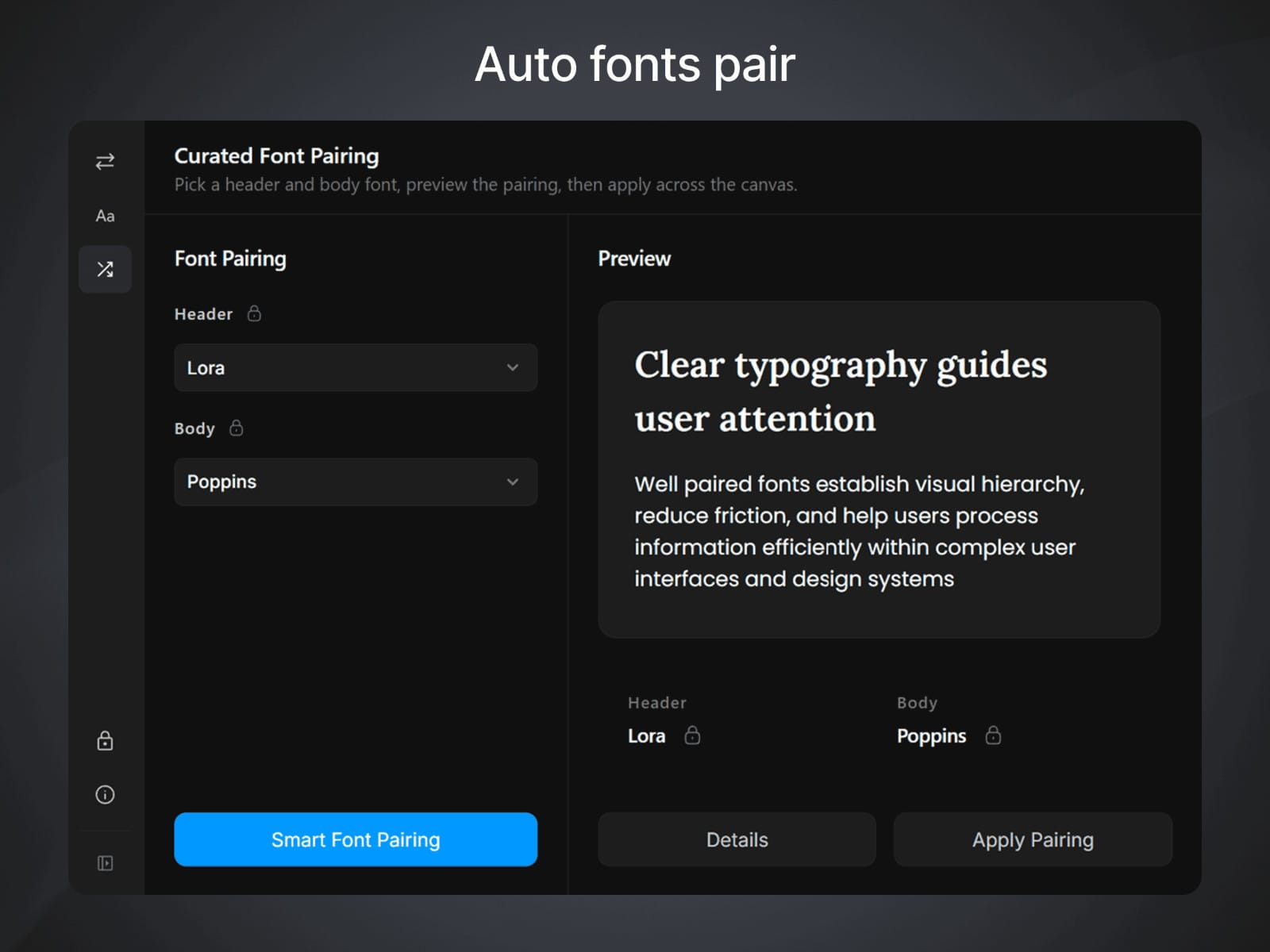
→ FONT PAIRING
Not sure which fonts work together? Browse a hand-picked library of 350+ professional font combinations.
Preview any pairing live in your project before committing. Lock your header or body font and let Fontwise suggest compatible matches. Apply a full pairing to your project in a single click.
━━━━━━━━━━━━━━━━━━━━━━━━━━━━━━━
WHO USES FONTWISE
Freelancers delivering Framer sites to clients who need consistent brand typography
Design agencies juggling fonts across multiple active Framer projects
Designers inheriting messy Framer files with no clear type system
Anyone who wants a reliable font changer for Framer without clicking through every layer
━━━━━━━━━━━━━━━━━━━━━━━━━━━━━━━
GOOD TO KNOW
Fontwise replaces fonts at the component core level by default. This means every instance of a component updates together automatically. If you need to change just one specific instance, double-click into the component and update it from the core directly.
Text nodes with mixed font styles in a single line require manual updates. This is a current limitation of the Framer Plugin API which does not expose individual styled segments inside text nodes to plugins.
Custom fonts uploaded to your Framer project are not accessible to plugins. Fontwise works with Google Fonts and system fonts.
━━━━━━━━━━━━━━━━━━━━━━━━━━━━━━━
HOW TO GET STARTED
Install Fontwise and open it inside your Framer project
Hit Scan to see a full list of every font in use
Select the fonts you want to change, choose a replacement, and apply
Whether you need a font swap across an entire project, a single page, or a specific component, Fontwise gives you full control over scope before applying anything.
━━━━━━━━━━━━━━━━━━━━━━━━━━━━━━━
PRICING
Start free with 5 uses, then choose the plan that works for you.
Lifetime: One payment, permanent access, no renewals
Monthly: Pay month to month, cancel anytime
━━━━━━━━━━━━━━━━━━━━━━━━━━━━━━━
ALSO ON FIGMA
Working in Figma too? Get Fontwise for Figma with the same typography toolkit adapted for Figma workflows.
━━━━━━━━━━━━━━━━━━━━━━━━━━━━━━━
Questions? saeefalmahmud@gmail.com