About Framerstacks
Famerstacks brings a library of 300+ professionally designed sections and components with 1200+ component variants that can be copied right into your Framer canvas.
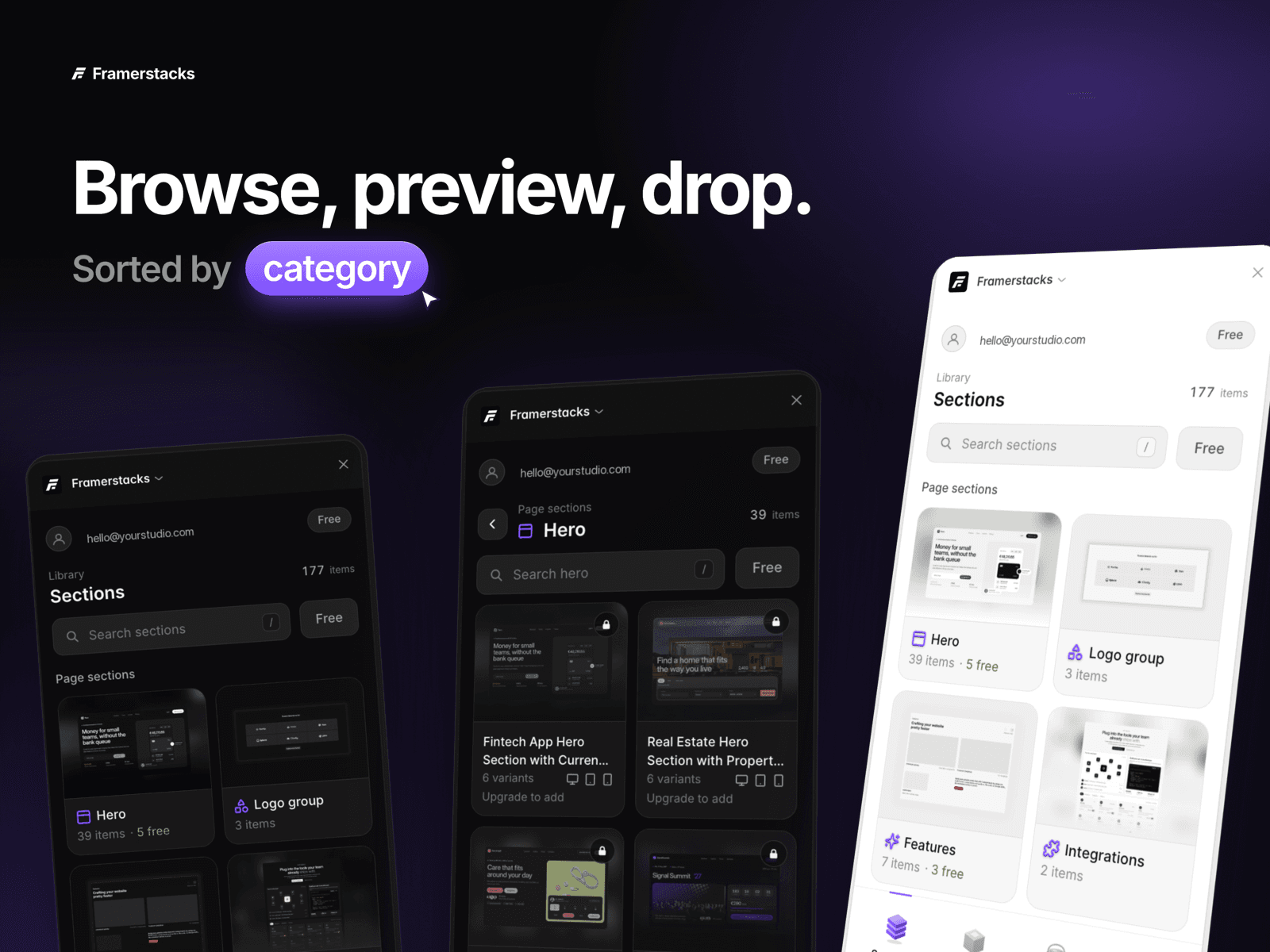
Browse, preview, and insert sections and components from 48 different categories.
Framerstacks account: what's collected and why
The plugin includes Framerstacks sign-in and sign-up. A free account is needed to insert items; browsing needs no account.
Sign-in session: A sign-in token is kept in the plugin so you stay signed in. Signing in from framerstacks.com uses a one-time code that expires in a few minutes.
Profile picture (optional): only if you upload one. It's stored privately in your account and shown in the plugin and on framerstacks.com.
Favourites, recent items and settings stay on your computer and are never sent to us. The plugin never reads or uploads your project's content. Sign out in Settings → Account. To delete an account and its data, email hello@framerstacks.com.
Browse fast
Sections and Components tabs, organised by category.
Search inside any tab or category.
Each item shows its number of variants.
Open a live preview of any item in your browser before you add it.
Insert options
Drag or click on items.
Click inserts into the frame you have selected, or right below the selected layer.
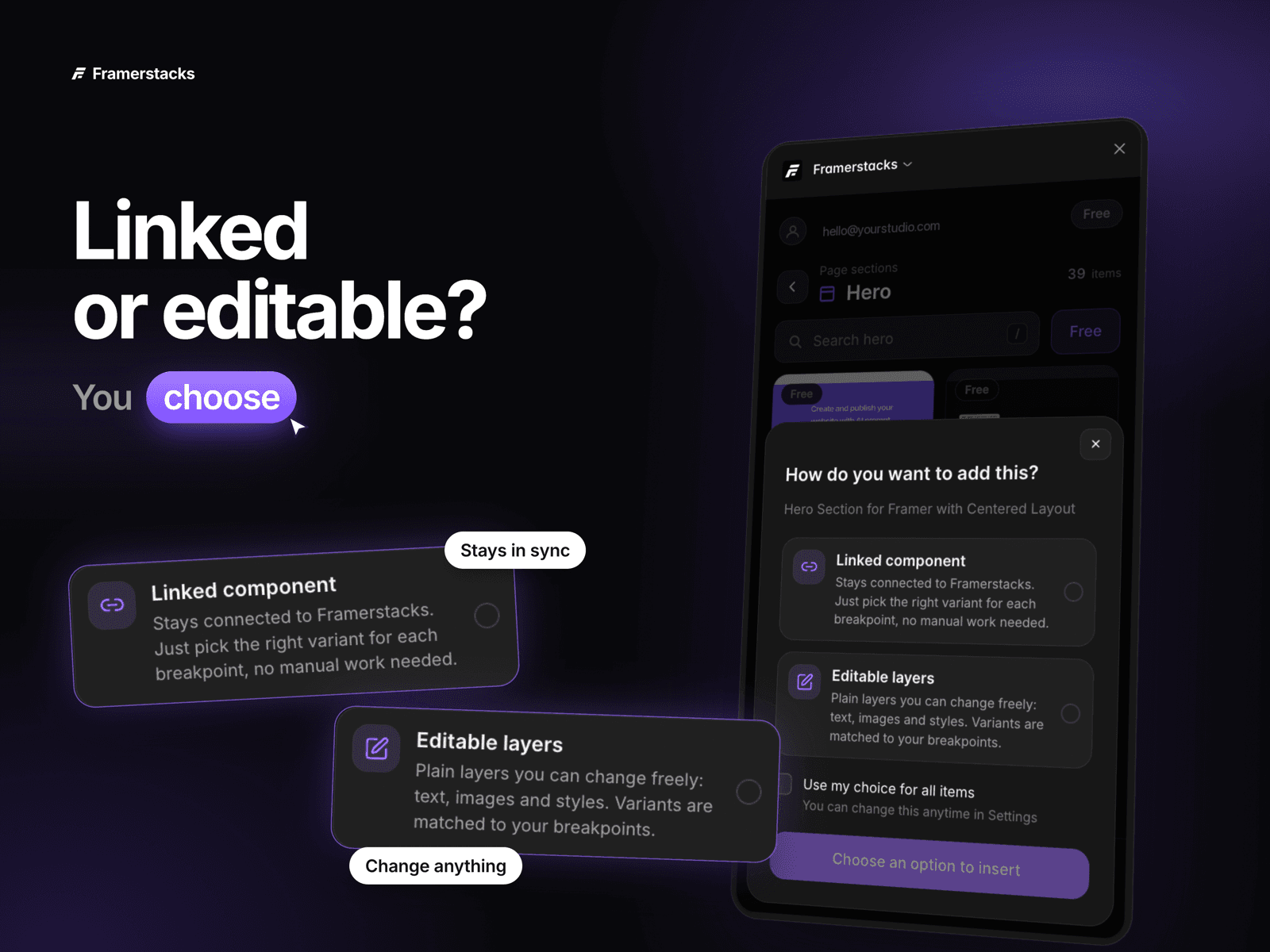
Choose insert options:
Linked component: Pastes as a component file. No manual work.
Editable layers: Will be pasted as a layers you can change freely. Variants are matched to your breakpoints.
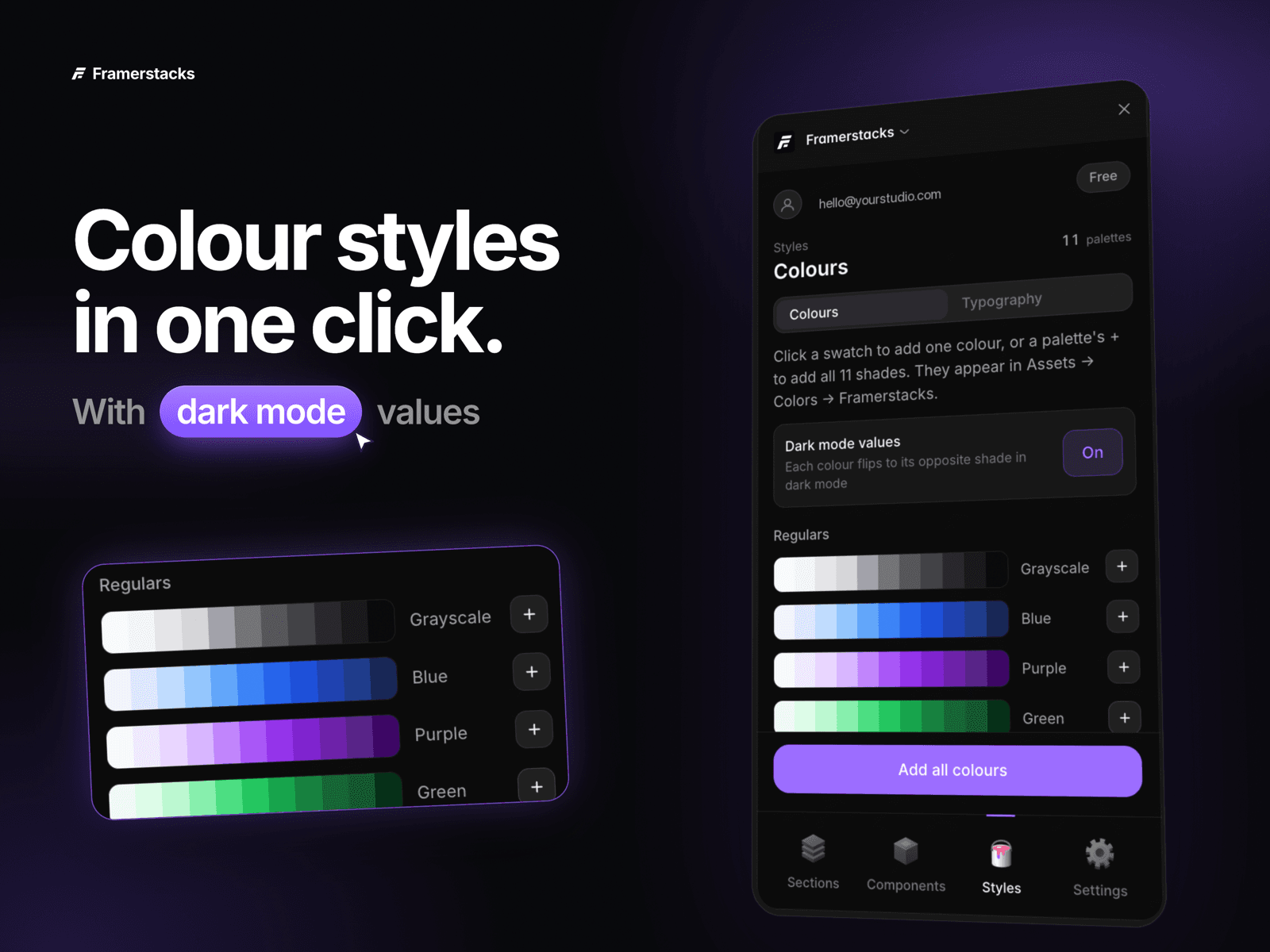
Styles in one click
Colour palettes (11 shades each) added as Framer colour styles, with optional dark-mode values.
A ready type scale (H1–H4 and five body sizes) added as text styles, responsive across breakpoints, in Inter Display or a font you pick.
Made for daily use
Favourites, Recently used and New this month tabs.
Keyboard shortcuts: / to search, ESC to go back.
Follows Framer's light or dark theme, or set your own.
Support
For any assistance, reachout to us at hello@framerstacks.com