
About HTML Heading Finder
HTML Heading Finder
Audit your Framer website’s HTML structure directly from the editor.
HTML Heading Finder analyzes the published HTML of your current page and displays headings, semantic elements, image alt text, and other HTML tags in their actual document order—similar to how a search engine reads the page.
Key Features
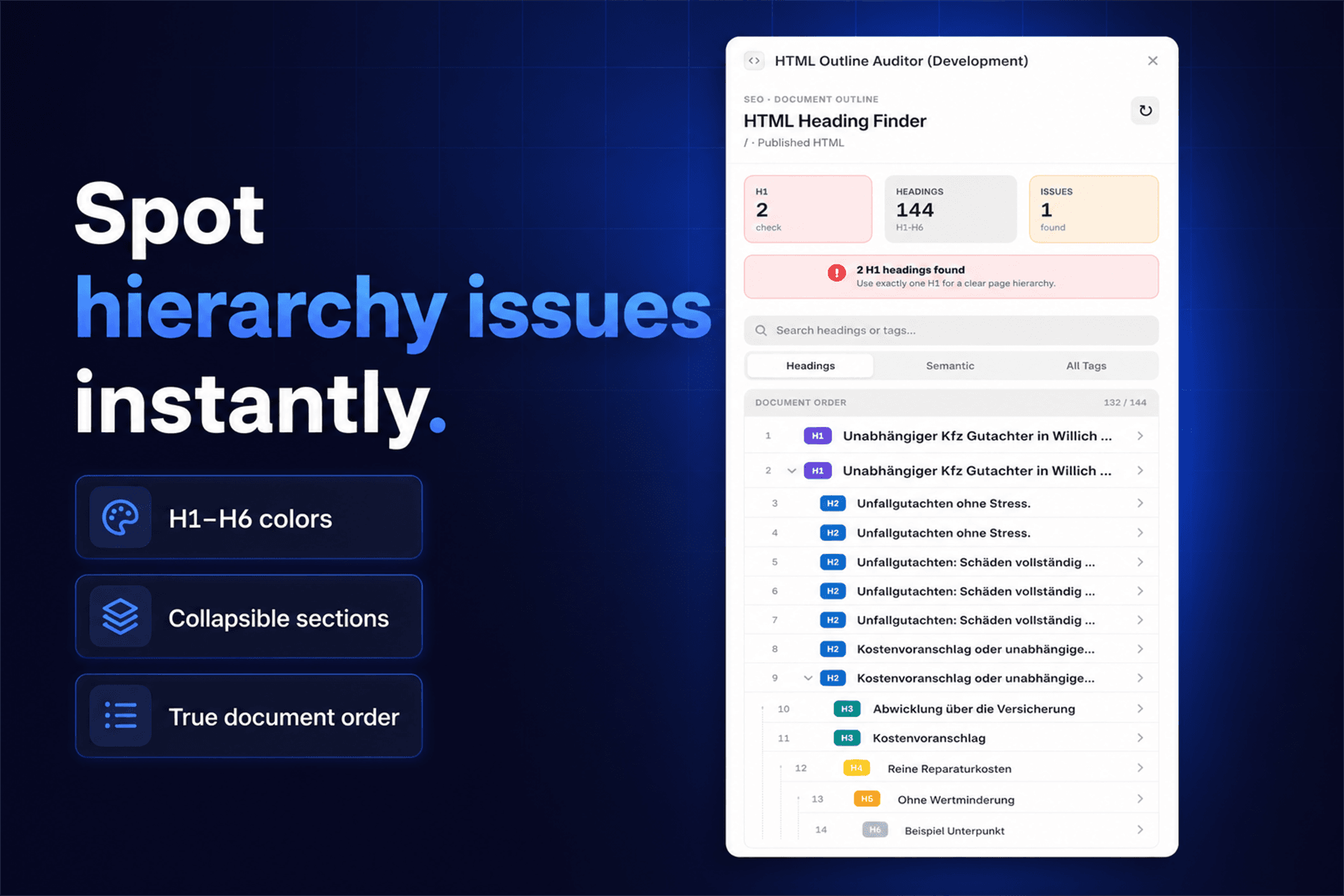
Review all headings from H1 to H6
Identify missing or multiple H1 headings
Visualize the heading hierarchy with indentation and colors
Collapse and expand individual heading sections
Inspect semantic HTML elements
Review image alt text
Search by heading text or HTML tag
Resize the overview and document-order panels
Select supported results and jump directly to the corresponding layer in Framer
Analyze the published HTML instead of relying on visual text styles
How It Works
Open the plugin on a website page and start the analysis. The plugin retrieves the published page, reads its HTML structure, and presents the detected elements in chronological document order.
For the most accurate results, publish your latest changes before refreshing the analysis.
Perfect For
SEO audits
Accessibility reviews
Heading hierarchy checks
Semantic HTML validation
Image alt-text reviews
Finding differences between visual design and published markup
Privacy
The plugin only processes the HTML required to perform the analysis. It does not store website content or personal data.
Build a cleaner structure. Improve accessibility. Make your Framer website easier for search engines to understand.