About Mojave Grid
$10 - Buy a License
What you get
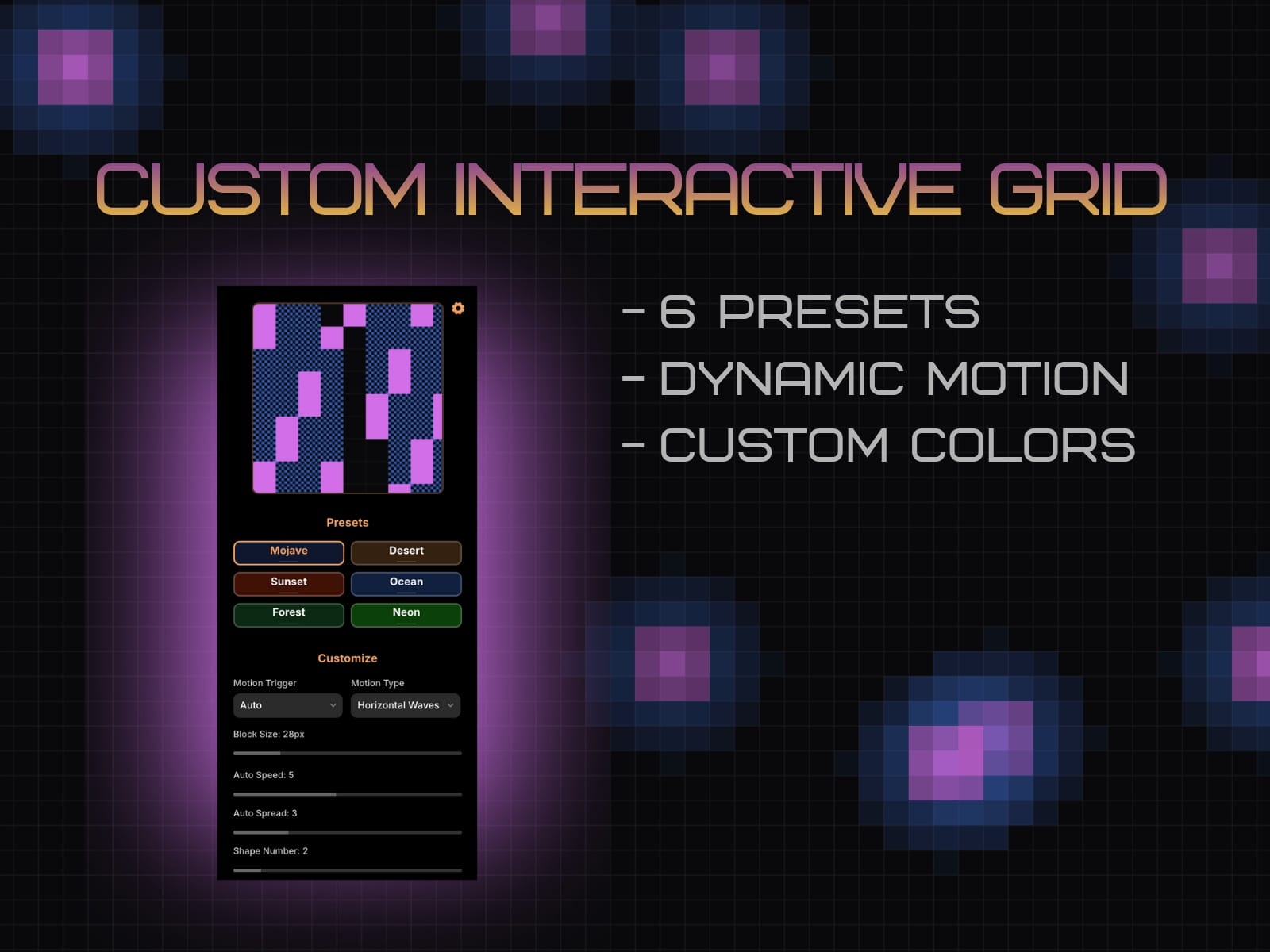
6 presets: Mojave, Desert, Sunset, Ocean, Forest, Neon
Two motion modes:
Hover — interactive effects that respond to pointer movement
Auto — hands-free Waves (Horizontal/Vertical), Burst, or Flash
Clean, scalable canvas: Renders crisply at any frame size
Performance-aware controls: Tune cell size, speed, and spread
Default size: Intrinsic canvas is 600 × 600. It fills whatever frame you place it in, so resize freely in Framer.
Motion Modes
Hover FX
Standard – classic 3-phase pulse under the cursor
Bubble – soft radial splash with a subtle trail
Persistent – “stamp” cells that stay highlighted as you move
Firework – bursts radiate from your pointer
Hover Speed (0.5 → 3.0): Overall tempo of the hover animation.
Hover Spread (0.1 → 3.0): How far the effect “blooms” from the cursor.
Trail (toggle; Bubble only): Keeps Bubble trails visible even after you stop hovering.
Tip (resetting trails): Switch Hover FX to a different option and back to clear persistent/trail states.
Auto FX
Waves – a moving band sweeps across the grid (Horizontal / Vertical)
Burst – spontaneous pulses across the surface
Flash – synchronized pulses that wash across the grid (global “flash” accents)
Auto Speed (1 → 10, eased): How fast Waves/Burst/Flash evolve.
Auto Spread (0.1 → 5.0):
Waves: band thickness
Burst: density/area of burst events
Flash: pulse strength/coverage
Interactive steering (Waves): Even in Auto mode, pointer movement gently “pulls” the wave toward your cursor—great for subtle, reactive hero sections.