Title Smart Notification Bell
Slogan No-code bell powered by Google Sheets
Tagline Turn Data Into Notifications.
Description A ready-made Framer component that turns your Google Sheets data into live, smart notifications on your site. Add a row to your sheet, visitors see it instantly — no database, no backend, no code. Just a spreadsheet and a link.
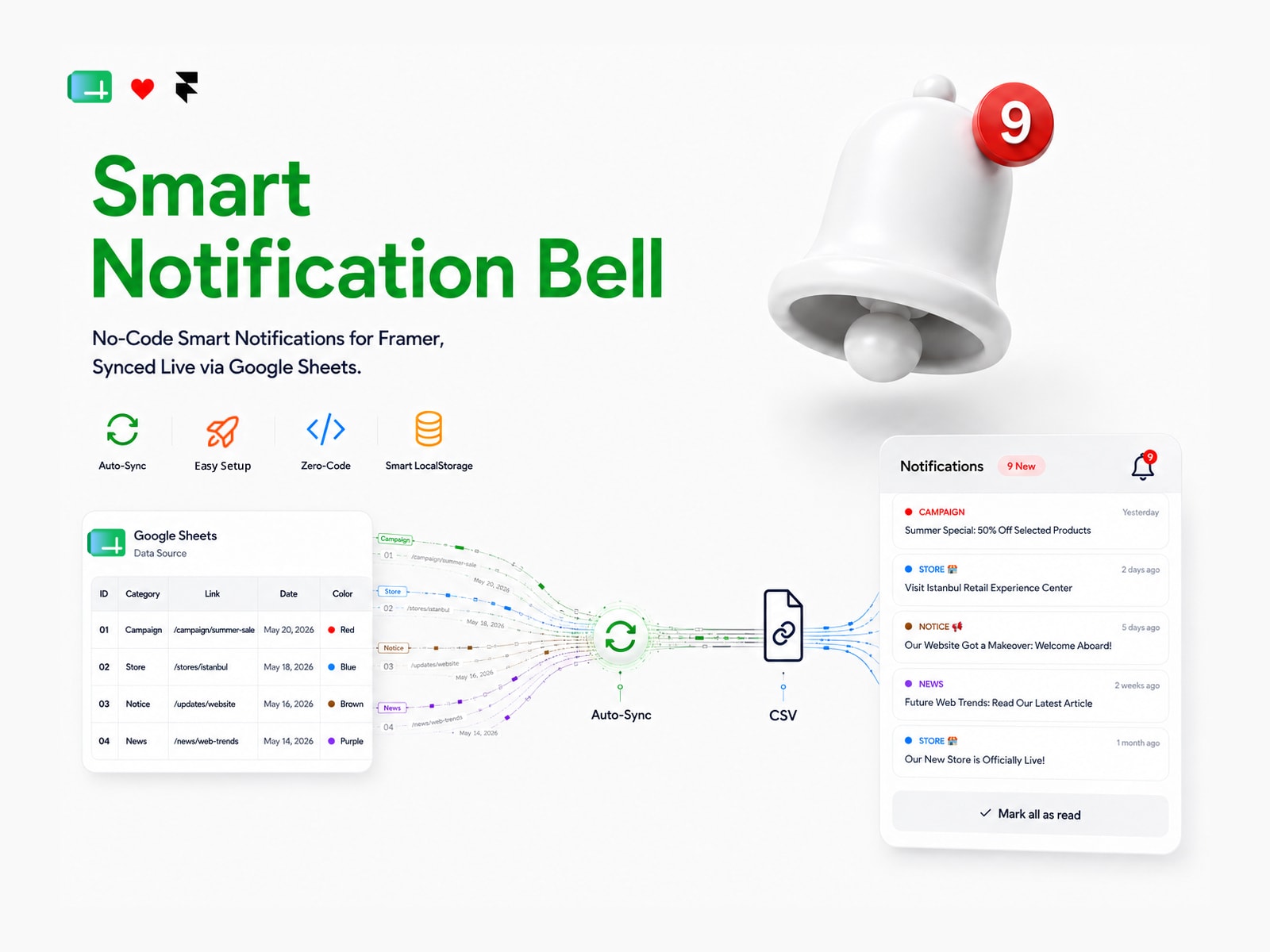
How It Works Google Sheets → Auto-Sync → Notification Add a row to your sheet. The component detects it automatically and shows visitors a red indicator with a pulse animation.
Key Features
🔗 Google Sheets Sync — connects instantly via a CSV link
🔴 Unread Counter + Pulse Animation — an eye-catching live indicator
🧠 Smart Device Memory — read status is saved on the visitor's device, survives page reloads
⚡ Auto Re-Trigger — new rows automatically reactivate the notification badge
🎨 Colored Category Tags — automatic or manually customizable
💫 Elegant Loading Animation — a smooth shimmer/skeleton effect while data loads
🗒 Clean Empty State — shows a calm "no notifications" message when the sheet is empty
📱 Mobile & Desktop Ready — smart, edge-aware positioning
🎛 Fully Customizable — colors, sizes, panel width, position — all from the properties panel
Why This Component?
No-code setup, ready in 2 minutes
No separate service or monthly fee
Lightweight, responsive, built for Framer
Google Sheets is a tool you already know — managing it is as easy as editing a spreadsheet
Perfect For Framer designers · No-code developers · SaaS products · Startups · Agencies · Product teams · E-commerce
Use Cases Campaigns · Announcements · New products · System updates · News · Events
Closing Simple. Live. No-Code. Turn your data into notifications.
Smart Notification StateWhen you mark all notifications as read, the red badge and pulse disappear. When a new notification is added to Google Sheets, the red badge and pulse reappear.
Tested ✅

Title Smart Notification Bell
Slogan No-code bell powered by Google Sheets
Tagline Turn Data Into Notifications.
Description A ready-made Framer component that turns your Google Sheets data into live, smart notifications on your site. Add a row to your sheet, visitors see it instantly — no database, no backend, no code. Just a spreadsheet and a link.
How It Works Google Sheets → Auto-Sync → Notification Add a row to your sheet. The component detects it automatically and shows visitors a red indicator with a pulse animation.
Key Features
🔗 Google Sheets Sync — connects instantly via a CSV link
🔴 Unread Counter + Pulse Animation — an eye-catching live indicator
🧠 Smart Device Memory — read status is saved on the visitor's device, survives page reloads
⚡ Auto Re-Trigger — new rows automatically reactivate the notification badge
🎨 Colored Category Tags — automatic or manually customizable
💫 Elegant Loading Animation — a smooth shimmer/skeleton effect while data loads
🗒 Clean Empty State — shows a calm "no notifications" message when the sheet is empty
📱 Mobile & Desktop Ready — smart, edge-aware positioning
🎛 Fully Customizable — colors, sizes, panel width, position — all from the properties panel
Why This Component?
No-code setup, ready in 2 minutes
No separate service or monthly fee
Lightweight, responsive, built for Framer
Google Sheets is a tool you already know — managing it is as easy as editing a spreadsheet
Perfect For Framer designers · No-code developers · SaaS products · Startups · Agencies · Product teams · E-commerce
Use Cases Campaigns · Announcements · New products · System updates · News · Events
Closing Simple. Live. No-Code. Turn your data into notifications.
Smart Notification StateWhen you mark all notifications as read, the red badge and pulse disappear. When a new notification is added to Google Sheets, the red badge and pulse reappear.
Tested ✅


