About 12 Cycle Diagram
■ What it does
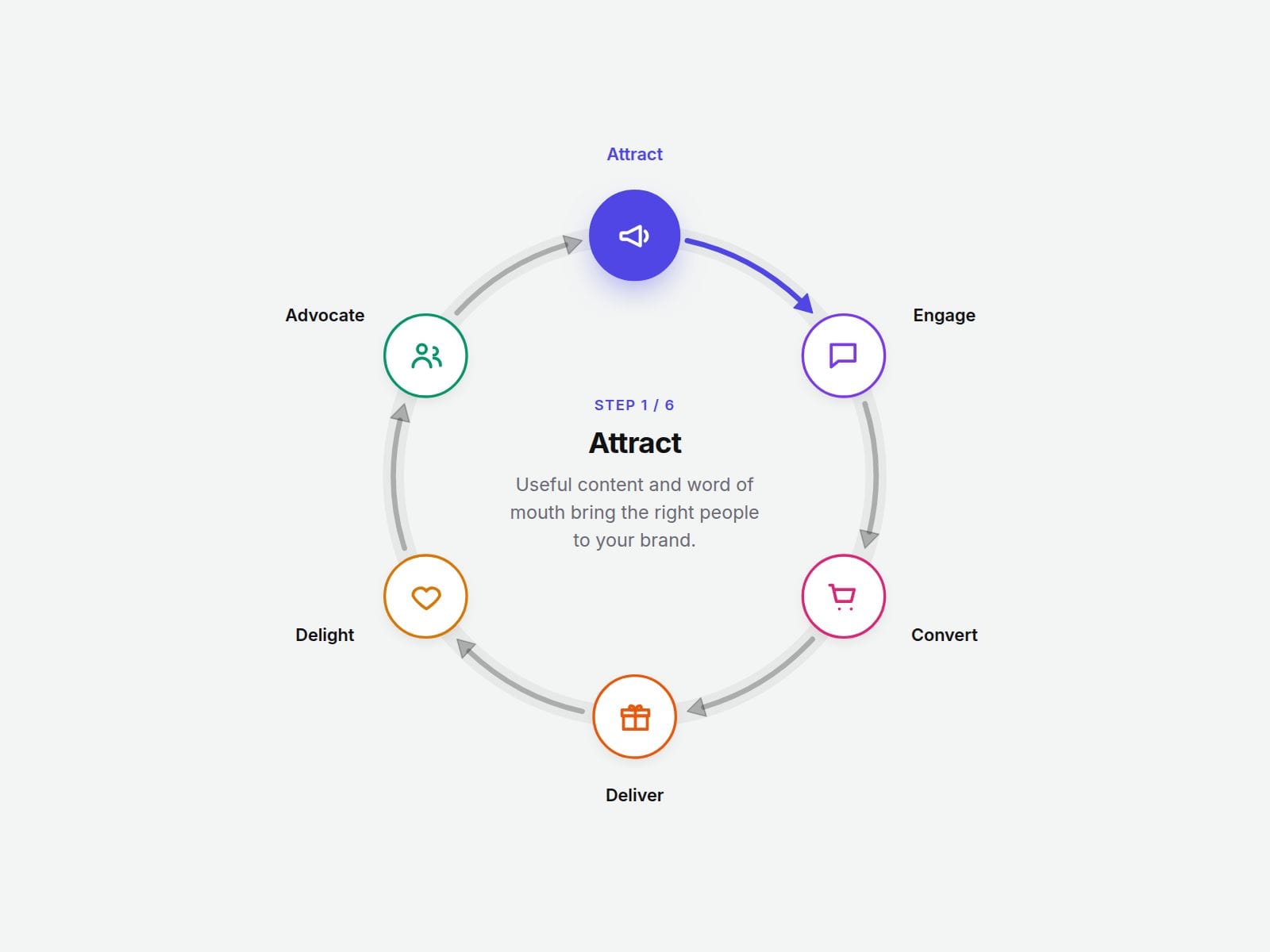
Add your steps and Cycle Process Diagram arranges them around a circle, evenly spaced, with curved arrows showing the flow from one step to the next — and back to the start. Brand flywheels, customer loops, PDCA, product lifecycles, service cycles: if it goes around, this draws it.
Change the number of steps and every angle and arrow recalculates by itself. No manual positioning, no drawing arcs by hand.
Hover, click or use the arrow keys on any step to highlight it and read its description. Turn on Auto Cycle and the highlight walks around the loop on its own.
■ Customizable properties
- Steps — title, description, icon (12 built-in icons or numbers), color and optional image for each step (up to 12)
- Direction — Clockwise or Counter-clockwise
- Start Angle — rotate where Step 1 sits on the circle
- Details — show the description in the Center, in a Side panel, or as a Tooltip
- Auto Cycle — highlight steps one by one, with your own interval; pauses on hover
- Node Shape — Circle, Pill or Card
- Layout — node size, radius, ring width, arrow gap, ring and arrows on/off
- Style — accent, text, ring, arrow and node colors
- Fonts — separate title, label and body fonts
■ Need help?
Reach out anytime at hello@brandingupstudio.com — we usually reply within 72 hours.
Custom edits are available from $75/hr.
■ More resources
Explore more components at BrandingUp → https://brandingupstudio.com
Built with code but fully customizable via property controls — no coding needed.
Unlink is not provided so we can keep delivering updates. When an update is available, just click the Update button on the component.