About 06 Gantt Chart
■ What it does
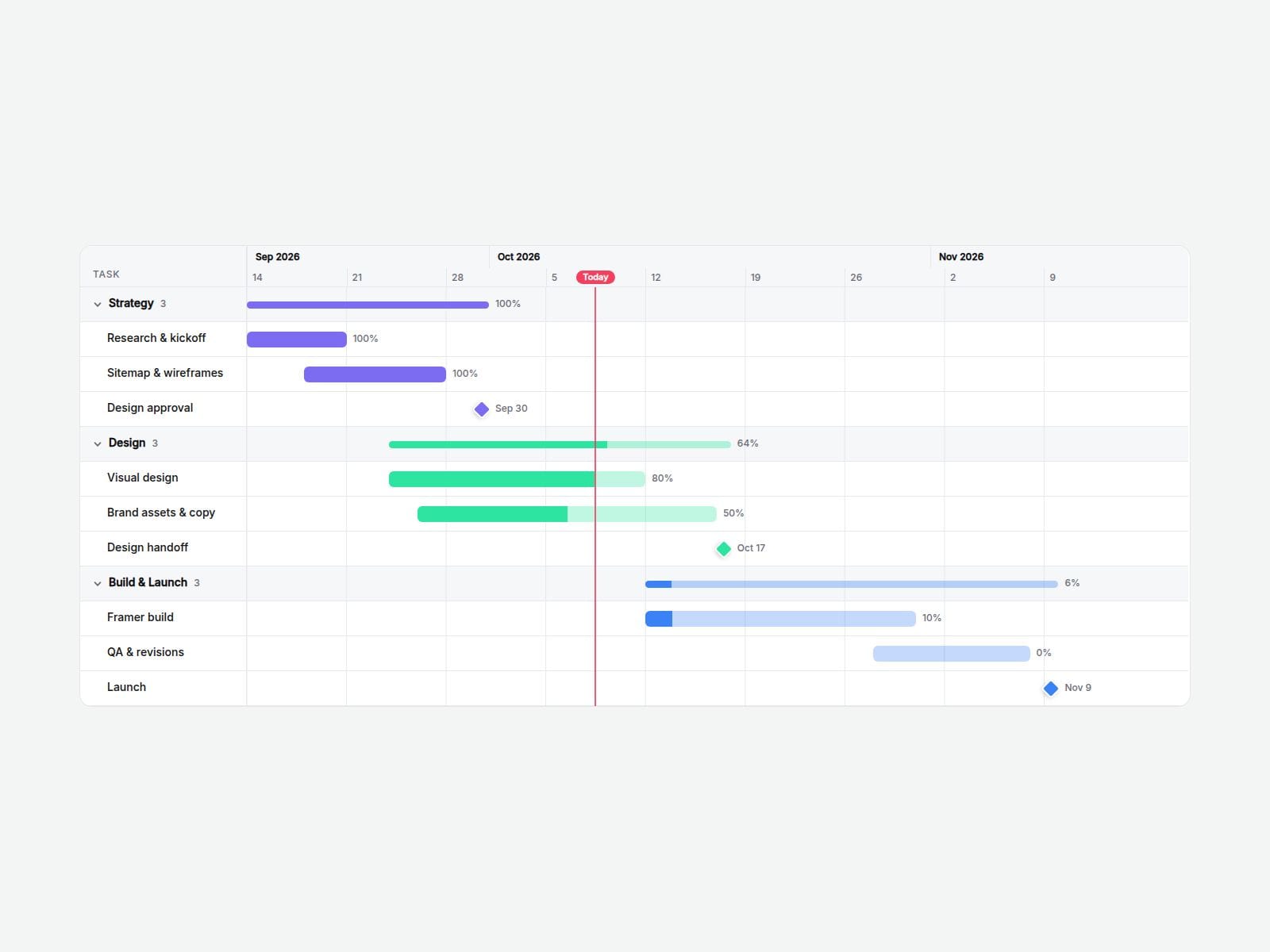
Add your tasks with a start and end date and Gantt Chart Timeline draws the whole schedule for you — time scale, bars, milestones and a "today" line are calculated automatically. No manual positioning, no screenshots, no nested frames.
Perfect for project pages, process sections, roadmaps and case studies on agency, studio and startup sites.
■ Customizable properties
- Tasks — name, group, start date, end date, progress %, milestone toggle and color for each task
- Time Scale — Auto, Day, Week or Month
- Today Line — on/off, or pin any date
- Collapsible groups — click a group to fold or unfold it (Start Folded option)
- Progress % labels and hover tooltips (dates, duration, progress)
- Layout — name column width, row height, bar height, bar radius, minimum chart width, corner radius
- Colors — background, header, text, grid, today line, border
- Fonts — separate name and scale fonts
■ Why this component
- Dates in, schedule out: change a date and the bars and scale update themselves.
- Folding groups and progress fills make a long plan readable at a glance.
- Names stay pinned while the chart scrolls sideways, so it works on small screens too.
■ Where it fits
- Agency and studio sites: show clients how a project runs, phase by phase
- SaaS and product sites: a public roadmap with progress on each item
- Case studies: the real timeline of a launch, with milestones marked
- Events, courses and renovations: a schedule visitors can scan at a glance
■ Need help?
Reach out anytime at hello@brandingupstudio.com — we usually reply within 72 hours.
Custom edits are available from $75/hr.
■ More resources
Explore more components at BrandingUp → https://brandingupstudio.com
Built with code but fully customizable via property controls — no coding needed.
Unlink is not provided so we can keep delivering updates. When an update is available, just click the Update button on the component.