About Token Retreat Field
What it includes
- Dense starting cluster with a shared, editable Cluster Size
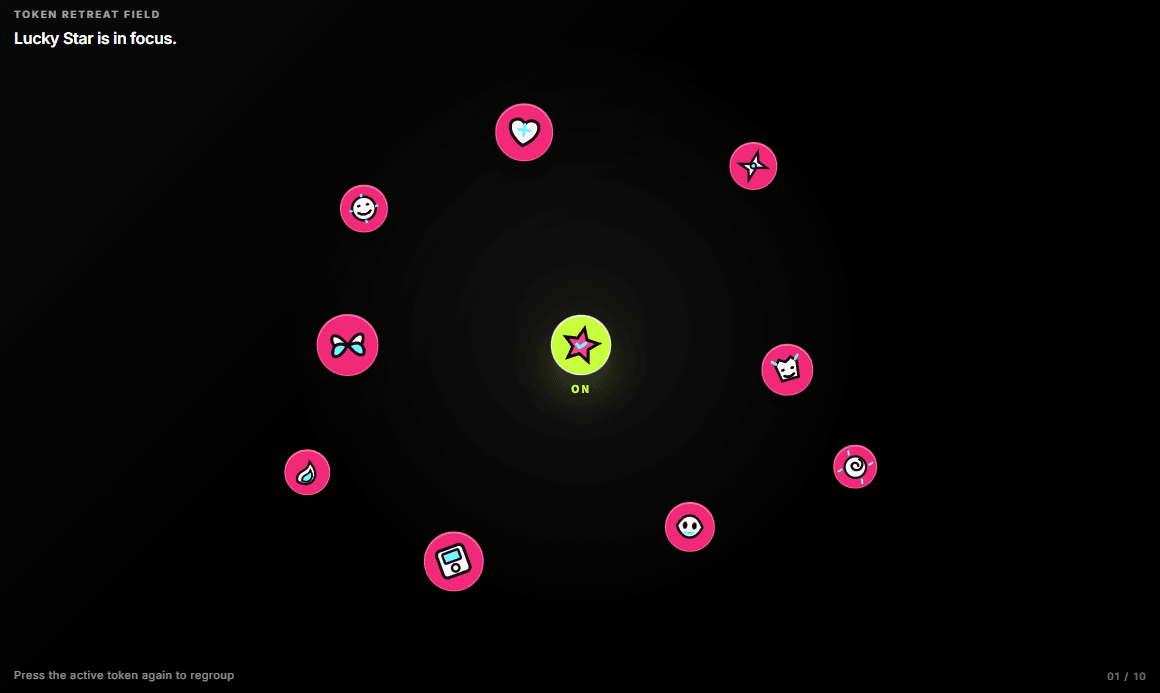
- Ten original Y2K inline SVG icons: smiley, love signal, chrome star, butterfly, cyber pet, lucky star, flame, disk, alien, and spiral
- Three image slots per token: Default, Hover, and Click
- Waiting, Hover, and Active color controls
- Press-only retreat: the selected token remains central while the others fan outward
- Press the active token again to regroup the field
- Horizontal, center-aligned ON/OFF state label beneath the last interacted token (never rotates)
- Optional scene image, labels, retreat distance, and cluster size
- Background follows any Fixed Framer frame size; verified at tablet, mobile, and 320px widths
- Keyboard buttons with aria-pressed, Static Renderer fallback, and Reduced Motion support
## Best for
- Fashion, music, art, and culture launches
- Playful portfolio or agency landing pages
- Interactive campaign maps and visual indexes
- Product stories where one object needs to become the focal point
Why it feels different
Most token fields are either static piles or permanently scattered bubbles. Token Retreat Field treats the cluster as a social object: hover changes its skin, a press creates focus, and every other token physically makes room.
Usage
1. Add Token Retreat Field to a Framer page.
2. Open the Tokens array and add up to the number of tokens your layout needs.
3. Use the built-in Y2K SVG set or attach a Default Icon, Hover Icon, and Click Icon to any token for custom artwork.
4. Keep X/Y values close together for a dense pile. Increase Retreat Distance only when the preview needs more breathing room.
5. Preview hover, keyboard focus, press, regroup, and Reduced Motion before publishing.