About Pricing Table CMS
Complex pricing tiers, made effortlessly simple.
Building a professional pricing matrix with multiple tiers, feature lists, and billing toggles can be overwhelming—especially if you aren't a design expert.
Trying to manually align columns, balance mobile breakpoints, and update your offering directly on the Framer canvas often leads to frustration, wasted time, and broken layouts.
The ultimate zero-friction solution
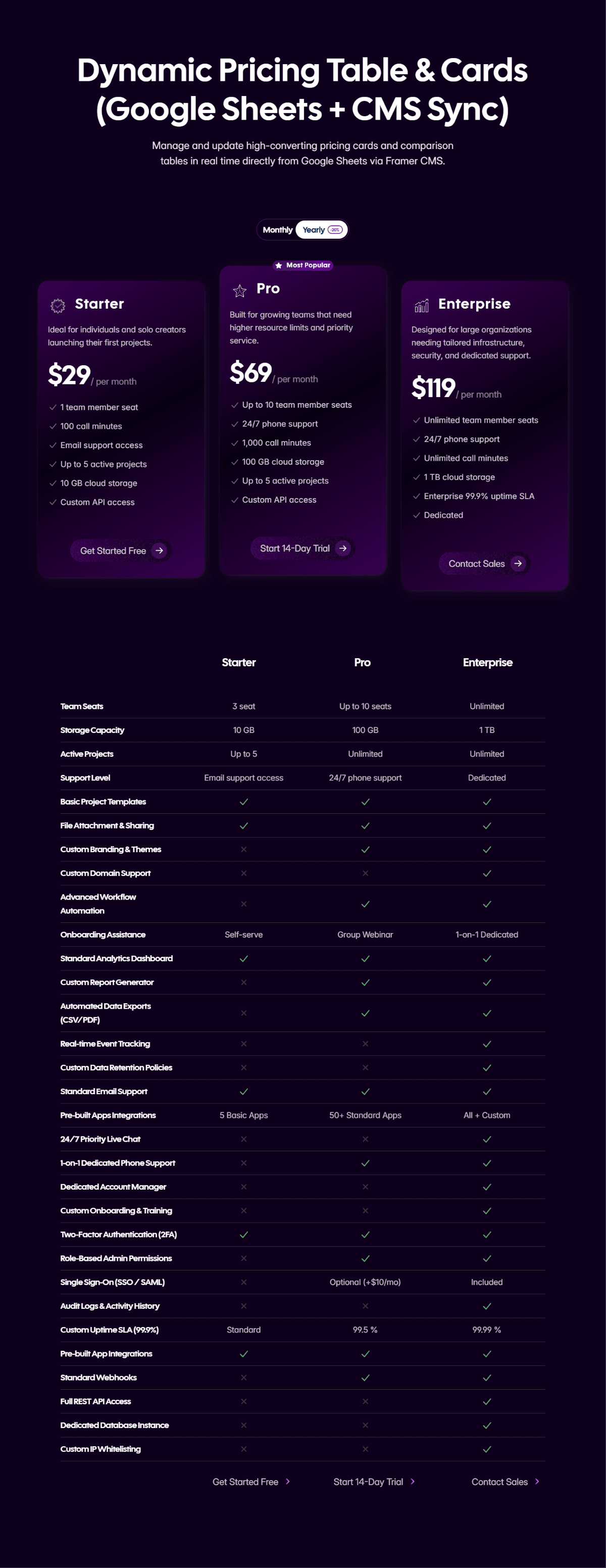
This component removes the technical guesswork from web design. Featuring beautiful, ready-to-use pricing cards and a detailed comparison table, the entire data structure is powered natively by Google Sheets. You get to manage your business's pricing in a familiar spreadsheet environment, while the Framer component automatically handles the layout, responsiveness, and interactive elements.
Key Features & Benefits
Monthly/Annual Billing Toggle: Comes with a built-in, seamless switch so your customers can effortlessly toggle between monthly and yearly subscription options.
Complete Visual Customization: Make it entirely your own. Easily customize colors, fonts, titles, backgrounds, and icons directly in Framer to perfectly match your brand's identity.
No Design Experience Needed: You never have to wrestle with Framer’s layout tools to update your pricing data. If you can type in a spreadsheet, you can manage this component.
Bulletproof Layouts: Content and design are completely separated. Add features, change prices, and rename tiers in your Google Sheet without ever risking a broken website design.
How It Works
Duplicate the Template: Make a copy of the provided Google Sheet template.
Connect & Customize: Paste your unique Google Sheet URL into the Framer component’s property panel, then tweak the colors and fonts to match your brand.
Update & Sync: Simply update your text, prices, and features directly in Google Sheets, and the changes will automatically sync to your live Framer site.


