About Product X-Ray
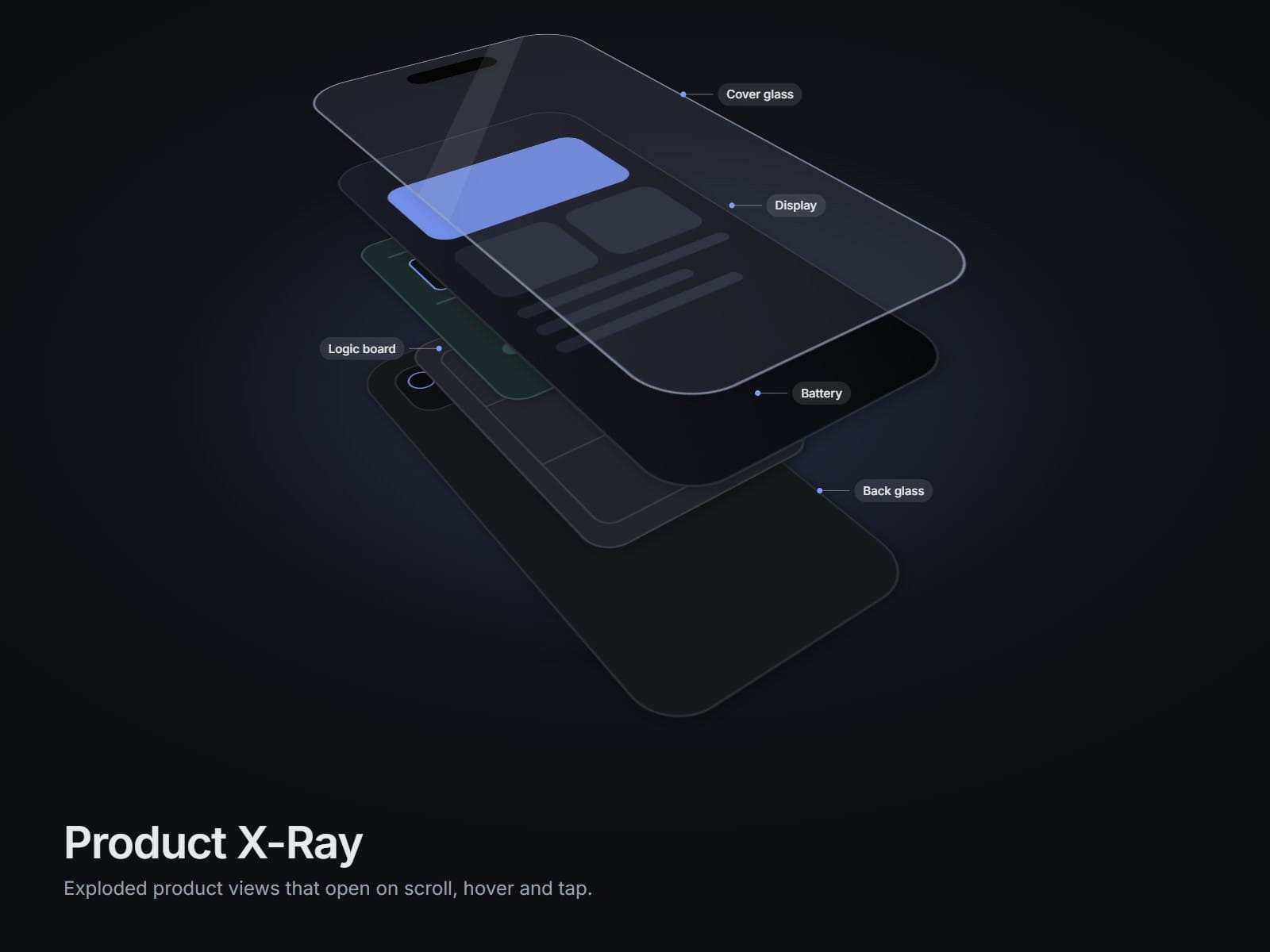
Show what is inside your product. Product X-Ray splits a product into layers and lets the parts float apart in depth, so visitors see how it is built.
It starts closed, so the product looks normal. When the whole card is on screen it opens by itself. Hover a part and it lifts while the rest dims and its label lights up. On phones it plays on scroll and a tap also works.
What you get
Two ready samples: Smartphone and Headphones, with labels
Your own product: add transparent PNG layers, or swap the images of a sample part by part
Play when visible, or follow the scroll position
Layer hover: lift, dim the others, highlight the label
Transparent by default so it sits on any page, or give it a card
Start Zoom: the closed product is bigger and eases back as it opens
Easing, layer stagger, depth, tilt, perspective, accent, label chip, shadows and glow, all as controls
Phone settings: smaller movement, bigger product, labels off by default
Keyboard: Tab to focus, Enter or Space to toggle, Esc to reset
Respects reduced motion: small movement or a simple switch
How to use
Drop the component on your page and set its width to 100%.
Pick Smartphone or Headphones, or choose My own layers.
Publish. Done.
Good for product launches, hardware and gadget pages, repair and teardown stories, spec sections and case studies.
Built with React and Framer Motion only. No other libraries. No setup.