About Aisol Compare Table
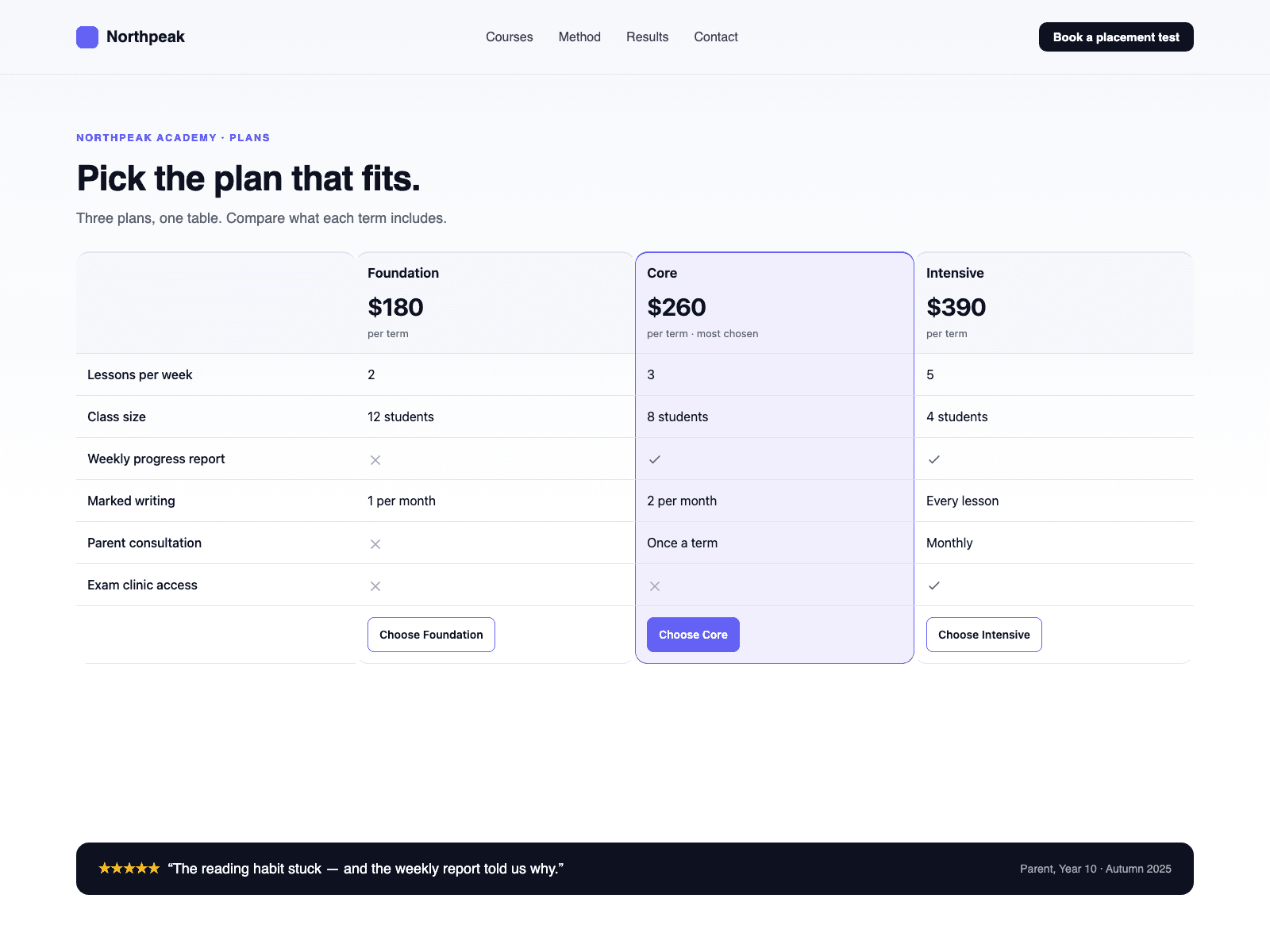
Aisol Compare Table sets two to four plans side by side: features down the rows, plans across the columns.
It is a real HTML table with a caption, column headers and row headers. Check and cross cells carry the words "Included" and "Not included" for screen readers, and you can change both words.
The header row stays in view while the page scrolls. Use Sticky offset to leave room for a fixed navigation bar, or turn Sticky header off.
Each column has a name, price, note, CTA label and link, and one column can be highlighted. Rows take any text; yes and no become icons.
Column slots let you drop your own component, such as a CMS-bound card, into a column header. The table shows as many columns as the longer of Columns and Column slots, up to four. A slot replaces only the header: row values and the CTA still come from Rows and Columns, and a column that has a slot but no Columns entry shows no CTA.
Below a window width you choose, each plan becomes its own card with the feature names repeated inside it. Above that width the table fills its frame without a horizontal scroll bar.
You also set the heading level, caption (visible or screen-reader only), colours, card fill, font, text size, max width (0 fills the frame), radius, cell padding and value alignment. Empty text shows when there are no columns or rows.
The component renders plain markup with no observers or timers, so the Framer canvas shows the finished table.