About Aisol Drop Tags
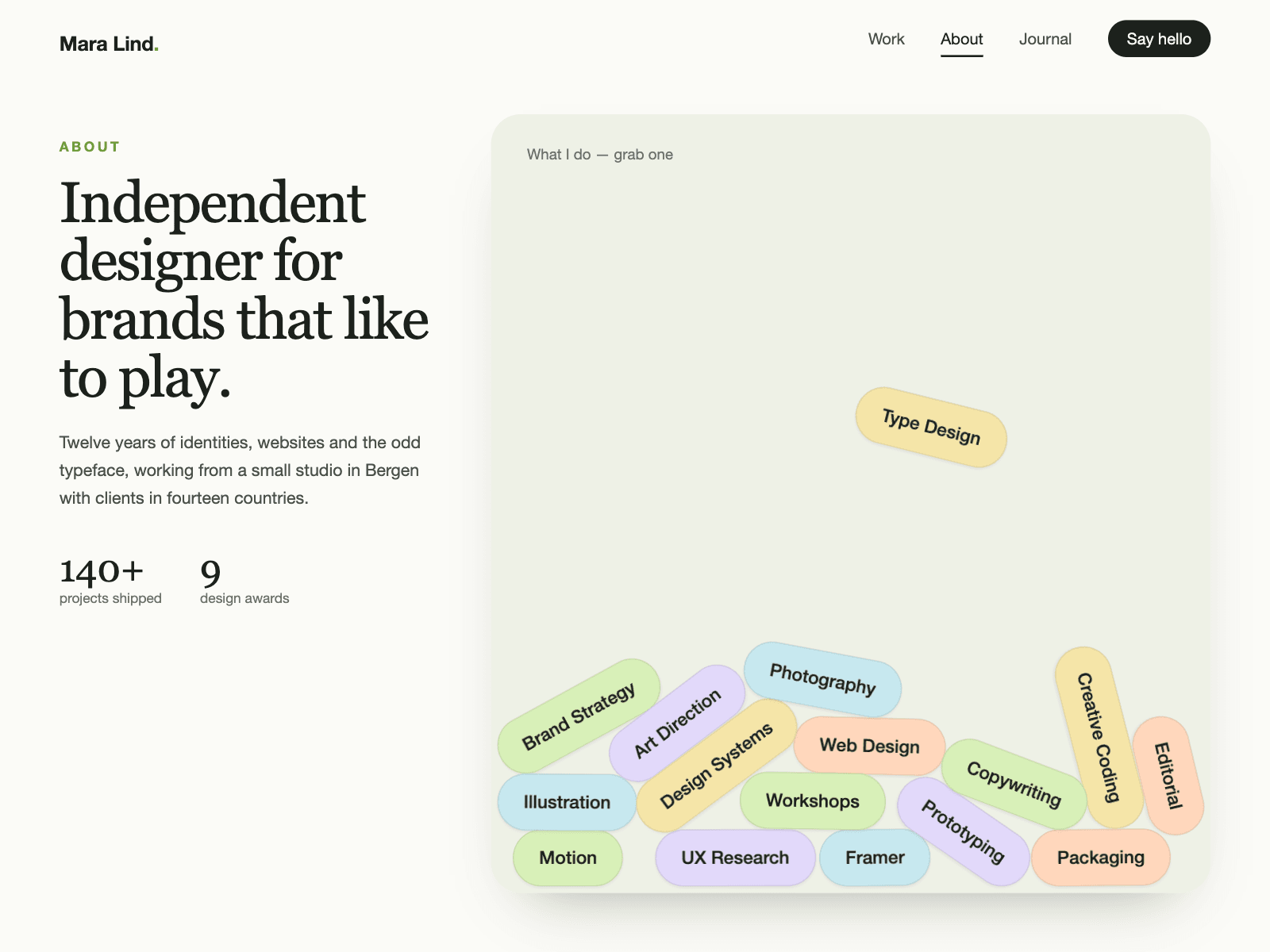
Aisol Drop Tags drops your skills, services or keywords into the section as pill-shaped tags that tumble, stack up and can be grabbed and thrown.
Tags come from a Collection List or the panel, each with its own colour and optional link, and the physics are built in with no outside library.
The tags stay readable as a plain list for screen readers, the simulation sleeps once everything settles, and reduced motion and the canvas show them already stacked.
- Starts when the section scrolls into view; drops once, then stays interactive.
- Grab with mouse or finger, flick to throw; a tap without a drag follows the tag's link.
- Walls keep every tag inside the frame at any width.
What you control
• Tags from a Collection List or the panel (label, colour, link)
• Gravity, bounce, size, roundness
• Drop on view, on load or never (pre-stacked)
• Font, text size and colours
Limits: best with 5 to 40 tags; on a small frame with many tags the pile overlaps and freezes in place after about 6 seconds; long labels make wide pills; on phones the tags can be thrown but the page still scrolls from the empty space around them.